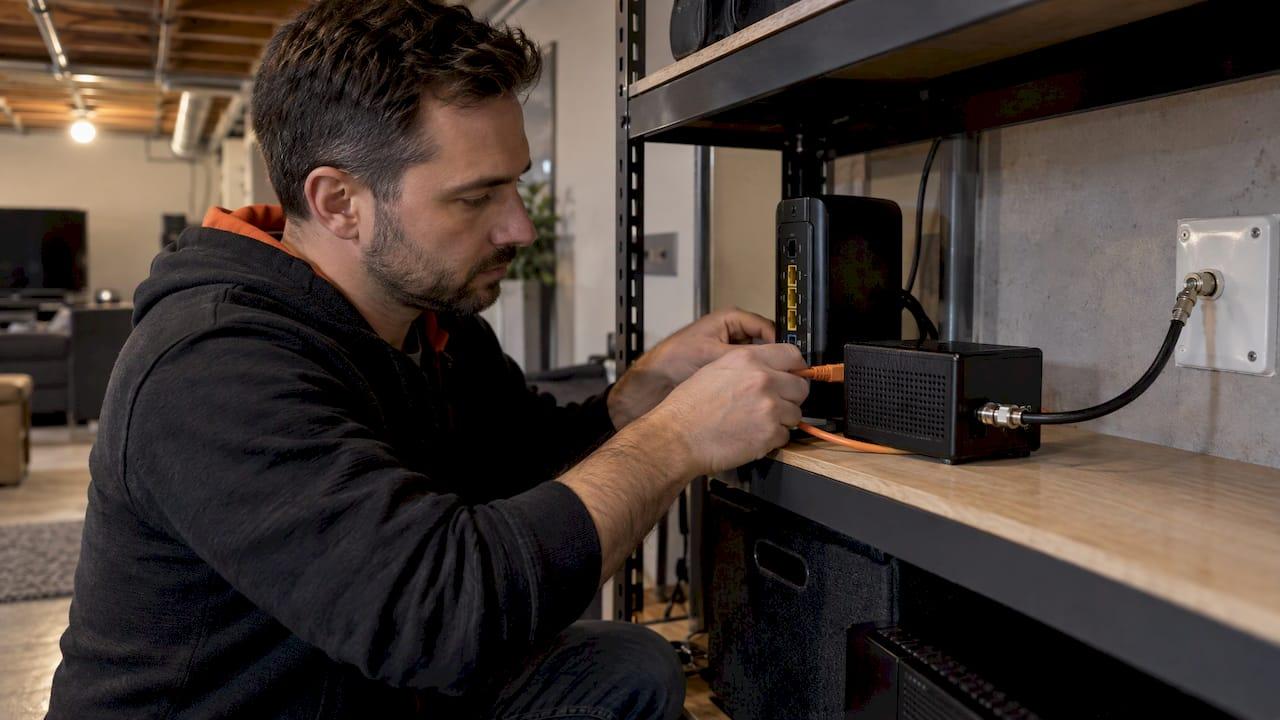
A MoCA home network sends Ethernet data over the coaxial cable already in your walls. You plug a MoCA adapter into a coax outlet and your router, plug a second adapter into a coax outlet in another room, and that room gets a wired connection with no new cable pulled. It suits homes that have coax outlets but no Ethernet in the rooms where the signal is weak.
Below, we explain what MoCA does, how it compares with Wi-Fi and Ethernet, how to set it up properly, and where a planned wiring job beats a workaround. We also cover AirPlay and Chromecast, because the same rooms that need a solid network usually need good audio.
TL;DR
- MoCA reuses your existing coax outlets to carry a wired network. At least two adapters are needed: one at the router, one at the device.
- MoCA 2.5 is specified at 2.5 Gbps, so it can keep up with fast home internet plans and act as a wired backbone for Wi-Fi.
- It is generally steadier than Wi-Fi through walls and floors, and close to Ethernet for most home uses.
- Splitters, a point-of-entry filter and cable quality decide whether it performs. Most poor MoCA results trace back to these.
- In a new build or major renovation, running Ethernet is the better long-term plan, and we handle both.
Table of Contents
- What a MoCA home network is
- How to set up a MoCA network
- MoCA vs Ethernet
- MoCA vs Wi-Fi
- Should you turn on MoCA?
- When Ethernet is the better plan
- AirPlay vs Chromecast for audio
- Our perspective
- Let us plan your home network and AV
- FAQ
- Sources
What a MoCA home network is
MoCA stands for Multimedia over Coax Alliance, the standards group behind the technology. Coaxial cable was installed in many homes for cable TV, and MoCA uses that wiring to create a wired network without installing new network cables. Think of the coax in your walls as a spare data line that happens to already be there.
The signals ride on frequencies that sit above the ones cable TV uses. The MoCA Alliance specifies a usable spectrum of 400 to 1675 MHz for MoCA Home 2.5, with 2.5 Gbps MAC throughput and under 2.5 ms one-way average latency. That latency figure matters for video calls, gaming and streaming, where a steady connection counts more than a big headline speed.
The adapters do the translation. Each one has a coax port and an Ethernet port. Data comes in as Ethernet, goes out over the coax as MoCA, and comes back to Ethernet at the other end. Your devices never know the difference.

Which MoCA version you will meet
Older gear is common, so it helps to know the generations. Hitron describes MoCA 2.0 as backward compatible with MoCA 1.0 and 1.1, and MoCA 2.5 as backward compatible with 2.0 and 1.1. Mixed gear will talk to each other, but the network runs at what the older generation can manage. If you are buying new, choose MoCA 2.5 so the coax is never the limit on a gigabit plan.
How many devices it supports
A home MoCA network is a point-to-point arrangement in practice: adapter to adapter. Still, the adapters support up to 16 nodes on one network, so one router-side adapter can serve several rooms, each with its own adapter.
How to set up a MoCA network
The setup is simple, and it is the wiring around the adapters that needs care.
- Check your outlets. You need a coax wall outlet near the router and one in each room you want to connect. Confirm that the outlets are actually connected to each other behind the walls, not dead-ended.
- Connect the first adapter at the router. Per ASUS's installation guide, you connect one adapter to a coax outlet and to the router by Ethernet.
- Connect the second adapter at the device. It goes on a coax outlet in the other room and connects by Ethernet to your TV, streamer, game console, desktop or a Wi-Fi access point.
- Let it pair. Hitron notes that the connection establishes automatically with no software or configuration. If your router already has MoCA built in, you only need one extra adapter.
- Lock it down. After you use MPS pairing, only paired devices can access the network, per the same ASUS guide.
To answer a common question: a MoCA adapter does not plug into the modem's coax port in place of the cable. It connects to your router by Ethernet and to a nearby coax outlet on the in-wall wiring.
Splitters and the point-of-entry filter
This is where most DIY MoCA installs go wrong. Old cable TV splitters were built for lower frequencies than MoCA uses. A splitter that is not rated for the MoCA band can weaken or block the signal between rooms. When we assess a home, we look at every splitter on the coax run and replace the ones that are not suited to the job.
If your internet comes in over cable, a point-of-entry filter is the other piece. TiVo's support guidance says to install a Point-of-Entry filter where the coax enters the home, which keeps the MoCA signal inside and prevents conflicts with other MoCA networks. It goes at the entry point, before the splitters.
Cable quality matters too. Older homes can have a mix of RG59 and RG6 runs, long or damaged lengths, and loose connectors. Our guide to RG6 vs RG59 coax cable explains which is which and why it affects signal.
MoCA vs Ethernet
Ethernet is the benchmark: a dedicated cable, no shared medium, very little that can go wrong. MoCA 2.5 gets close for the way most households use a network.
| Factor | MoCA 2.5 | Ethernet |
|---|---|---|
| Cable needed | Existing coax | New Cat6 or better run |
| Specified speed | 2.5 Gbps MAC throughput | 1 Gbps to 10 Gbps, depending on cable and gear |
| Latency | Under 2.5 ms one-way average (specification) | Very low |
| Extra hardware | Two or more adapters, MoCA-rated splitters, entry filter on cable service | Switch or router ports |
| Disruption to install | Minimal, no drywall work | Higher in a finished home, minimal before drywall |
| Best for | Finished homes with coax in the right rooms | New builds, renovations, long-term planning |
The figures for MoCA come from the MoCA Alliance's specification page. Those are specified numbers for the technology; what you see in your house depends on the coax condition and splitters, which is why we inspect the wiring first.
For streaming 4K, working from home, console gaming and mesh backhaul, MoCA done properly is a strong wired connection. If you need the highest possible speed between a server, a rack and a home office, or you are building new, Ethernet is the clean answer. Our home Ethernet wiring guide for Alberta homeowners covers what to run and how.
MoCA vs Wi-Fi
Wi-Fi is convenient, but it is a shared radio signal that has to get through drywall, ductwork, stairwells, insulation and, in many Calgary homes, a finished basement. MoCA runs inside a shielded cable, so those obstacles do not touch it.
The MoCA Alliance describes the technology as proven in homes since 2007 and one of the most reliable in-home backbones for Wi-Fi. Its field tests showed that a Wi-Fi mesh still needs a wire, with a dramatic improvement in Wi-Fi performance when MoCA 2.0 was used as the backhaul instead of a wireless backhaul alone.
That is the combination we use most. Rather than choosing one or the other, you wire the access points or mesh nodes together over MoCA and let Wi-Fi do what it does best, which is serving phones, tablets and laptops in the room. If you are comparing mesh options, see our guide to the best mesh Wi-Fi systems, and for where the units should go, our access point placement rules.
When MoCA wins over Wi-Fi
- A TV, streaming box or console in a room at the far end of the house, or on another floor.
- A home office or basement suite where video calls drop.
- A mesh system whose wireless link between nodes is slow.
- A device that is permanently in one spot and does not need Wi-Fi at all.
When devices are spread across a house, bandwidth gets shared quickly. For a plain explanation of how many screens divide up a connection, see this piece on how multiple devices share connection speed. A wired link to the biggest bandwidth users leaves more Wi-Fi capacity for everything else.
Should you turn on MoCA?
If you have a MoCA-capable router or gateway and a reason to use it, yes. On gear with MoCA built in, you enable it and add one adapter at the far end. If your router has no MoCA, you use two adapters and nothing needs enabling on the router.
A few practical rules:
- Internet type. Hitron says MoCA works best with cable internet and that some modems and routers have it built in. If your service arrives some other way, such as fibre, we confirm how it enters the house and which coax runs are free to use before recommending anything.
- Keep it inside. Fit the entry filter, as described above, so your signal stays in your house.
- Use matching, quality gear. Pairing mixed generations works, but the network runs at the older generation's pace.
- Plan for the other end. A MoCA adapter at the far end can feed a switch, a TV, or a Wi-Fi access point, and a small switch is often the smartest way to serve several devices in one room.
Our smart home networking guide shows how these pieces fit with cameras, smart lighting, control systems and streaming gear.
When Ethernet is the better plan
MoCA is a very good way to get a wired link in a finished house. For new builds and major renovations, the stronger plan is to put Ethernet in the walls while they are open. A cable run before drywall costs far less in time and mess than one added afterward, and it keeps its value as speeds climb.
If you are building or opening walls, our prewire checklist for smart homes lists what to run before drywall goes up. Camera runs have their own requirements, covered in our guide to PoE camera wiring that passes Canadian code. Many homes end up with both: new Ethernet to the key rooms and MoCA as a bridge to the spots where opening a wall makes no sense.
Outbuildings and shops are a different case, since they often have no coax at all. For those, see our notes on an outbuilding network bridge and on Wi-Fi in a metal building. For future-proofing the connection into the house, read our fibre home network guide.
AirPlay vs Chromecast for audio
Good networking is what makes multi-room audio dependable, so it is worth settling the AirPlay and Chromecast question here.
TechRadar's comparison explains that AirPlay 2 is built into every iPhone, iPad and Mac, and plays to compatible TVs, home cinema receivers and smart speakers, with whole-home audio and screen mirroring. Chromecast works from Android and iOS phones and casts to Android TVs, HDMI dongles and Google-enabled speakers, with apps such as YouTube, Netflix, Spotify, Apple Music, Tidal and Amazon Music supported.
The difference in how they work is useful. According to the same TechRadar piece, when you cast, your phone is not actually streaming the content: it points the Chromecast device to the content online, and your phone acts as a remote control. AirPlay sends audio from the device itself. In practice, a Cast speaker keeps playing if you leave the room with your phone, while AirPlay depends on the sending device staying connected.
On availability, XDA Developers reports that Google discontinued the Chromecast Audio dongle in 2019 with no new features since, but the Cast protocol lives on in apps, so the old dongle works for as long as apps like Spotify support Cast. For a new setup, you pick a speaker or streamer that supports the protocols your household uses.

Which should you choose? If your household is mostly iPhones and Macs, AirPlay is the natural fit. If you have a mix of Android and Apple devices, Cast support and an app-based streamer give everyone a way in. Many of the streamers and speakers we install from WiiM and Sonos support more than one method, so you do not need to settle it in advance. Either way, a wired or well-backhauled network behind them keeps music from stuttering.
Our perspective
We see the same pattern in Calgary homes: a great TV, a good speaker system and a router in the wrong corner. The gear is rarely the problem. The network underneath it is.
When we design a system, we start with the wiring. In a new home we run low-voltage cabling before drywall so every room has what it needs. In an existing home, we look at what is already in the walls. Coax that is in good condition can carry a very capable MoCA link, and we pair it with the right splitters and filters so it performs the way it should.
Our approach is a fully custom, engineered system scaled to the space, with one point of contact from design to ongoing support. The network, the audio, the lighting and the control system are planned together, so the installation disappears into the architecture and the controls feel intuitive. That is what keeps a smart home working after the day we leave.
JupiterAV
Let us plan your home network and AV
If you would rather have it done right the first time, JupiterAV handles the whole job in Calgary and the surrounding area: low voltage wiring, networking, TVs, whole-home audio and video, Sonos and WiiM, Control4 and Alexa smart home systems, Lutron Caseta lighting, motorized blinds, security and CCTV, and custom home theatres. We work with homeowners, businesses and home builders, including custom and acreage builders.

Tell us which rooms are struggling or what you are building, and we will recommend the wiring and equipment that suit your home.
FAQ
Is MoCA as good as Ethernet?
For most households, MoCA 2.5 is a close second. It is specified at 2.5 Gbps with under 2.5 ms average one-way latency, according to the MoCA Alliance. Ethernet remains the cleanest option where you can run new cable, and MoCA is the practical option where you cannot.
Is MoCA better than Wi-Fi?
For a fixed device like a TV or a mesh node, a wired MoCA link is usually steadier than Wi-Fi through walls and floors. The MoCA Alliance's field tests showed a big improvement when MoCA replaced a wireless backhaul for a Wi-Fi mesh. Wi-Fi is still what your phones and laptops use in the room.
Does a MoCA adapter plug into a modem or router?
It connects to your router by an Ethernet cable and to a nearby coax wall outlet. The second adapter does the same at the far end, linked to your device. If your router has MoCA built in, you only need the far-end adapter.
Do I need a splitter or filter for MoCA?
Yes, both are worth checking. Splitters on the coax run should be rated for the MoCA frequency band, and on cable internet a point-of-entry filter at the place the coax enters the home keeps your signal inside, as TiVo's support page explains.
Sources
- ASUS: How to install the MA-25 MoCA adapter
- MoCA Alliance: MoCA Home 2.5
- Hitron: MoCA, a complete guide
- Hitron: How do I set up a MoCA network?
- Hitron: Coaxial cable to Ethernet adapter explained
- TiVo: What is MoCA
- TechRadar: Apple AirPlay 2 vs Chromecast vs Spotify Connect
- XDA Developers: Chromecast Audio is 11 years old
- How multiple devices share connection speed