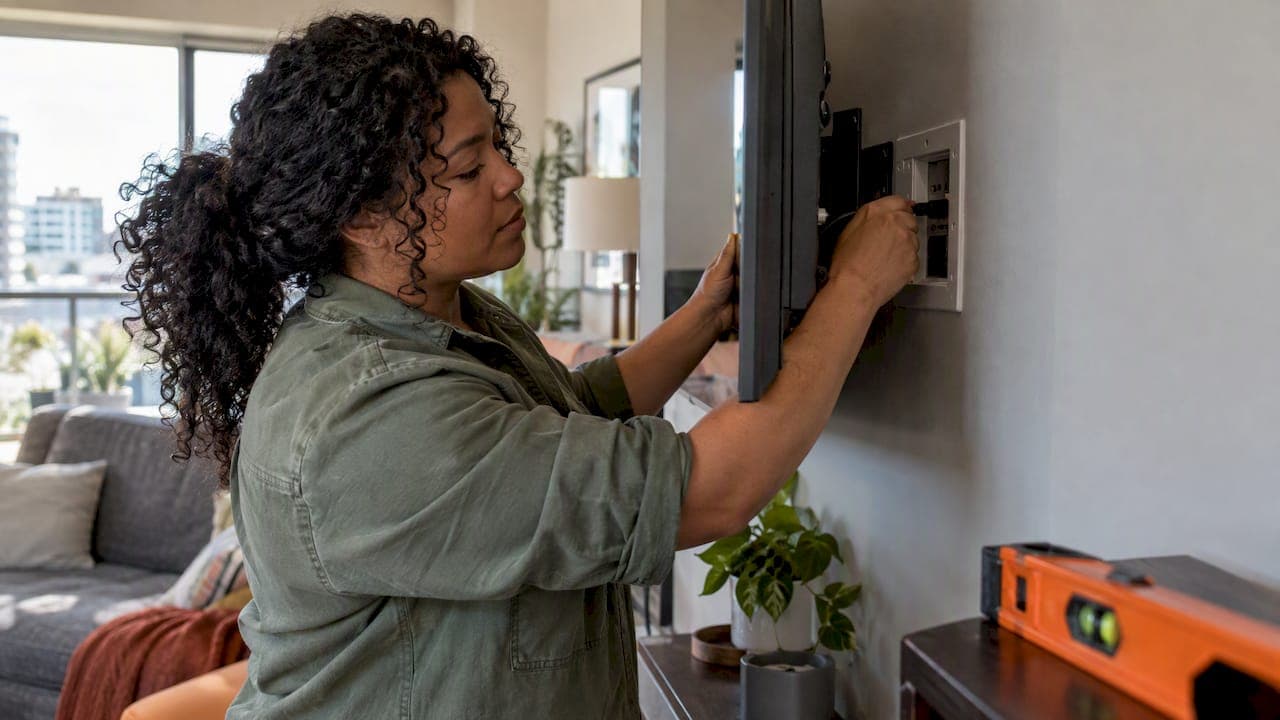
There are four ways to hide TV wires, and the right one depends on your wall and how permanent you want the result. A paintable raceway or a cord sleeve takes an afternoon. A code-compliant in-wall power kit with low-voltage cable behind the drywall gives a cleaner finish. Planning the wiring before the drywall goes up gives the cleanest result of all. What you should not do is push the TV's ordinary power cord through the wall, and we explain why below.
This guide covers each method, what it costs you in effort, where it goes wrong, and what changes when the wall is tile, a fireplace or a recessed niche.
TL;DR
- Surface raceways and zippered sleeves are the fastest fix. They need no cutting into walls and suit rentals and finished rooms.
- For a truly wire-free wall, use an in-wall power kit made for the job and run HDMI and network cable behind the drywall. Never run the TV's standard power cord inside the wall.
- Tile walls can hold a TV, but they need the right drill bit, anchors that reach solid backing, and a plan for cables before you drill.
- If you are building or renovating, the cheapest time to hide wires is before drywall, with conduit and a recessed outlet behind the TV.
Table of Contents
- Which method fits your situation
- The easiest fixes: clips, sleeves and raceways
- Hiding the cables inside the wall
- Hiding wires below and behind the TV
- Mounting a TV on a tile wall
- TVs over a fireplace
- Hiding wires in new builds and renovations
- Protect the equipment you just tidied
- Our perspective
- When to call an installer
- FAQ
- Sources
Which method fits your situation
| Method | Effort | Wall damage | Best for | Watch out for |
|---|---|---|---|---|
| Cord clips and furniture | Very low | None | Floor-standing TVs, quick tidy-ups | Wires still visible on the wall |
| Surface raceway | Low | Tape or small screws | Rentals, brick, tile, concrete | Looks like a stripe unless painted |
| Zippered sleeve | Low | None | Bundles running to a console | Does not hide the run on the wall |
| In-wall power kit plus low-voltage cable | Medium | Two openings in drywall | Finished homes with stud walls | Must be a listed kit, not a regular cord |
| Pre-wire before drywall | Planned | None | New builds, major renovations | Needs decisions early |
The easiest fixes: clips, sleeves and raceways
If you want the simplest answer, one easy approach is to keep wires behind furniture and secure them with wire clips. It works when the TV sits on a stand or the cables drop straight behind a console.
For a wall-mounted TV, the usual next step is one of two products:
- Surface raceway. Raceways are wall channels that can usually be painted. You cut them to length, fix them with double-sided tape, drop the cables in and snap on the lid. Painting them to match the wall is what turns a visible stripe into something you stop noticing.
- Flexible zippered sleeve. A sleeve bundles several wires into one tidy tube. It suits the run from the console to the wall, or the group of cables behind a stand.
Getting raceway to look right
Most disappointing raceway jobs come from a few avoidable choices:
- Start with the shortest possible run. Mount the TV, then measure from the TV's connection point straight down to the outlet or console. A vertical run looks intentional. A diagonal one looks like a mistake.
- Size for the cables, not the TV. A power cord, an HDMI cable and a network cable need more width than you expect. A raceway stuffed to bursting will not close flat.
- Clean and dry the wall first. Tape holds poorly on dusty or textured paint. Wipe the surface, and use small screws into drywall anchors if the tape will not hold.
- Paint after fitting. Paint the cover to match the wall colour, not the trim, so it recedes.
- Leave slack at the TV. Cables need a little room to move when you tilt or pull the TV forward.
Raceway is also the best answer on surfaces you do not want to cut into, such as brick, concrete, stone or tile.
Hiding the cables inside the wall
This gives the look most people picture: a TV on the wall with nothing visible below it. It involves two different kinds of wire, and they are treated differently.
Power: use a kit made for in-wall use
The most common online hack is to cut two holes in the drywall and feed the TV's regular power cord through the cavity. Please do not. A standard appliance cord is designed to be visible and accessible, not enclosed in a wall. An in-wall power kit can hide cords in the wall while staying code-compliant, which is the point: the kit is rated and listed for that location.
Canadian regulators take a firm line on related issues. In Ontario, the Electrical Safety Authority says electrical equipment must be approved by an accredited certification or evaluation agency, and that installing or connecting unapproved equipment is against the law. It also advises that extension cords are for temporary use, not permanent wiring, and recommends permanent outlets installed by a Licensed Electrical Contractor. Those are Ontario rules and guidance, but the principle carries across the country: look for the certification mark on anything that goes into a wall, and have an electrician handle any new outlet. In Alberta, check the requirements for your own project with your electrician or municipality before work starts.
The practical version for most homes is a recessed outlet behind the TV, installed by a licensed electrician, so the TV's own plug goes into a receptacle that sits in the wall directly behind it. That way no cord needs to travel anywhere.

Signal: HDMI, network and speaker cable
Low-voltage cables are a different story. HDMI, Ethernet and speaker wire carry little power, and running them behind drywall between two openings is routine work for installers. The details matter, though:
- Keep low-voltage cables physically separate from power wiring and cross it at right angles when you must.
- Use cable rated for in-wall use, not a standard patch cable with moulded ends pulled through a stud bay.
- Do not staple or crush cable. Tight bends and pinched runs cause intermittent signal drops that are a pain to trace later.
- Use proper low-voltage plates or brush-style wall plates at each opening so edges do not chafe the cable.
- Think about the next TV. A pull string or a short length of conduit lets you replace cabling later without reopening the wall.
A long HDMI run is also where cheap cable fails first, particularly with 4K signals. If the distance from source to screen is more than a few metres, it is worth specifying cable intended for the run rather than hoping a bargain cable works.
Hiding wires below and behind the TV
Even with a clean in-wall run, the cabling has to end somewhere. There are three common solutions.
A recessed connection box behind the TV. A low-voltage box and power receptacle recessed into the wall let the TV sit close to the surface. This is where a wall niche shines: a recessed TV wall gives the cables and the plug room to sit behind the screen so the TV can mount nearly flush.
A shelf or console that takes the devices. Put the streaming box, game console and receiver in a cabinet with ventilation, and let only one cable bundle reach the TV. If the clutter of devices is the real problem, media room storage solutions show how organized shelving keeps cables and equipment out of sight.
A soundbar that does not add cables. A soundbar needs power and a signal link. Mounted properly, it can share the same concealed run as the TV. We cover the clearances in our guide to mounting a soundbar to your TV.
Height matters too. Cables that drop from a TV set too high make a longer, more visible run, so plan your TV mounting height before you decide where the wall openings go.
Mounting a TV on a tile wall
Tile walls, common in basements, bathrooms, feature walls and some fireplace surrounds, raise two questions: can you drill without cracking the tile, and where do the cables go? The answer to the first is yes with care. The second needs the most thought, because you cannot easily cut a pass-through in tile the way you can in drywall.
Before you drill
- Find out what is behind the tile. Tile may sit over drywall, cement board, a plaster base or masonry. The right anchor depends on this. A mount needs to reach studs or solid backing, not rely on tile alone.
- Check for hidden wiring and plumbing. A stud finder with AC detection helps, but it is not proof. Tile walls often sit in wet areas, where pipes and electrical runs are common. If you are unsure, an electrician or installer can scan the wall before you drill.
- Choose the hole positions with the tile layout in mind. Drilling through a grout line is easier on the tile but weaker for anchoring. Drilling into the centre of a tile is stronger but riskier for cracking. Mark both before you commit.
Drilling without cracking
- Use a tile or diamond-tipped bit, not a standard wood or metal bit.
- Apply masking tape over the mark to stop the bit wandering.
- Start slowly with the drill on a low speed and no hammer action until you are through the glaze.
- Keep the bit cool. Heat chips tile, so pause and let it cool if needed.
- Switch to the bit suited to the backing once through the tile, and install the anchor or lag screw that matches it.
Large-format and porcelain tile is harder and less forgiving than ceramic. If the tile is expensive, discontinued or in a high-visibility spot, that is a good reason to hand the job to someone who does it every week.
Where the cables go on tile
Because cutting through tile is messy and hard to repair, the typical choices are:
- Surface raceway in a matching colour. It runs down the wall surface from the TV to the floor or console. On tile, choose a low-profile model and run it along a grout line so it looks planned.
- Wiring from behind the wall. If you can access the back of the wall from a closet, utility room or ceiling space, cables can come through from behind without disturbing the tile.
- A shelf or ledge for devices. Place equipment on a shelf close to the TV and keep the visible run very short.
- Planning during the tile install. If the tile has not yet been laid, this is the ideal moment: leave a gap, install the low-voltage box and outlet, then tile around them.
A tilting or full-motion mount adds weight at the edge of the bracket. On tile, that leverage can crack a tile around an anchor, so a fixed or low-profile tilting mount is usually the safer choice for a heavy set.
TVs over a fireplace
The fireplace wall is the hardest place to hide wires, because heat, masonry and a high mounting position all work against you. Cables must stay away from heat, and a power outlet may not exist where you need it. Our guide to mounting a TV over a fireplace covers safe mounting and design in detail, including why planning the conduit is better than trying to retrofit it.

Hiding wires in new builds and renovations
If walls are open, you have the best chance to do it right. In a new home or a major renovation, wiring can go in before the drywall with no fishing, no patching and no compromises. A good pre-wire plan usually includes:
- A recessed power outlet and low-voltage box behind each TV location.
- Conduit or a pull string from the TV location to the equipment area.
- Network cable to each screen.
- Speaker wire to planned speaker positions.
- Extra capacity, because the cost of an empty conduit is small compared with opening a finished wall.
Builders who want to get this right can use our audio rough-in checklist, and the same thinking applies to distributed sound in multi-room audio wiring. If you have a dedicated room, home theatre lighting control should be planned at the same time, since lighting keypads and shade controls also need low-voltage runs.
Protect the equipment you just tidied
Once the cables are hidden, they are hard to reach, so the power side deserves attention. A surge protector that stays accessible, plus proper protection at the panel, keeps expensive equipment safe. We explain the two-layer approach in our guide to surge protection for AV in Canada. One more habit: if the equipment is in a closed cabinet, leave ventilation so devices do not overheat.
Our perspective
In our work in Calgary homes, the cable job people regret is rarely the one they paid for. It is the one they did quickly. A TV mounted before anyone thought about where the power and signal would go, a cord pushed through a wall because it seemed easy, a mount screwed into tile with no idea what lay behind it.
Our approach is to design the wiring first and the screen second. We aim for installs that are discreet and disappear into the architecture, scaled to the room, with a single point of contact from planning to ongoing support. For a finished home, that usually means a recessed outlet, in-wall low-voltage cable and a clean connection box. For a builder, it means getting conduit, boxes and cable in before drywall, so nobody has to cut walls open later.
If a surface raceway really is the right answer, because the wall is tile, brick or you are renting, we will tell you so. A tidy, painted raceway beats a poorly hidden cable every time.
— JupiterAV
When to call an installer
DIY is reasonable for clips, sleeves and raceway. Bring in a professional when any of these apply:
- You want power inside the wall, which calls for a licensed electrician and listed hardware.
- The wall is tile, stone, plaster or masonry, and you are unsure what is behind it.
- The TV is large or heavy, or sits above a fireplace.
- You are adding in-wall HDMI, network, speakers, or controls for lighting and shades.
- You are building and want every screen location pre-wired.
JupiterAV designs, installs and services home theatres, smart home systems, whole-home audio and video, low-voltage wiring, security and CCTV, and commercial AV across Calgary and the surrounding area, for homeowners, businesses and builders. If you would like a clean, wire-free result without guessing what is inside your walls, get in touch with JupiterAV and tell us about the room.
FAQ
What is the easiest way to hide TV wires?
For a wall-mounted TV, a paintable surface raceway is the easiest route that actually looks tidy. You cut it to length, fix it to the wall, lay in the cables and close the lid. For a TV on a stand, securing the wires behind the furniture with clips is often enough.
Can I run my TV's power cord inside the wall?
No. A standard power cord is not made to be enclosed in a wall. Use a kit designed for in-wall power or, better, have a licensed electrician install a recessed outlet behind the TV. In Ontario, the ESA advises against extension cords as permanent wiring, and the same caution applies anywhere.
Can I hide HDMI and network cables behind drywall myself?
Often yes, since they are low-voltage, but use in-wall rated cable, keep it away from power wiring and avoid pinching or sharp bends. If you are unsure about the route, or about what sits inside the wall, an installer can scan and run it for you.
How do I mount a TV on a tile wall?
Use a diamond or tile bit, go slowly, and anchor into studs or solid backing rather than tile alone. Check for pipes and wiring first. Because cutting through tile for cables is hard to repair, plan a surface raceway, a run from behind the wall, or a recessed box installed during tiling.
Do I need an electrician to hide TV wires?
Only for the power side. Clips, sleeves and raceways need no electrician. A new outlet or in-wall power needs a licensed electrician, and your installer can coordinate the low-voltage work around it.
Sources
- An Easy Way to Hide TV Wires (DIY), Family Handyman
- How to Hide TV Cords and Wires: 13 Great Options, The Spruce
- Homeowner Electrical Safety Handbook, ESA
- Indoor Safety, ESA