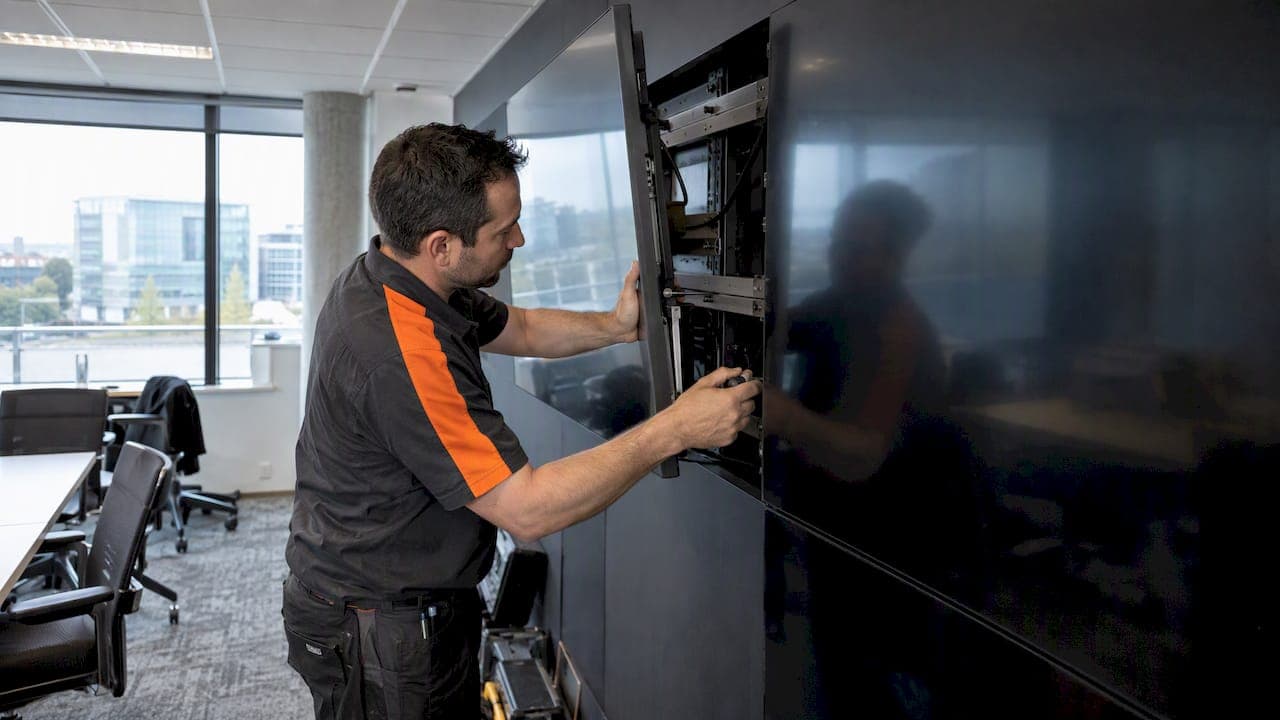
A video wall is mounted by fixing a rigid frame or rail system to a wall that can carry it, running all cabling first, then hanging the displays row by row from the bottom and aligning them to a tight tolerance. The mount is the last decision, not the first. The wall, the load, the power and the heat come before any hardware is chosen.
This guide is for Calgary homeowners, businesses and builders who are planning a multi-screen wall, whether it is a 2x2 grid of LCD panels in a lobby, a feature wall in a home theatre or a large LED installation. It explains the structure behind the mount, the sequence installers follow, what drives the cost and where projects go wrong.
TL;DR
- Start with the wall, not the mount. Studs, concrete or steel backing and the load per anchor point decide which hardware is even an option.
- A professional install follows a set order: verify anchor points, fit rails with a laser, route all cables, mount displays from the bottom row up, set gaps, then calibrate.
- Bezel width, viewing distance and heat expansion matter as much as the bracket. A perfect mount cannot fix the wrong display choice.
- In Canada, a permanent LED wall starts around $25,000 and can pass $75,000, and setup adds 18 to 35% on top.
- Power, cooling and cabling are where budgets slip. Plan them with the mount.
Table of Contents
- What "video wall structure" actually means
- Start with the wall
- Size the wall to the room
- Mount types and when each fits
- How a professional install runs
- Power, cooling and cabling
- What a video wall costs in Canada
- Where video wall projects go wrong
- Our perspective
- Planning a video wall or multi-screen install in Calgary
- FAQ
- Sources
What "video wall structure" actually means
People search for a video wall structure when they mean the whole support system behind the screens: the anchors in the building, the rails or frame attached to them, and the brackets that hold each display. There are three layers, and each one can fail on its own.
- The building. Wood studs, poured concrete, concrete block, steel framing or plain drywall. This is what carries the weight.
- The support frame. Wall-mounted rails, a freestanding frame or a custom-fabricated structure. Companies that build these describe support structures designed and fabricated for indoor LED and display walls, which is the end of the range where the mount is engineered for the job rather than bought off a shelf.
- The display mounts. Individual brackets, often with micro-adjustment so each panel can be nudged into line.
A single TV on a bracket involves only layers one and three. A wall of four, six or twelve screens adds the frame, and with it the problem of keeping every panel level with its neighbours.
Start with the wall
Industry guidance is consistent here: planning starts by evaluating the wall's structure and the load capacity of each anchor point before any hardware is selected. That order feels backwards to many buyers, who pick screens and brackets first and discover afterward that the wall cannot take them.
Drywall is never the answer on its own
A bracket screwed into drywall alone is a failure waiting to happen. Mounting guidance for large TVs says the load must go into wood studs or solid masonry, never drywall by itself. Weight adds up quickly: an 85-inch TV can weigh from about 35 kg (79 lbs) to over 48 kg (106 lbs), and that is one screen. Multiply by the number of panels in your wall and add the frame.
The same source advises choosing a mount rated at least 30% above the TV's weight, because a screen pulled away from the wall acts on the anchors like a lever, not a simple downward load.
Wall types you meet in Calgary
- Wood-framed interior walls in most houses. Fine for a modest wall if the load is spread across several studs, and often reinforced with blocking or a plywood backer installed during construction.
- Concrete and masonry in basements, commercial units and condo cores. Strong, but anchor choice and drilling method matter. We cover a related case in our guide on mounting a TV on stone.
- Steel stud commercial walls. These need reinforcement or a backer plate behind the finish, because a screw into thin steel and drywall will not carry a heavy wall.
- Fireplace and feature walls. Heat, depth and wiring make these a separate problem. See our TV over fireplace guide.
If you are building or renovating, the cheapest time to solve this is before the drywall goes up. Backing, conduit and power outlets placed behind the screen location cost far less than cutting into finished walls later. Our low voltage wiring work with builders is built around exactly that moment.
Size the wall to the room
The structure also depends on what you are mounting and how far away people will sit. For viewing distance, AVIXA guidance is commonly summarized as a 6:1 ratio: the furthest viewer should be no more than six times the vertical height of the screen away.
A quick worked example: a wall made of four 55-inch panels in a 2x2 grid is roughly 1.4 m tall (each 55-inch 16:9 panel is about 0.68 m high, so two rows is about 1.4 m before bezels). Six times that is about 8.2 m. A boardroom or a restaurant dining area fits comfortably. A long retail floor does not, and the back of the room would be better served by a different layout.
Two more decisions interact with size:
- Display type. LCD panels with thin bezels suit boardrooms, lobbies and signage. LED walls have no bezels but come with pixel pitch and cost considerations.
- Bezel width. Experts warn that bezel width is as critical as the mount. Even a perfect mount cannot fix gaps caused by a display type that does not suit the viewing distance or pixel pitch.
Mount types and when each fits
| Mount type | Best for | Watch out for |
|---|---|---|
| Individual fixed or tilt TV brackets | Two or three screens in a home or small office | Hard to keep gaps even; no fine adjustment |
| Wall-mounted rail system | Grids of LCD panels in lobbies, offices, restaurants | Needs the wall to carry the full combined load |
| Pop-out or micro-adjust video wall mounts | Tight seams on thin-bezel panels, with service access | Needs depth and clearance behind the screens |
| Freestanding or truss-style frame | Walls that cannot take the load, temporary or event use | Floor space, anchoring, rigging safety |
| Custom engineered structure | Large LED walls, curved layouts, unusual spaces | Engineering time and cost; plan early |
Manufacturers of foundation structures and mounts for video walls offer ranges that cover most of these categories, which shows how varied the options are. The right choice follows from the wall and the display, not the other way round.
A consumer bracket advertising a high weight rating for a single TV is not a video wall mount. Ratings describe one screen on one bracket, and say nothing about how a grid sits together.
How a professional install runs
The sequence below follows the six-step process described by video wall mount specialists. We add what it means in practice.
- Mark and verify the anchor points. Find studs or masonry, confirm load capacity and check for hidden pipes, wires or ducts. This is also when blocking or backer plates are added if the wall needs them.
- Install the rails or mount bases with a laser. Horizontal alignment should hold within 1 mm across the whole width. Small errors compound, and they show as visible seams between displays.
- Complete all cable routing. Power, signal, control and network lines go in before the screens do. Once panels are on, reaching a connector can mean taking a row down.
- Mount the displays from the bottom row up. The lower row carries the reference line and each row above builds on it.
- Set gaps and alignment. Use the manufacturer's tools to bring every panel into line.
- Power on and calibrate. Colour, brightness and positions are checked with the wall running.
Heat changes the gaps
This step is often missed. Large video walls expand slightly when operating at temperature, and mounts must allow for it to prevent gaps or pressure on the bezels. Alignment tolerances need to be checked both cold and warm. A wall that looks perfect at 8 a.m. before it has been running can show a seam by lunchtime if this was ignored.
Power, cooling and cabling
The mount gets the attention, but integrators say the most common budgeting mistake is underestimating the hidden setup costs. Examples include specialized electrical power such as 3-phase circuits for large LED walls, ventilation for enclosed spaces and safety compliance checks by certified technicians.
When you scope the project, walk through this list:
- Circuits. How many dedicated circuits does the wall need, and where is the panel? Electrical work must be done by a licensed electrician.
- Site assessment. A site assessment checklist for video walls covers wall space, structural support, power, cooling capacity, ambient lighting and viewing angles. It is a good list to bring to any first meeting.
- Equipment housing. Players, processors and controllers produce heat. Our article on AV rack cooling explains how to size ventilation and keep fans quiet.
- Surge protection. A wall made of many screens is an expensive load. See our guide to surge protection for AV in Canada.
- Wiring and compliance. Planning electrical, cooling and compliance needs ahead of time is covered in this overview of smart home pre-wiring and automation, which is useful if you are building or renovating.
If the wall will carry business content, the cabling should also include the network drops and control lines for it. Our digital signage guide for Calgary restaurants shows how that looks in a real venue.
What a video wall costs in Canada
The figures below come from one Canadian LED supplier's 2025 guide, so treat them as a reference range rather than a quote.
| Item | Reported range |
|---|---|
| Permanent high-resolution LED wall, purchase | From $25,000 (small indoor) to over $75,000 (large) |
| Rental | Roughly $300 to $750 per square metre per week, by resolution |
| Installation and setup | 18 to 35% of the overall budget |
| Setup cost in dollars | From $800 for simple mounting to $4,000 or more for complex multi-day engineering |
All of these come from the Canadian LED cost guide, published in June 2025. LCD walls built from commercial panels follow a different cost curve, driven mostly by the number of panels, the mount system and the labour to align them.
Rigging and structural integration can also be a separate line. One manufacturer's budget guide lists basic truss mounting and engineered solutions such as curved walls as different cost bands, and permit fees as a further item that varies by city. Its numbers are in other units and markets, so use it for the structure of the budget, not the figures. For a broader view of budgeting a high-end display project, this breakdown of what brands pay for large visual installations is a useful reference point on how scope drives price.

For simple single-TV jobs, our Calgary TV mounting cost guide explains the range and the surprise fees to watch for. A video wall is a different scale, and we price it only after seeing the space.
Where video wall projects go wrong
- Choosing screens before checking the wall. The load, depth and fixing points then dictate costly changes.
- No service access. If a single panel fails and the whole row has to come down, ongoing support becomes expensive. Ask how each display is removed.
- Ignoring heat. Cold alignment that drifts when warm leaves seams and stressed bezels.
- Late cabling decisions. Cables added after mounting mean visible conduit or re-opened walls.
- Wrong viewing distance. The wall suits a room twice as deep as the one you have, or the opposite.
- Skipping the commissioning step. Without calibration, the wall may be mechanically straight yet visibly mismatched in colour.
Most of these are decided before anyone arrives with a drill, which is why a site visit matters more than a product list.
Our perspective
We install displays in homes, businesses and new builds around Calgary, and the pattern is the same on every wall: the best results come from treating the display, the structure behind it and the wiring as one design. Our approach is fully custom engineered solutions, scaled to the space, with a single point of contact from planning through support.
That is why we push for early conversations with builders and acreage owners. When we can specify backing, conduit and power before the walls are closed, the finished install can disappear into the architecture. When we arrive after the finishes, we can still do it, but the choices are narrower and the wiring costs more to hide.
Our advice to anyone planning a wall: decide what you want to see and from where, let the structure follow, and choose the hardware last. Do not let a mount's weight rating be the whole answer.
— JupiterAV
Planning a video wall or multi-screen install in Calgary
We offer sales, installation and service for displays, commercial AV, custom home theatres, low voltage wiring and more, for homes, businesses and home builders. If you are weighing a multi-screen wall, a feature wall or a commercial AV project, get in touch with JupiterAV and we will look at the wall, the room and the wiring with you before recommending anything. For business spaces, our posts on conference room AV design and acoustics and commissioning show how we think about the whole room.
FAQ
Can drywall hold a 65-inch TV?
Not by itself. Guidance on mounting large TVs says the fixings must go into wood studs or solid masonry, because drywall alone can fail. If studs do not line up with the bracket, a backer board fixed across several studs can spread the load. Have an installer check the wall if you are unsure what is behind it.
How do you do a video wall?
Plan the wall structure, size the grid to the viewing distance, then follow the install order: verify anchors, fit rails with a laser, run cables, mount displays from the bottom row, set gaps and calibrate. Each stage depends on the one before. For anything beyond a small grid, hiring a professional saves rework.
How much does it cost to make a video wall?
In Canada, a permanent LED wall ranges from about $25,000 to over $75,000, with installation adding 18 to 35%. LCD walls cost differently, mainly by panel count, mounts and labour. A site visit is the only way to get a firm figure.
What is the best TV mount for an 85-inch TV?
Choose a mount rated at least 30% above the TV's weight, with a VESA pattern that matches your model. Weights for 85-inch sets run from roughly 79 to over 106 lbs according to mount guidance, so check the exact spec. Anchor it into studs or masonry, not drywall alone.
Sources
- Video Wall Mounts: Planning & Selection, AFC Industries
- How Much Does an LED Wall Cost in Canada?
- UL Certified Mounts, Mount-It
- LED Video Wall Rental Cost: 2025 Budget Guide, Radiant
- Video Walls for Digital Signage: Planning and Configuration Guide, DigitalSignage.com
- New Ways To Mount LED Based Displays, rp Visual Solutions
- Foundation AudioVisual Structures and Mounts, Draper