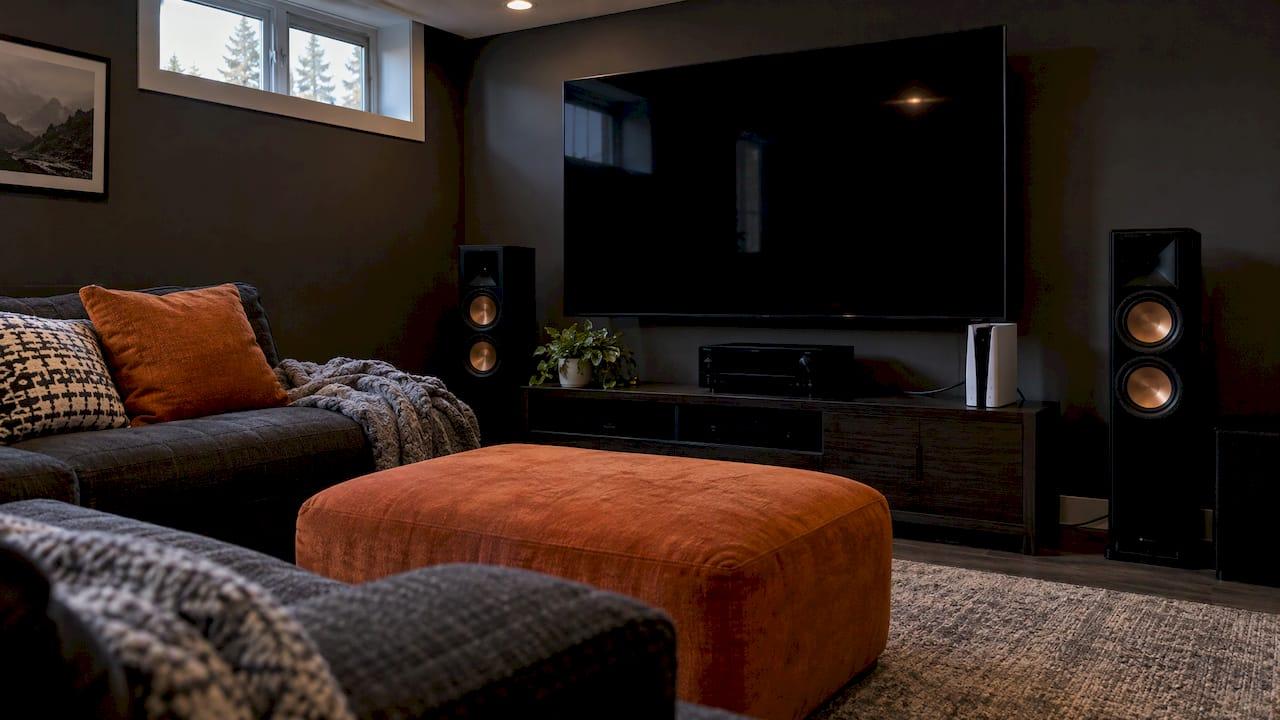
HDMI 2.1 raises the bandwidth of an HDMI connection from 18 Gbps to 48 Gbps. That unlocks 4K at 120Hz, 8K at 60Hz, dynamic HDR, eARC for lossless surround audio, and a set of gaming tools such as variable refresh rate. You need it if you game on a PS5, Xbox Series X or PC, or if you run a Dolby Atmos system from your TV. For plain 4K streaming, HDMI 2.0 is usually enough. In a custom home, the harder part is making sure every link in the chain actually delivers 2.1, and that is the work we do when we design and install home theatres and wire homes in Calgary.
TL;DR
- HDMI 2.1 supports up to 48 Gbps, 4K120, 8K60, Dynamic HDR, eARC, VRR, ALLM, QMS and QFT.
- You need it for current-generation console or PC gaming at 4K120, and for lossless Atmos or DTS:X from a TV to a soundbar or receiver.
- Every device and cable in the chain must support the feature. One HDMI 2.0 element drops the whole chain to 2.0 limits.
- Only some TV ports are full HDMI 2.1, and a TV labelled 2.1 may support only some features. Check port labels and the model's documentation.
- For walls, ceilings and long runs, plan the cabling before the drywall goes up.
Table of Contents
- What HDMI 2.1 actually adds
- HDMI 2.1 bandwidth, resolution and refresh rate
- Do you need HDMI 2.1?
- How to tell if your TV port supports HDMI 2.1
- Cables: the weak link people forget
- What this means for a home build or upgrade
- Our view on HDMI 2.1
- Let us handle the planning and the install
- FAQ
- Sources
What HDMI 2.1 actually adds
The HDMI Forum released version 2.1 of the specification on November 28, 2017. The headline additions were resolutions up to 10K, 8K at 60Hz and 4K at 120Hz, Dynamic HDR, eARC, Variable Refresh Rate (VRR), Quick Media Switching (QMS), Quick Frame Transport (QFT) and Auto Low Latency Mode (ALLM). The spec is also backward compatible with earlier versions.
Here is what each one means in a living room.
| Feature | What it does | Who notices |
|---|---|---|
| 48 Gbps bandwidth | Carries far more picture data than HDMI 2.0's 18 Gbps | Gamers, 4K120 and 8K users |
| 4K at 120Hz | Twice the frames per second of 4K60 | Console and PC gamers, sports with high-frame-rate sources |
| 8K at 60Hz | Higher resolution, with compression at some settings | Owners of 8K screens |
| Dynamic HDR | Tone-maps scene by scene or frame by frame | Anyone watching HDR content on a capable display |
| eARC | Sends lossless, high-bitrate audio from TV to soundbar or receiver | Atmos and DTS:X systems |
| VRR | Matches the display's refresh rate to the game | Gamers |
| ALLM | Switches the TV into its low-latency mode automatically | Gamers |
| QFT | Delivers frames faster to cut latency | Gaming and VR |
| QMS | Removes the blank screen when frame rate changes | Anyone who switches content often |
Video: resolution, refresh rate and HDR
HDMI 2.1 supports BT.2020 wide colour gamut and Dynamic HDR, which lets the display adjust HDR tone mapping frame by frame for the best picture in every type of scene. Formats such as HDR10+ and Technicolor Dynamic HDR were added to the spec officially, having sat alongside Dolby Vision before.
If you want to understand what higher refresh rates mean for the picture you actually watch, our guide to 120Hz vs 60Hz TVs covers when the extra frames show up and when they do not.
Audio: eARC
eARC is the feature most home theatre owners benefit from. The HDMI organization lists support for high-bitrate formats up to 192 kHz at 24-bit, uncompressed 5.1 and 7.1, 32-channel uncompressed audio, DTS-HD Master Audio, DTS:X, Dolby TrueHD and Dolby Atmos.
There is a practical catch. As Pocket-lint explains, eARC needs both the audio device and its connected HDMI port to support it. You connect the soundbar or receiver to the port marked eARC on your TV, using a cable labelled Ultra High Speed.
If your TV audio runs through a Sonos soundbar, our article on fixing TV audio with Sonos walks through the setup. If you are planning overhead channels, see where to put your Atmos speakers.
Gaming: VRR, ALLM, QFT
VRR syncs the display's refresh rate with the game and the graphics hardware, which HDMI.org describes as producing ultra-smooth output even when frame rates vary. ALLM sets the ideal latency mode automatically, so your TV drops into game mode when the console starts. QFT reduces latency further for smoother gaming and VR. These three are the reason most gaming advice points to HDMI 2.1.
HDMI 2.1 bandwidth, resolution and refresh rate
HDMI 2.1 reaches a maximum of 48 Gbps using Fixed Rate Link (FRL) signalling, up from 18 Gbps in HDMI 2.0. FRL runs four lanes at rates of 6, 8, 10 or 12 Gbps each, which adds up to 48 Gbps.
According to TFTCentral's guide, this bandwidth supports:
- 4K at 120Hz with no compression, including 4:4:4 full RGB at 12-bit colour.
- 5K at 120Hz, up to 8-bit without Display Stream Compression (DSC).
- 8K at up to 60Hz, where DSC is needed unless chroma is dropped to 4:2:0.
- Resolutions up to 10K for commercial AV and industrial use.
So, is HDMI 2.1 enough for 4K at 120Hz? Yes. TFTCentral states that 4K120 works without compression, with one condition: HDMI 2.1 has to be present end to end, and an Ultra High Speed cable carries the 48 Gbps.
If you also run a workstation into a large display, the system requirements for 4K video editing show how resolution, refresh rate and colour depth stack up against the graphics and bandwidth your machine needs.
Do you need HDMI 2.1?
The honest answer depends on what you plug in.
You probably need it if:
- You own a PS5, Xbox Series X/S or a gaming PC and want 4K120 with VRR. BenQ Canada notes that these consoles were designed with HDMI 2.1 in mind and work on 2.0 without the full feature set.
- You have an Atmos or DTS:X system and want lossless audio from your TV's own apps through eARC.
- You are buying an 8K display.
You can often stay on HDMI 2.0 if:
- You mainly stream. Engadget reports that most streaming services cap picture quality at 4K/60Hz, which HDMI 2.0 handles.
The same Engadget piece makes a point that matters when you plan a system: a setup can only reach the maximum of its least advanced component. Mix HDMI 2.0 and 2.1 gear and you get 2.0 performance. The most likely place you will see a clear difference from an all-2.1 chain is gaming, not streaming.
Pocket-lint's June 2026 view is that HDMI 2.1 remains the standard most people should look for over the next few years, with plenty of headroom for 4K consoles and streaming.
Is HDMI 2.1 outdated?
No. HDMI 2.2 has been announced with 96 Gbps, and the cable tier for it is called Ultra96, as MakeUseOf lists. Pocket-lint, however, calls HDMI 2.2 overkill for now, and says HDMI 2.1 continues to give an excellent experience. A system built on 2.1 today is a sound long-term choice, particularly when the wiring behind the walls is done properly.
How to tell if your TV port supports HDMI 2.1
This is where most people get caught. Marketing says HDMI 2.1, but support for each feature in the spec is optional. The HDMI Licensing Administrator says a manufacturer that promotes compliance must list the supported features next to that claim, and a product may support only one or some of them. It also puts the burden on you to check that the product has what you want.
Here is a practical routine.
- Read the labels on the back of the TV. Sony Canada notes that not all HDMI inputs are equal: some carry eARC or 4K/120Hz, and the differences are marked on the back of the set or in the reference guide.
- Look for key terms. MakeUseOf lists HDMI 2.1, 120Hz, 4K 120, Game and 8K as the markers. It also warns that early HDMI 2.1 TVs often have only one full 48 Gbps port, with the rest capped at 18 Gbps.
- Check the model's specifications. Under the Connectivity tab on the manufacturer's product page, or in the manual, find the exact model code. Features vary even inside a brand's range: Sony Canada's feature support table shows that some 2025 models support 4K120, eARC, VRR and ALLM, while entry models support only eARC and ALLM.
- Match each device to the right port. Put the console on the 4K120 port and the soundbar or receiver on the eARC port. They are not always the same port, and on some TVs one port serves both roles, which forces a choice.
- Confirm in the settings. After connecting, make sure the TV's enhanced HDMI mode for that input is on, and that the console or receiver reports the mode you expect.
A spec sheet that says 4K does not prove 120Hz, and a 120Hz panel does not necessarily accept that rate at 4K through every input. Check the documentation for the specific port.
Cables: the weak link people forget
HDMI cables do not carry version numbers. They are sorted by speed: Standard (4.95 Gbps), High Speed (10.2 Gbps), Premium High Speed (18 Gbps, HDMI 2.0) and Ultra High Speed (48 Gbps, HDMI 2.1), according to MakeUseOf. To find an HDMI 2.1 cable, look for the official Ultra High Speed certification label on the package and scan its QR code to see the brand, model, type and length.

The HDMI LA program overview says certified cables are tested to the HDMI 2.1a compliance specification at authorized test centres, every length of cable is tested, and the label carries a hologram, QR code and ID for verification.
Length matters too. Full 48 Gbps signals are harder to carry over distance, so a cable that works at two metres may not work at ten. Our guide to the HDMI cable length limit covers what to expect, and it is the main reason we plan long runs before construction rather than after.
When the picture will not come up
A single HDMI 2.0 element anywhere in the chain, whether a cable, an AV receiver passthrough or the wrong port, can pull everything down. That is why people say their TV supports 4K120 but it will not switch on. If a connection drops out or the picture flickers, our article on HDMI handshake issues shows how to test a direct connection before replacing any gear.
What this means for a home build or upgrade
HDMI 2.1 is easy to buy and hard to get right across a whole home. A theatre room might have a projector or TV, a receiver, a streaming box, a console and a soundbar, and each needs the right port, cable and settings. Choosing between screen types is its own question; our comparison of a projector vs TV helps, and the right size depends on your room, which our guide to sizing your TV by distance and the notes on home theatre seating distance explain.
If you are building or renovating, decisions about conduit, wall plates and equipment locations are made early and are expensive to change later. That is the reason low voltage wiring belongs in the plan from the framing stage.
Our view on HDMI 2.1
We think of HDMI 2.1 as a system question, not a product question. The label on a box tells you what one device can do. What you actually get depends on the TV port, the cable, the receiver and the source all agreeing with each other.
That is why we start with how you use the room. A family that games on a console at 4K120 and watches Atmos movies needs a different chain than a household that streams the evening news. We scale each system to the space and design it so the technology disappears into the architecture, with intuitive control and one point of contact for the whole project.
For homes under construction, our advice is to get the low voltage wiring right first. A well-planned cable path lets you use today's HDMI 2.1 gear and adapt as standards move on, without opening walls again.
JupiterAV
Let us handle the planning and the install
We sell, install and service TVs, custom home theatres, whole-home audio and video, smart home systems and low voltage wiring for homes, businesses and home builders in Calgary. If you want a theatre or media room where every link in the HDMI chain has been planned for the way you watch and play, tell us about your space on the JupiterAV site.

Our work covers immersive sound and cinema, smart living, security and CCTV, and commercial AV, with a single point of contact from design through ongoing support.
FAQ
Is HDMI 2.1 enough for 4K 120Hz?
Yes. HDMI 2.1 carries 4K at 120Hz without compression, including full RGB at 12-bit colour. You need a TV or monitor port that supports it, a source that outputs it and an Ultra High Speed cable. If any one of those is only HDMI 2.0, you will be limited to 4K60.
Which TVs have an HDMI 2.1 port?
Many current mid-range and premium TVs do, but often only on one or two of the inputs. Check the labels on the back, such as 4K 120 or eARC, and the exact model's specifications on the manufacturer's page. Support for each HDMI 2.1 feature is optional, so confirm the features you want rather than relying on the HDMI 2.1 name.
How do I know if I have an HDMI 2.0 or 2.1 cable?
Cables are not labelled by version. Look for the Ultra High Speed certification label on the package and scan the QR code to confirm the cable on HDMI's website. A cable rated for 48 Gbps meets HDMI 2.1 requirements, while a Premium High Speed cable is rated for 18 Gbps.
Do I need HDMI 2.1 for streaming?
Usually not. Most streaming services cap quality at 4K/60Hz, which HDMI 2.0 handles. HDMI 2.1 matters most for gaming, 8K, and eARC with advanced audio formats such as Dolby Atmos.
Sources
- HDMI Forum releases version 2.1 of the HDMI specification
- Graphics card with HDMI 2.1 technology, HDMI.org
- HDMI eARC, HDMI.org
- What does it mean when gear is marketed as HDMI 2.1, HDMI.org
- Ultra High Speed HDMI Cable program overview, HDMI LA
- A Guide to HDMI 2.1, TFTCentral
- TDP1204, TMDS1204 migration from HDMI 2.0 to HDMI 2.1, Texas Instruments
- What your TV's eARC HDMI port actually does, Pocket-lint
- HDMI 2.2 is almost here, Pocket-lint
- HDMI 2.0 vs 2.1, Engadget
- When do I need HDMI 2.1 or is HDMI 2.0 sufficient, BenQ Canada
- What are the inputs, outputs and ports on my TV, Sony Canada
- Which TV models support HDMI 2.1 features, Sony Canada
- Your TV has one HDMI port built for your console, MakeUseOf
- HDMI QR codes and spotting fake cables, MakeUseOf