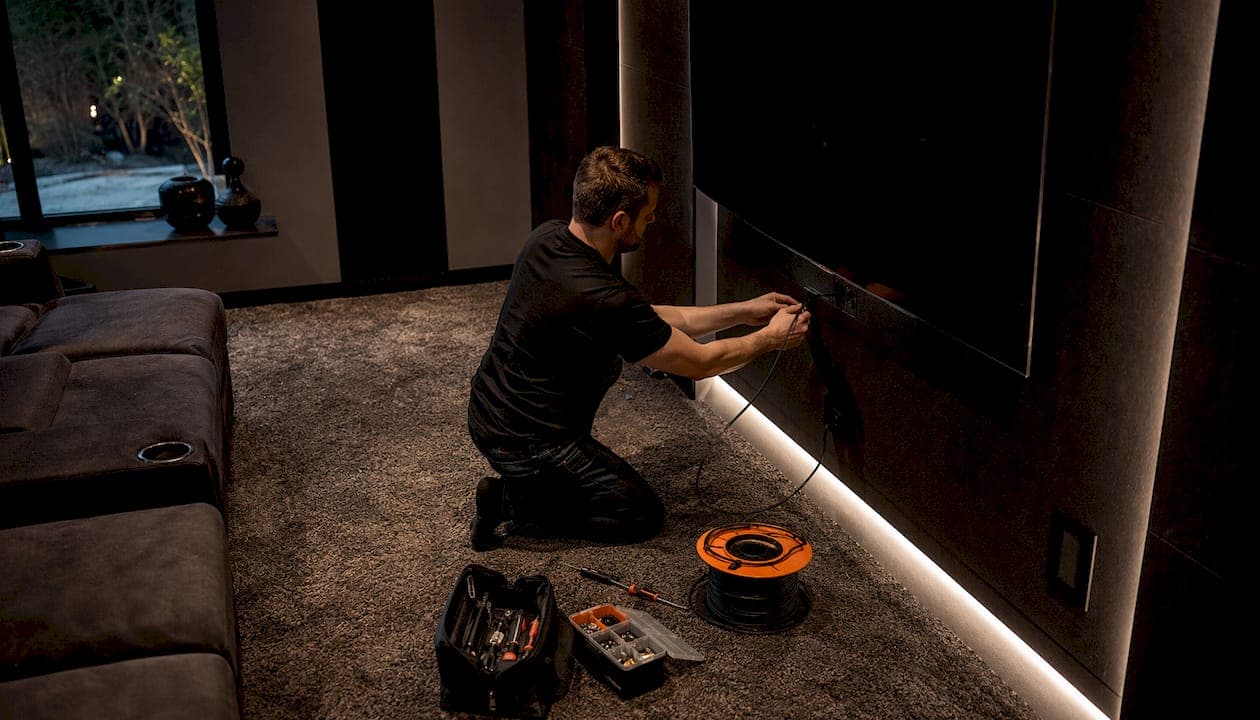
The HDMI cable length limit is not a single fixed number. The HDMI specification defines no official maximum cable length. Instead, the reliable distance depends on the resolution, refresh rate, and cable technology you use. A passive copper cable can carry 1080p at 60Hz up to 50 feet, but that same cable will fail at 4K 120Hz beyond 10 feet. For Calgary homeowners building a home theatre or mounting a TV across a large open-concept living room, understanding this distinction saves you from buying the wrong cable and troubleshooting a flickering screen after the drywall is already closed.
What determines the maximum HDMI cable length?
Signal bandwidth is the primary factor controlling how far an HDMI cable can reliably run. Higher resolutions and faster refresh rates demand more data per second, which means the signal degrades faster over distance. A 4K 120Hz signal carries far more bandwidth than a 1080p 60Hz signal, so it hits its limit much sooner on a passive copper cable.
Several factors work together to set that limit:
- Resolution and refresh rate: Higher bandwidth signals like 4K 120Hz and 8K are more susceptible to attenuation over distance than lower-bandwidth signals like 1080p.
- Passive vs. active cables: Passive copper cables rely entirely on the signal strength from the source. Active cables include built-in electronics that amplify or convert the signal, allowing much longer runs.
- Cable construction and shielding: Thicker gauge conductors and better shielding reduce signal loss. A cheap, thin cable will fail at shorter distances than a well-built one.
- Electromagnetic interference (EMI): Running an HDMI cable alongside power cables or through walls with electrical wiring introduces interference. Physical installation factors like proximity to power cables and connector strain significantly affect reliability on long runs.
- Tight bends and connector stress: Sharp bends in the cable damage the internal conductors over time and reduce signal margin immediately.
Pro Tip: Route your HDMI cable at least 6 inches away from any power cables and avoid bending it tighter than a 90-degree curve. These two habits alone prevent the majority of intermittent signal dropouts.
HDMI is a timing-based high-speed electrical link. A connection can fail unpredictably due to environmental changes or even a firmware update on your TV or source device, even when the cable length has not changed. That unpredictability is why installation practices matter as much as cable length itself.
Recommended cable lengths for common HDMI setups
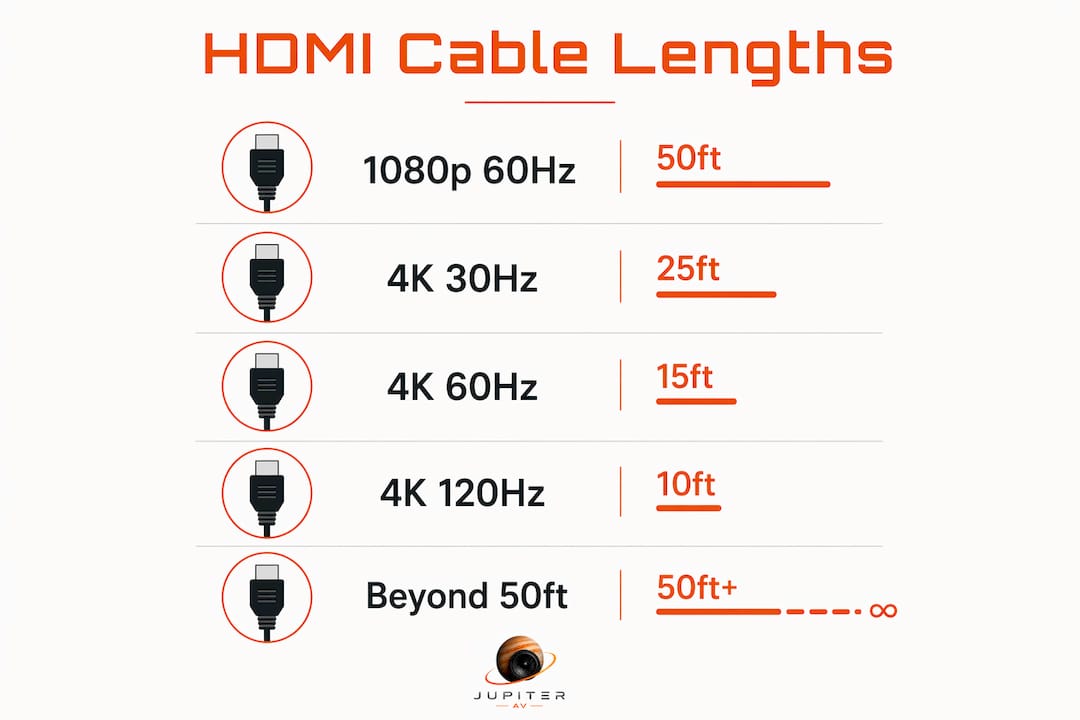
Choosing the right cable length starts with knowing your resolution and refresh rate. The table below summarises the reliable maximum distances for passive copper cables and when to move to an active or fibre solution.
| Signal | Passive cable max | Recommended cable type |
|---|---|---|
| 1080p at 60Hz | Up to 50 feet | Standard or Premium Certified HDMI |
| 4K at 30Hz | Up to 25 feet | Premium Certified HDMI |
| 4K at 60Hz | Up to 15 feet | Premium Certified HDMI |
| 4K at 120Hz / 8K | Up to 10 feet | Ultra High Speed HDMI |
| Beyond passive limits | 100–300+ feet | Active optical or fibre HDMI |
These passive cable thresholds represent reliable performance under typical home conditions. Real-world results can vary based on cable quality and installation environment.
Choosing the right certification
Certification matters more than most people realise. Premium Certified or Ultra High Speed HDMI cables are the correct choice for 4K resolution and above. These certifications confirm the cable has been independently tested to meet the bandwidth requirements for modern signals, including HDR and eARC. Buying an uncertified cable labelled "4K compatible" is a gamble. The label means nothing without third-party testing behind it.
Ultra High Speed certification covers HDMI 2.1 cables and supports up to 48Gbps of bandwidth. That is the standard you need for 4K 120Hz, 8K, and variable refresh rate (VRR) gaming. If your setup involves a PS5, Xbox Series X, or a high-refresh-rate gaming monitor connected to a TV across the room, an Ultra High Speed certified cable at 10 feet or under is the safest choice.
When passive cables are not enough
A certified 15-foot Ultra High Speed cable may work for 4K 120Hz, but testing is critical. At that length and bandwidth, the signal margin is thin. A firmware update, a temperature change in the room, or a slightly different cable routing can push the connection from stable to dropping out. For permanent installations where you cannot easily swap cables, staying at 10 feet or under for 4K 120Hz is the reliable choice.
How to extend HDMI signal beyond standard cable limits
When your run exceeds what a passive cable can handle, two technologies solve the problem reliably: active optical cables (AOC) and HDMI extenders over Cat6.
Active optical cables (AOC) convert the HDMI signal to light, transmit it through fibre optic strands, and convert it back at the other end. AOC cables can transmit up to 300 feet and are immune to electromagnetic interference. They are the best option for runs through walls, under floors, or across large rooms where EMI is a concern. The trade-off is that AOC cables are directional. One end connects to the source and the other to the display. Installing them backwards produces no signal.
HDMI extenders over Cat6 use a transmitter and receiver unit connected by a standard Cat6 ethernet cable. HDMI extenders over Cat6 reach up to 328 feet. This approach works well when Cat6 is already installed in the walls, which is common in newer Calgary homes and new builds. For guidance on running ethernet through your home, the Alberta home wiring guide covers the process in detail.
Active HDMI cables include built-in amplification and support runs up to 100 feet at 4K with HDR. They are less expensive than AOC cables and work well for medium-length runs where fibre is not necessary.
Key considerations when choosing an extension solution:
- AOC cables are the best choice for runs over 100 feet or through areas with high electrical interference.
- HDMI extenders over Cat6 suit installations where Cat6 is already in place and runs stay under 328 feet.
- Active copper cables cover the middle ground, typically 50–100 feet, at a lower cost than fibre.
- Directionality: Both AOC cables and some active cables are one-directional. Check the labelling before installation.
Pro Tip: For any run that goes inside a wall or ceiling, use an AOC cable or a Cat6 extender. Passive cables in enclosed spaces are nearly impossible to replace if they fail, and the installation environment inside walls increases the risk of signal issues.
Best practices for installing and testing HDMI cables
Getting the cable length right is only half the job. How you install and test the cable determines whether it performs reliably for years or causes problems from day one.
- Measure the actual route, not the straight-line distance. A TV mounted 12 feet from your equipment rack may need a 20-foot cable once you account for the path up the wall, across the ceiling, and down behind the rack. Always add extra length for service loops at each end.
- Keep HDMI cables away from power cables. Bundling HDMI with power cables causes electromagnetic interference that produces intermittent dropouts. Run them in separate conduits or at least 6 inches apart.
- Avoid tight bends. A sharp bend at the back of a TV or behind a rack damages the cable's internal structure. Use a right-angle HDMI adapter at the connector if space is tight rather than forcing a bend in the cable itself.
- Test the full signal chain before closing walls. Connect everything, set your source to its maximum resolution and refresh rate, and run content for at least 30 minutes. Testing the full signal chain at the actual installed length is the only reliable way to confirm performance before the cable is inaccessible.
- Verify all features, not just the picture. Test HDR, VRR, and eARC (if you use an AV receiver or soundbar) before finalising the installation. A cable can pass a basic 4K image but fail on eARC audio return or VRR handshake. These failures only appear when the specific feature is active.
- Troubleshoot signal issues by reducing bandwidth first. If you see flickering, dropouts, or no signal, lowering the resolution or refresh rate on your source device confirms whether the cable is the problem. If the picture stabilises at a lower setting, the cable is at or beyond its reliable limit for that signal.
Checking your TV mounting setup before running cables also helps. The mounting position affects cable routing length and the type of wall path you need.
Key takeaways
The HDMI cable length limit is set by signal bandwidth and cable technology, not by a single universal specification. Matching cable type and length to your resolution is the most reliable way to avoid signal problems.
| Point | Details |
|---|---|
| No universal maximum exists | The HDMI spec sets no fixed length limit; resolution and refresh rate determine the practical maximum. |
| Passive cable limits by resolution | 1080p runs to 50 feet; 4K 60Hz to 15 feet; 4K 120Hz and 8K to 10 feet on passive copper. |
| Certification matters | Use Premium Certified cables for 4K and Ultra High Speed certified cables for 4K 120Hz and above. |
| Active and fibre extend the range | AOC cables reach up to 300 feet; Cat6 extenders reach up to 328 feet for long or in-wall runs. |
| Test before closing walls | Run the full signal chain at maximum settings for at least 30 minutes before making the installation permanent. |
What I've learned from real HDMI installs
The most common mistake I see in home theatre installations is buying a cable based on length alone. A homeowner measures the distance, orders a 25-foot cable, and assumes it will work for their 4K 120Hz gaming setup. It will not. At that length, a passive cable cannot reliably carry that signal, regardless of how much it cost.
The second most common mistake is skipping the full feature test. A cable that passes a 4K HDR picture test can still fail on eARC when the soundbar is connected, or drop VRR when a game triggers it. I have seen installs that looked perfect during setup and then produced audio dropouts every time the TV switched to game mode. Testing every feature before the cable goes in the wall is non-negotiable.
For most Calgary homes, a 10-foot Ultra High Speed certified cable covers the distance from a wall-mounted TV to an equipment cabinet directly below it. For longer runs across open-concept spaces or multi-room setups, an AOC cable or Cat6 extender is the right call. The cost difference is real, but it is far less than the cost of reopening a finished wall.
The one piece of advice I give every client: buy a cable that is slightly shorter than you think you need, and use the right extension technology for anything beyond passive limits. A tight, well-routed certified cable outperforms a long, cheap one every time.
— JupiterAV
JupiterAV can help you get your HDMI setup right
Getting the cable length and type right before installation saves time, money, and frustration. JupiterAV works with Calgary homeowners, businesses, and home builders on exactly these decisions, from selecting certified HDMI cables to planning full AV system installations with proper cable routing.

Whether you need a single cable for a wall-mounted TV or a complete custom home theatre with in-wall runs and active fibre solutions, JupiterAV provides the products and installation expertise to get it done correctly the first time. Reach out to discuss your setup and get a recommendation matched to your room, resolution, and budget.
FAQ
What is the maximum length for an HDMI cable?
No official maximum HDMI cable length exists in the HDMI specification. Reliable limits depend on resolution: up to 50 feet for 1080p and up to 10 feet for 4K 120Hz on passive copper cables.
How long can an HDMI cable be for 4K?
For 4K at 30Hz, passive cables work up to 25 feet. For 4K at 60Hz, the limit drops to 15 feet, and for 4K at 120Hz, passive cables are reliable only up to 10 feet.
What type of cable do I need for runs over 50 feet?
Active optical cables (AOC) support runs up to 300 feet, and HDMI extenders over Cat6 reach up to 328 feet. Both options maintain full 4K HDR signal quality over distances that passive copper cables cannot handle.
Does cable certification matter for HDMI?
Yes. Premium Certified HDMI cables are required for reliable 4K performance, and Ultra High Speed certification is necessary for 4K 120Hz and 8K. Uncertified cables labelled "4K compatible" have not been independently tested and may fail at these bandwidth levels.
Why does my HDMI cable work sometimes but not others?
HDMI is a timing-based link, and signal margin near length limits is thin. Firmware updates, temperature changes, or minor routing adjustments can push a borderline connection from stable to dropping out. Reducing the resolution or refresh rate confirms whether cable length is the cause.