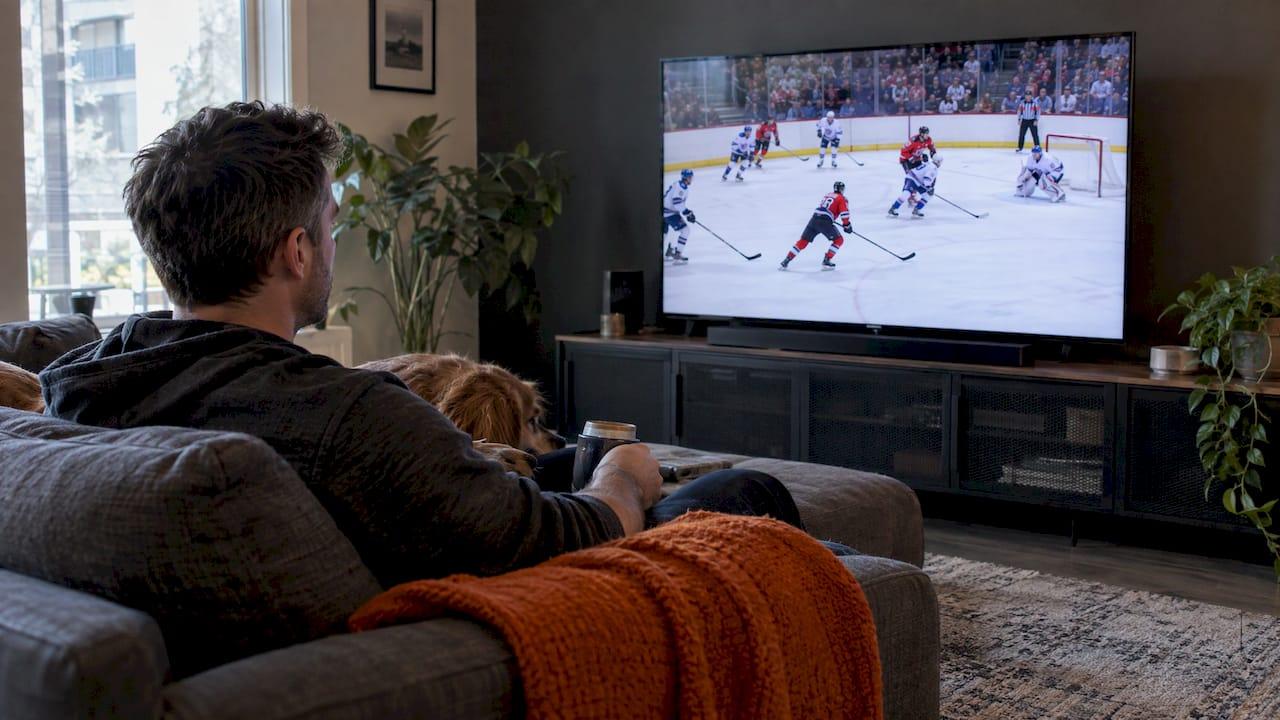
Choose a 120Hz TV if you game on a PS5 or Xbox Series X, watch a lot of live sports, or want the smoothest motion the panel can give. A 60Hz TV is a perfectly good choice for movies, streaming shows and everyday viewing. A 120Hz panel can show a new frame up to 120 times per second, while a 60Hz panel refreshes 60 times per second, according to WIRED. What you watch and what you plug in decide whether that gap matters in your living room.
This guide covers what refresh rate means, who gains from 120Hz, how to read the marketing numbers on the box, and what to set up so a 120Hz TV delivers 120Hz. We install TVs and home theatres across Calgary, so we also cover the cable and port details that trip people up after the TV is on the wall.
TL;DR
- Pick 120Hz for: console gaming at 120 frames per second, fast live sports such as hockey, and a smoother, more responsive picture.
- 60Hz is enough for: most movies, streaming series and everyday TV, since much of that content is shot at low frame rates.
- Read the spec carefully: "Motion Rate 120" or similar numbers can describe a 60Hz panel with processing on top. Look for the native refresh rate.
- Setup matters: 120Hz at 4K needs an HDMI 2.1 port on the TV, the right cable, and an enhanced-HDMI setting turned on for that port.
Table of Contents
- What refresh rate actually means
- Where 120Hz makes a visible difference
- 60Hz vs 120Hz at a glance
- Read the spec sheet: native refresh rate vs motion rate
- The soap opera effect
- HDMI 2.0 vs HDMI 2.1: what you need for 4K at 120Hz
- Which one should you buy?
- A worked example for a Calgary family room
- Perspective
- Get it set up properly
- FAQ
- Sources
What refresh rate actually means
Refresh rate is measured in hertz (Hz). It tells you how many times per second the screen can change what it shows. WIRED explains that 120Hz allows a new frame up to 120 times a second, and 60Hz allows 60.
Refresh rate is not the same as frame rate. Refresh rate is what the screen can do. Frame rate is how many pictures per second the content or device sends. Wirecutter makes the same distinction: they are different specs, but you need a higher refresh rate on the TV to get higher frame rates from a gaming device.
That is the key idea for the whole decision. A fast panel only helps when something fast is fed to it. WIRED notes that the benefit of a high refresh rate is limited by the frame rate of the content. If the content does not match the refresh rate, the TV has to handle the mismatch, usually by repeating or adding frames.
Where 120Hz makes a visible difference
Console and PC gaming
This is the clearest win. Games that support 120 frames per second only show it on a TV that can display it. TechRadar points out that the game must support 120Hz for the panel to matter much, and that 60Hz content looks the same on a 120Hz TV as on a 60Hz one.
Wirecutter ties the higher refresh rate to responsiveness and perceived smoothness and adds that HDMI 2.1 and the right gaming modes help unlock those gains. It also notes that most TVs are native 60Hz, with a smaller share native 120Hz.
Variable refresh rate (VRR) is the companion feature. Pocket-lint describes VRR as the TV matching the frame rate of the source, which avoids stutter and screen tearing in games where the frame rate keeps changing. In real play, a TV that holds sync with the game can matter as much as the headline Hz number.
Live sports
Fast, unpredictable motion is where 60Hz panels can look soft. For Canadian hockey fans this is the obvious case. A Toronto Sun tech column says a 120Hz TV handles motion better than a 60Hz model, and slower response may leave slightly blurry trails behind a puck or ball.
Popular Mechanics goes further and recommends at least 120Hz for sports viewing, saying 60Hz often falls short for split-second action like a puck fired at over 100 MPH.
Motion-smoothing features can also help with sports and games. PCMag says these features can reduce motion issues in live sports and video games, though the same artificial motion can look unnatural on movies and shows shot at lower frame rates.
Movies and streaming
Movies are mostly shot at 24 frames per second. Here 120Hz has a quiet technical advantage. WIRED explains that a 120Hz panel can show each 24-frame-per-second frame exactly five times, while a 60Hz display cannot divide evenly. That uneven cadence can cause judder that some viewers notice.

Many people never do notice it, and many 60Hz TVs handle film content well. If you mostly watch dramas, streaming series and movies, a 60Hz set will serve you well, and the money you save can go toward panel quality, a bigger screen or better sound.
60Hz vs 120Hz at a glance
| Situation | 60Hz TV | 120Hz TV |
|---|---|---|
| Streaming shows and movies | Works well for most viewers | Even 24fps cadence, may look slightly smoother |
| Live sports, especially hockey | Fine for casual viewing, can blur fast action | Handles fast motion better |
| PS5 or Xbox Series X at 120fps | Capped at 60 frames per second | Can show 120 frames per second in supporting games |
| VRR and low-latency gaming modes | Depends on the model | Usually found on gaming-oriented 120Hz models, check each |
| Everyday TV, news, kids' shows | More than enough | No real difference |
Read the spec sheet: native refresh rate vs motion rate
This is where buyers lose money. Manufacturers often advertise numbers such as "Motion Rate 120", "240" or even "480". These are not the panel's true refresh rate. DisplayNinja warns that "Motion Rate 120" is not true 120Hz if the TV can only display up to 60 frames per second and simulates the rest through motion interpolation.
Popular Mechanics gives the same advice: do not be swayed by 240Hz or 480Hz figures tied to proprietary motion features, and look for the native panel refresh rate instead.
Here is a practical way to read a spec sheet:
- Find the line labelled native refresh rate, panel refresh rate or 4K at 120Hz.
- Treat terms like motion rate, clear motion, motion enhancer and effective refresh rate as processing claims, not panel specs.
- Check that the 120Hz mode works at 4K resolution, not just at 1080p.
- Open the manual or support page for the exact model and size sold in Canada, since specs can differ by size within one series.
If you are comparing displays by measurable characteristics, a separate backlight behaviour such as PWM dimming explained is a different thing from refresh rate. It is worth keeping the two apart when you read a spec table.
The soap opera effect
When content runs below the panel's native refresh rate, a 120Hz TV may generate in-between frames. PCMag says this can smooth motion but may also create the "soap opera effect", where films look unnaturally smooth.
The fix is in the picture settings. Most TVs let you turn motion smoothing off or lower it, and many have a film or cinema mode that leaves the frame cadence alone. A good installer sets this up during calibration, so movies look like movies and sports keep their clarity.
HDMI 2.0 vs HDMI 2.1: what you need for 4K at 120Hz
A 120Hz panel is only half of the picture. The connection has to carry the signal. According to Sunshine's comparison, HDMI 2.0 supports 18 Gbps and 4K at 60Hz, while HDMI 2.1 supports 48 Gbps with 4K at 120Hz, 8K at 60Hz, VRR and ALLM (automatic low-latency mode).
Two cautions keep this from becoming a trap:
- The version number is not a full feature list. Not every HDMI 2.1 television supports ALLM, so check VRR, HDR and low-latency mode individually, including whether an input setting has to be switched on.
- 48 Gbps is a ceiling, not a promise. A Canadian cable retailer's explainer notes that you only need that class of link for modes such as 4K120 at high colour depth or certain HDR combinations, and that your TV, console or receiver must use it.
Not every HDMI port is equal
On many TVs only one or two ports support the top modes. Sony Canada says some inputs support advanced features such as 4K/120Hz, so check the port markings or reference guide. Samsung Canada tells owners to plug a console into the 4K at 120Hz port marked with a gaming controller icon, use an HDMI 2.1 cable, and turn on Input Signal Plus for that port.
Turn on the enhanced setting
Each brand names the per-port setting differently. A troubleshooting guide lists Samsung's Input Signal Plus, LG's HDMI Ultra HD Deep Color, Sony's Enhanced format and TCL's HDMI Mode set to Auto or HDMI 2.1. Without it the port can run in a limited mode and will not negotiate 120Hz or VRR.
On the console side, an Xbox Series X needs 4K allowed, Auto Low Latency Mode allowed and the refresh rate set to 120Hz, per this Xbox setup guide.
Cables and the rest of the chain
A certified Ultra High-Speed cable (48 Gbps) is needed for 4K at 120Hz with full 4:4:4 chroma and 10-bit colour. A cable rated at 18 Gbps can pass 4K120 only at reduced chroma and 8-bit, which strips HDR detail. The same source says passive Ultra High-Speed cables longer than 10 feet often fall back to lower modes silently, so longer runs call for an active cable or extender that lists the certification.
Every device in the path counts too. An AV receiver or soundbar that is not up to spec can force the whole chain down to a lower mode. If you have a receiver in the system, confirm its HDMI input and output ratings before you assume 120Hz will pass through.
If you have already installed everything and the picture drops to 60Hz, our guide on testing a direct HDMI connection walks through isolating the problem before you replace any gear. For long runs through walls, see our notes on the HDMI cable length limit.

Which one should you buy?
Use these questions to decide.
Buy 120Hz if:
- You own or plan to buy a PS5 or Xbox Series X and play games that offer a 120 frames per second mode.
- Hockey, football or other fast sports are the main reason the TV is on.
- You want VRR and low-latency gaming features, and you will confirm they are on the exact model.
- The TV is the centrepiece of a media room and you want the best motion handling available.
Stay with 60Hz if:
- You mostly stream series and movies and rarely game.
- The TV is for a guest room, bedroom or basement where budget matters more than peak motion performance.
- Your devices, such as a streaming stick or cable box, only output 60Hz or less anyway.
Whichever way you go, panel size and placement affect what you actually see. A well-sized screen at the right distance will do more for your enjoyment than chasing a spec you will not use. Our guide to sizing your TV by viewing distance and our advice on TV mounting height cover both.
A worked example for a Calgary family room
Take a family that watches Flames games on weeknights, streams series on weekends and has a teenager with a PS5. The TV in the main room should be native 120Hz with HDMI 2.1 on the port the console uses. The sports and the console both gain from it.
The basement TV that mostly shows cartoons and Netflix has no such need. A 60Hz model there is a sensible choice, and the budget can go to the main room.
Then the wiring matters. If the console sits in a cabinet and the TV is mounted across the room, the cable length and rating decide whether 4K120 works. Planning that before the drywall closes is far easier than fixing it afterward, which is why we run low-voltage wiring during construction and renovation whenever we can.
Perspective
When we plan a room, refresh rate is one line on a checklist, not the whole answer. We start with how the family uses the space: who games, what sports are on, how far people sit and what else is in the system.
For a main living space or a dedicated theatre, we lean toward a native 120Hz panel with HDMI 2.1 because it keeps your options open as consoles, streaming devices and sports broadcasts improve. We then make sure the whole chain supports it: the right port, a certified cable, a receiver that passes the signal and the TV settings switched on.
This is where a custom install pays off. Our approach is fully custom engineered solutions with a single point of contact, so the TV, the wiring, the audio and the control system are planned together and set up to work as one. Cables are routed to disappear into the architecture, and the system is scaled to the space.
The result we aim for is a picture that is smooth for hockey, natural for movies and simple to use, with ongoing support after the install.
JupiterAV
Get it set up properly
A TV that is capable of 120Hz is not always delivering it. If you want help choosing a TV, planning the wiring, or setting up a theatre, sound system or whole-home AV in Calgary, our team handles sales, installation and service from one point of contact. Builders planning a new home or acreage can bring us in early so the low-voltage wiring is right before walls are closed. See what we offer on the JupiterAV site.

If your goal is better TV sound to go with a better picture, our guide to fixing TV audio with Sonos is a good next step.
FAQ
Does a 120Hz TV matter?
It matters most for gaming at 120 frames per second, fast live sports and a smoother, more responsive feel. For regular movies and streaming, the difference is small, and TechRadar notes that 60Hz content looks the same on either type of TV. If you do not game or watch much sport, 60Hz is a sound choice.
Is a higher refresh rate better?
Only when the content and connection can use it. WIRED explains that the benefit is limited by the content's frame rate. A higher native refresh rate is better for fast motion and for a clean 24fps movie cadence, but a mismatch with the source means the TV has to add or repeat frames.
What is the best TV refresh rate for sports?
Aim for a native 120Hz panel. Popular Mechanics recommends at least 120Hz for sports and advises ignoring 240Hz or 480Hz claims tied to proprietary motion processing. Check the native refresh rate rather than the motion-rate number on the box.
Do I need HDMI 2.1 for 120Hz?
For 4K at 120Hz, yes. Sunshine's comparison lists 4K at 60Hz for HDMI 2.0 and 4K at 120Hz for HDMI 2.1. You also need the correct port on the TV, a certified cable and the enhanced HDMI setting enabled for that port.
Sources
- WIRED: What Is a High Refresh Rate?
- Wirecutter: How to Find the Best Gaming TV
- TechRadar: 120Hz refresh rates, do they matter?
- Pocket-lint: VRR on TV
- Toronto Sun: Best TVs for hockey fans
- Popular Mechanics: If you're buying a TV for sports, check the refresh rate
- PCMag: TV Refresh Rates Explained
- DisplayNinja: 60Hz vs 120Hz for TVs
- FactRated: PWM Dimming Explained
- Sunshine: HDMI 2.0 vs 2.1
- Prime Cables: HDMI 2.0 vs 2.1 explained
- WorthTheTech: Buying a console TV or monitor
- Samsung Canada: Use Game Mode on your Samsung TV
- Sony Canada: Inputs, outputs and ports on my TV
- GadgetGuiders: PS5 4K HDR but no 120Hz/VRR
- GadgetGuiders: Xbox Series X|S no 4K, HDR or 120Hz
- SmartTVs.org: HDMI 2.1 4K@120Hz not working