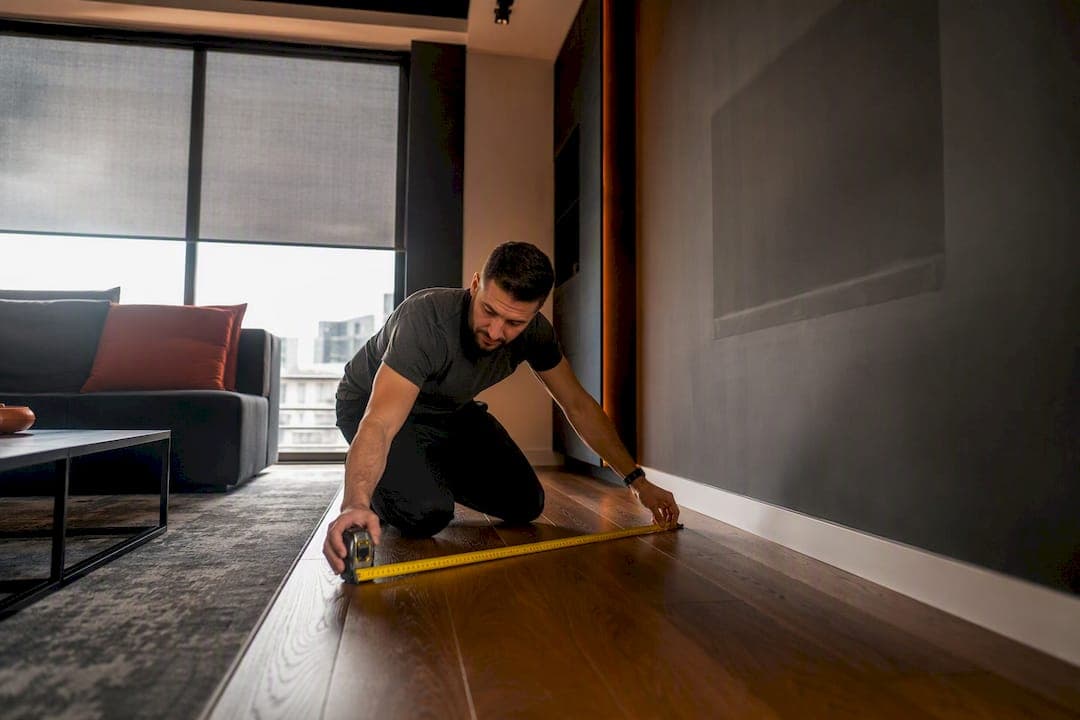
Measure the distance from your main seating spot to the screen, then divide that number (in inches) by 1.6 for a 4K TV or 1.8 for a 1080p set to get your ideal diagonal size. For most living rooms with seating at a moderate viewing distance, the ideal TV size typically ranges from moderate to larger sizes suitable for that space. The rest comes down to room shape, resolution, and how many people are actually watching.
TL;DR:
- The ideal TV size depends on your viewing distance divided by 1.6 for 4K or 1.8 for 1080p, with room and content type influencing the final choice.
- When mounting, the screen's center should be at seated eye level, about 42 inches off the floor, with lighting and glare considerations crucial for optimal viewing.
- Larger screens are more comfortable in dark, controlled-light rooms, while bright rooms need smaller panels and higher brightness for better contrast.
- TVs shared among multiple seats should be sized based on the middle seat’s distance, considering side angles and overall room layout.
- Panel type influences contrast and brightness perception, with OLED offering deeper blacks suitable for dark rooms and LED panels providing more brightness for sunlit spaces.
Table of Contents
- Measuring your viewing distance and TV size correctly
- TV size formulas: 4K vs 1080p, with a worked example
- Recommended TV sizes by room type and distance
- Why 4K lets you sit closer than 1080p ever could
- Getting mounting height and glare right
- How aspect ratio changes what "big" actually looks like
- How room lighting changes the ideal TV size
- How many viewers and where they sit changes your ideal size
- OLED vs LED: does panel type change what size to buy?
- What installers see that formulas miss
- Get your TV sized and installed right the first time
- Sources
Measuring your viewing distance and TV size correctly
Grab a tape measure before you touch a spec sheet. Sit in your usual spot, then measure straight to where the centre of the screen will sit, not the wall behind it or the edge of the console.
- Measure from the front of the couch cushion (where your back actually rests) to the TV location, in both feet/inches and metres. A 10 foot distance is roughly 3 metres.
- Measure the TV's diagonal, corner to corner, never the width alone. Retailers advertise diagonal size, so match your math to that number.
- Convert diagonal to approximate width and height if you're checking wall or stand space. A 65" TV with a standard 16:9 aspect ratio runs about 57 inches wide and 32 inches tall.
- Check every seat that matters, not just the couch. A recliner off to one side or a kitchen island stool changes the geometry.
- Confirm wall or stand width and ceiling clearance for the mount bracket or media console.
Wall mounting pulls the screen closer to true room depth, since there's no stand depth to subtract. If you're mounting on a wall versus setting a TV on furniture, remeasure. Even four or five inches changes which size falls inside your ideal range.
TV size formulas: 4K vs 1080p, with a worked example
The math is simpler than most buying guides make it sound. For a 4K TV, take your viewing distance in inches and divide it by 1.6 to land on the ideal diagonal. For 1080p sets, divide by 1.8 instead, since lower pixel density needs more distance to hide the pixel structure.
Those multipliers aren't arbitrary. They're built around two industry benchmarks:
- THX recommends a 36 degree field of view for an immersive, cinema-style setup.
- SMPTE recommends a 30 degree field of view for comfortable, everyday viewing without the picture dominating your peripheral vision.
A sourced formula for a fast size check: viewing distance in inches ÷ 1.6 for 4K gives your ideal diagonal, and a free viewing distance calculator built on the same THX and SMPTE standards will show you min, recommended, and max distances for any size you're considering.
Here's the worked example. Say your couch sits 3.0 metres, or about 10 feet, from the wall. Convert to inches: 10 feet equals 120 inches. Divide by 1.6 for 4K, and you get 75 inches as the ideal diagonal. Divide by 1.8 for 1080p, and you land closer to 67 inches. In practice, that means a 3.0 metre room comfortably supports anything from 65 to 75 inches on a 4K set, with 75 sitting at the immersive end and 65 at the conservative end.
The range exists because "ideal" depends on what you value. Push toward the larger end for movie nights where you want the picture to fill your field of view. Stay conservative if you tend to have the TV on in the background while doing other things, since a screen that large can feel like it's tracking your eyes across the room.
Recommended TV sizes by room type and distance
Formulas give you the math, but real rooms come with real constraints. Here's how the numbers typically shake out by space.
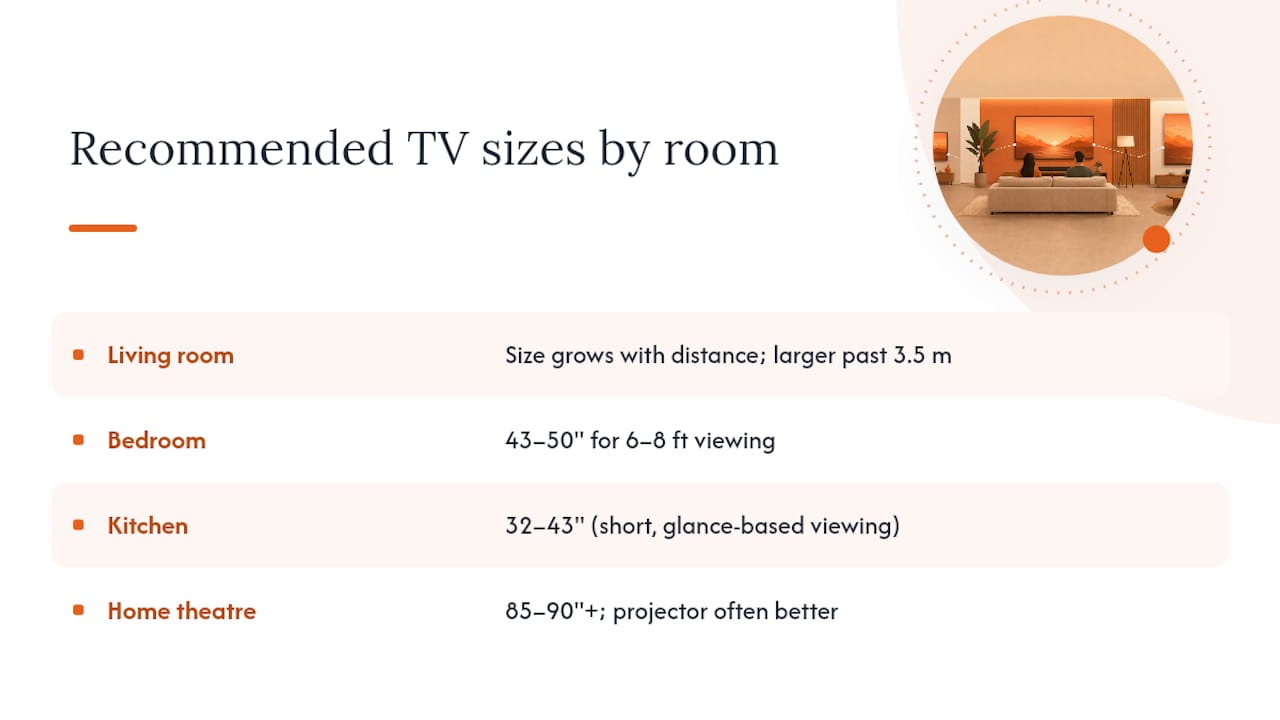
Living rooms are where the formula matters most, since this is usually the largest screen in the home and the one everyone argues about.
Typical recommended TV sizes increase as viewing distance increases, from moderate sizes for shorter distances to larger screens for viewing distances over about 3.5 metres.
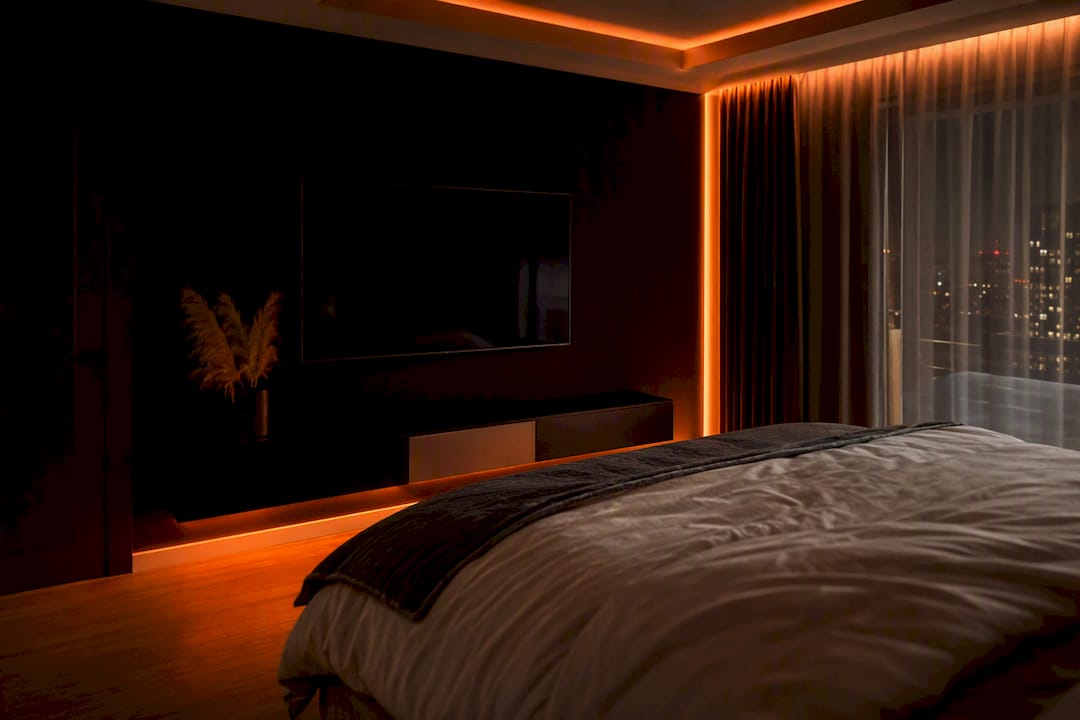
Bedrooms run smaller almost every time, not because the formula changes, but because most bedroom seating (your bed) sits closer to the wall than a living room couch does. A 43" to 50" set covers most bedroom setups where the footboard sits 6 to 8 feet from the wall. Going bigger in a bedroom often means the picture edges sit outside comfortable peripheral vision when you're lying down rather than sitting upright.
Kitchens rarely need more than 32 to 43 inches. Viewing distances are short, glance-based, and usually secondary to whatever's happening at the stove or island. Nobody is measuring field of view over the sink.
Home theatres and open-plan great rooms are where you scale up, sometimes past what the basic formula suggests, because dedicated theatre rooms are built around a single, fixed seating row and controlled lighting. A projector can make more sense than a TV once you're chasing screens past 85 or 90 inches, particularly in a room with no ambient light to fight.
When two sizes both fit your distance range, let content type break the tie. Sports and gaming reward the larger option since fast motion benefits from a bigger field of view. Background TV and news favour the smaller one.
Why 4K lets you sit closer than 1080p ever could
Resolution changes the math because it changes how visible individual pixels are up close. A 4K panel packs roughly four times the pixels of a 1080p panel into the same screen area, so you can sit 30 to 40% closer before the image starts looking soft or blocky.
That's the entire reason the 4K divisor (1.6) is smaller than the 1080p divisor (1.8). Below roughly 42 inches, the difference stops mattering much in practice, since pixel density is already high enough at typical kitchen or bedroom distances. Above 42 inches, especially in a living room where you're sitting closer relative to size, 4K resolution earns its keep.
Content type shifts the ideal distance too. Dolby's home entertainment guidance leans toward the THX 36 degree standard for movie nights and a more relaxed SMPTE 30 degree angle for regular TV watching. Gamers often prefer sitting closer still, since a wider field of view sharpens the sense of being inside the action.
8K exists, but it solves a problem almost nobody has yet. Content is scarce, and the resolution advantage over 4K only shows up on screens well past 85 inches sat unusually close.
Pro Tip: If you're torn between two adjacent sizes, buy for your most common viewing distance, not your closest seat. A single gaming chair pulled up too close shouldn't dictate the TV size for the whole room.
Getting mounting height and glare right
A correctly sized TV still disappoints if it's hung too high or fighting glare all evening. The centre of the screen should land roughly at seated eye level, which for most sofas means the middle of the panel sits about 42 inches off the floor, adjusted down slightly for taller screens and up for low-slung seating.
- Measure seated eye height from your actual couch, not a guess, before drilling anything.
- Add a slight downward tilt bracket if the TV sits above eye level, common over fireplaces.
- Control ambient light with blinds, curtains, or screen positioning away from windows.
- Add bias lighting behind the screen to cut contrast fatigue in dim rooms, especially with larger panels.
- Confirm ventilation clearance and cold-weather ratings for outdoor installs.
How aspect ratio changes what "big" actually looks like
Every diagonal measurement assumes the standard 16:9 aspect ratio that almost all consumer TVs use. But diagonal size alone can mislead you, because two screens with identical diagonals can feel very different depending on shape.
A 65" TV and a 65" ultrawide monitor share a diagonal number but not a footprint. The wider a screen gets relative to its height, the more its actual width grows for the same diagonal figure. That matters when you're checking wall space or console width, since a cinema-style 21:9 screen at the same diagonal as your current 16:9 TV will run noticeably wider and shorter.
It also changes how "full" a room feels. A tall, narrow screen at a given diagonal reads as smaller in a room than a wide, short one, because horizontal field of view drives most of the perceived scale. This is part of why 65 inches in a narrow bedroom often looks and feels larger than the same 65 inches mounted on a wide living room wall.
Content format plays into this too. Movies shot in wider theatrical ratios can leave black bars on a standard 16:9 screen, effectively shrinking the visible image below your calculated ideal size. If you watch a lot of widescreen cinema content, sizing up slightly compensates for the picture area lost to those bars. Streaming and broadcast TV, largely shot in native 16:9, won't have this issue.
Before buying, always check the actual width and height dimensions against your wall or console, not just the diagonal on the box.
How room lighting changes the ideal TV size
A screen that looks perfectly sized in a showroom can feel oversized or washed out once it's on your wall, and lighting is usually the reason. Bright, sunlit rooms wash out contrast and make colours look flatter, which pushes people toward slightly smaller screens paired with higher brightness panels rather than chasing size alone.
Dim, controlled rooms, the kind most home theatres aim for, do the opposite. Lower ambient light lets a larger screen feel comfortable rather than overwhelming, since there's less competing brightness fighting the picture. This is part of why dedicated theatre rooms with blackout capability can support screens well beyond what a sunlit living room would tolerate at the same viewing distance.
Ambient light and bias lighting management directly affects how tiring a large screen feels over a two or three hour movie. A strip of LED lighting behind the panel, set to a warm, low colour temperature, reduces the contrast gap between the bright screen and a dark wall, cutting the eye strain that makes an otherwise well-sized TV feel exhausting to watch at night.
Practical takeaway: if your room gets strong afternoon sun with no blinds, don't size up purely based on the distance formula. Either add light control (curtains, blinds, or window film) or lean toward the conservative end of your size range and prioritize a brighter panel instead. Rooms with good light control can comfortably support the larger end of the same range.
How many viewers and where they sit changes your ideal size
The distance formula assumes one seat matters. Most living rooms have three or four.
A single-viewer setup, like a bedroom TV watched from bed, lets you size tightly around one fixed distance with no compromise. A shared living room with a sectional couch is a different problem entirely, since seats at the near end and far end of an L-shaped sofa can differ by 4 or 5 feet, each pulling toward a different ideal diagonal.
The practical fix is to size for your middle seat, not your closest or farthest one, then check that the closest seat still falls within the acceptable range rather than the ideal one. Viewing distance tables built on THX and SMPTE standards give a full min to max range for each size, not just a single ideal number, which is exactly the tool you want when a room has to serve four different seats at once.
Wide rooms with seating spread across a large arc also benefit from a larger screen than the front seat alone would suggest, since side-angle viewers lose some effective field of view compared to someone dead centre. This is one reason home theatre rooms are built with rows angled slightly inward rather than a flat, straight-across arrangement.
If your household splits between people who sit close and people who sit far, the middle-seat rule keeps most people happy most of the time, which beats optimizing for either extreme.
OLED vs LED: does panel type change what size to buy?
Panel technology doesn't change the viewing distance math, but it does change how a given size actually looks and feels. OLED panels produce true black by turning individual pixels off completely, which gives the image more perceived depth and contrast at the same diagonal size compared to most LED sets.
That extra contrast matters more as screens get larger, since a bigger panel amplifies any weakness in black levels or backlight uniformity. A 75" LED TV with mediocre local dimming can show visible blooming around bright objects on a dark background, an effect far less noticeable, or absent, on an OLED panel of the same size.
LED (including QLED and mini LED variants) still wins on raw brightness, which matters more in sunlit rooms where contrast performance takes a back seat to simply being visible. For a bright kitchen or a living room with big south-facing windows, a bright LED panel often looks better day to day than an OLED set fighting glare.
Neither technology changes your ideal diagonal calculation. But if you're deciding between a 65" and a 75" on an OLED panel, the contrast advantage means the larger OLED will feel less imposing at close range than the same size on a lower-end LED panel, since the black levels don't wash out into grey the way some LED backlights do in a dark room.
What installers see that formulas miss
We regularly get calls from homeowners who followed a size chart perfectly and still ended up unhappy, usually because of sightlines from a second seating area, a mount height that looked fine on paper but felt wrong once the TV was actually hung, or a fireplace mount that needed specialized anchoring the box store bracket never mentioned. In most of those cases, the fix isn't a smaller TV. It's better lighting control, a properly calculated mount angle, or moving the primary seating a foot or two.
If you're weighing a size decision for a tricky room, our installation guide page walks through what a proper site assessment covers.
— JupiterAV
Get your TV sized and installed right the first time
A formula tells you the number. Getting that number onto your wall correctly, with the right mount, the right height, and lighting that doesn't fight your new screen, is where most DIY installs go sideways. JupiterAV handles sales, installation, and service for TVs of every size, alongside the smart lighting and motorized blinds that solve the glare problems this guide covers.

That combination matters more than it sounds. A homeowner who buys a 75" TV based on a correct distance calculation, then mounts it too high with harsh afternoon sun bouncing off the screen, ends up disappointed for reasons that have nothing to do with size. Our installers handle the mount height and angle calculations directly, pair it with Lutron Caseta or Clara motorized blinds where glare is a factor, and catch structural issues like stone fireplace surrounds or vaulted ceilings before they become a return trip. If you've landed on a size range from this guide and want it hung right, book a consultation with JupiterAV to get a proper site assessment and quote.
Sources
- TV Size by viewing distance
- Reduce eye strain when watching television at night with bias lighting — CNET