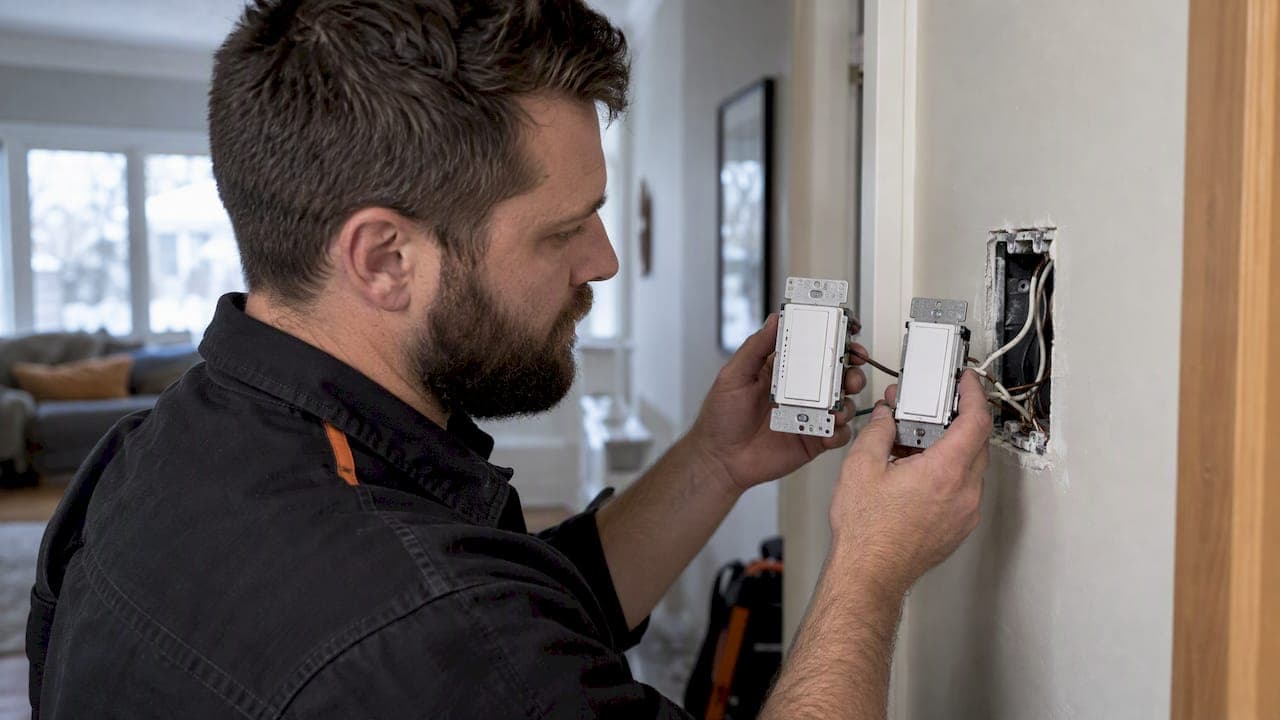
Yes, Lutron Caséta works with dimmable LED, halogen and incandescent bulbs, and it connects to Amazon Alexa, Google Assistant and Apple HomeKit, but full voice and app integrations need a Lutron Smart Bridge or Smart Bridge PRO. Wiring requirements vary by model, so check the spec sheet for your exact device before you buy or install anything.
TL;DR:
- Dimmable LED bulbs vary in driver quality, so consulting Lutron's bulb list is crucial for avoiding flicker or early cutoff issues.
- Homes built before 1980 may lack a neutral wire, requiring additional wiring solutions or remote controls rather than traditional in-wall dimmers.
- Using a Smart Bridge or Smart Bridge PRO allows voice control via Alexa, Google, and HomeKit, supporting up to 75 devices, but without one, external voice commands are unavailable.
- Connecting the Smart Bridge over Ethernet improves stability and reduces connectivity issues, especially in larger or Wi-Fi-challenged homes.
- Troubleshooting common problems involves checking device limits, range, and calibration steps before considering additional repeaters or replacements.
Table of Contents
- Lutron Caseta compatibility at a glance
- How Caséta dimmers handle LEDs without flicker
- Do you need a neutral wire for your Caséta switch?
- What the Smart Bridge does for Alexa, Google and HomeKit
- Home Assistant and local control for advanced setups
- Fixing flicker, range issues and device limits
- What a professional installer checks before calling it done
- Why we recommend Caséta for most retrofit projects
- Getting Caséta installed and working the way it should
- FAQ
- Sources
Lutron Caseta compatibility at a glance
Before you commit to a wiring plan or a shopping list, run through what actually needs checking. Caséta covers most of a typical home, but a few details decide whether install day goes smoothly.
- Dimmable LED, halogen and incandescent bulbs all work, but LED performance varies by driver, so consult Lutron's bulb compatibility list before buying in bulk.
- Some in-wall dimmers require a neutral wire and some do not. The PD-6WCL and the DVRF-5NS Claro switch are a good pair to compare when you are unsure which category your project falls into.
- Voice assistants, the Lutron app's remote access and automations across device types all depend on a Smart Bridge. Without one, Pico remotes and dimmers still talk to each other locally, but nothing talks to Alexa, Google or your phone from outside the house.
- A single Smart Bridge or Smart Bridge PRO supports up to 75 devices, and a standalone dimmer without a bridge can pair with up to 10 accessories such as Pico remotes or sensors.
Every deeper section below expands one of these points: bulbs, wiring, hub integrations, local control through Home Assistant, and what to do when something misbehaves.
How Caséta dimmers handle LEDs without flicker
LED bulbs do not dim the way incandescent bulbs do. An incandescent filament is a simple resistive load, so a dimmer can cut voltage and get a smooth, linear result. An LED bulb has a driver inside it that converts household power to the low-voltage current the diode needs, and that driver determines how gracefully the bulb handles reduced power. Two bulbs that look identical on the shelf can behave completely differently on the same Caséta dimmer, which is why the "dimmable" label on the box is a starting point, not a guarantee.

Lutron maintains a searchable LED bulb list that rates specific bulb models for flicker, pop-on, and minimum dimming level with Caséta dimmers. It is worth five minutes before a purchase, especially if you are buying bulbs for a fixture with six or eight sockets, where one bad pairing multiplies into a visible, irritating flicker across the whole room.
When flicker or early cutoff happens anyway, a short sequence usually resolves it:
- Run the low-end trim adjustment from the dimmer or the Lutron app to raise the minimum dimming level so the bulb never drops below where its driver can hold a steady output.
- Swap in a bulb from Lutron's tested list if the current one is not on it, since driver quality varies more than wattage or brand reputation suggests.
- Confirm the dimmer's minimum load is met. A single low-wattage LED on a dimmer rated for a higher minimum load can flicker simply because the load is too light.
Avoid external or third-party LED drivers unless they are explicitly listed as supported for your dimmer model. An unlisted driver is the most common cause of a bulb that flickers no matter how many times you recalibrate.
Pro Tip: If one bulb in a multi-bulb fixture flickers and the others don't, try that bulb alone in a lamp first. It tells you in thirty seconds whether the problem is the bulb or the dimmer.
For a longer walkthrough of calibration steps, our guide to fixing LED flicker with dimmers covers the low-end adjustment tool in more detail.
Do you need a neutral wire for your Caséta switch?
Wiring is where most compatibility surprises happen, because not every Caséta model is built the same way. The PD-6WCL in-wall dimmer is designed to work without a neutral wire in many installations, which made it popular in older homes. The DVRF-5NS Claro smart switch, by contrast, is listed as requiring a neutral connection, so swapping one model for the other in the same box is not a safe assumption.
Homes built after roughly 1980 typically have a neutral wire present in most switch boxes, but older houses and some legacy three-way circuits do not. A quick way to check is to open the switch plate (with power off) and look for a white wire capped off in the box rather than connected to the switch. If you see one, you likely have a neutral available even if the current switch does not use it.
For rooms controlled from more than one location, the simplest and most reliable approach is rarely to rewire a mechanical three-way circuit. Three practical options cover most homes:
- Install one Caséta dimmer or switch at the primary location and add a Pico remote at the second location, which pairs wirelessly and needs no line-voltage wiring at all.
- Use a Claro accessory switch alongside the main dimmer where you want a wired-feeling second switch rather than a handheld remote.
- Call a licensed electrician when the existing wiring is a legacy multi-location circuit with traveller wires and no neutral, since forcing a smart dimmer into that setup is where most failed installations originate.
Our guide to 3-way smart switch installation walks through wiring diagrams for each of these scenarios.
What the Smart Bridge does for Alexa, Google and HomeKit
A Caséta dimmer and a Pico remote already talk to each other over local radio without any hub. What a Smart Bridge or Smart Bridge PRO adds is the connection to the outside world: voice assistants, the Lutron app away from home, and automations that span multiple device types. Without the bridge, Caséta is a closed, reliable local system. With it, Caséta becomes part of a broader smart home.
- Amazon Alexa, Google Assistant and Apple HomeKit all connect through the Smart Bridge, and setup generally means linking accounts inside each assistant's own app and letting it discover Lutron devices.
- Samsung SmartThings uses a cloud-to-cloud "Connect" method rather than a local integration, meaning you log into your Lutron account from inside the SmartThings app to authorize the connection.
- Pico remotes generally do not appear as separate devices inside third-party apps like SmartThings, since those platforms surface switches and dimmers but not every paired accessory.
- A wired Ethernet connection for the Smart Bridge tends to be more stable than relying on a weak Wi-Fi signal near the router, particularly in homes where the bridge sits in a utility closet or basement panel.
Common setup snags are almost always account-related rather than hardware-related: a mismatched Lutron account email, a bridge that was factory-reset without re-pairing to the app, or a voice assistant skill that needs to be re-linked after a password change. For a deeper look at wiring and network prerequisites for Alexa specifically, see our breakdown of Smart Bridge wiring and Alexa integration. Outdoor and exterior lighting automations sometimes extend to motorized elements like smart pergolas, which have their own hub and power requirements worth checking before you plan a combined indoor-outdoor scene.
Home Assistant and local control for advanced setups
Home Assistant supports Lutron Caséta, but the connection is not as simple as typing in an IP address. The official integration documentation requires generating a certificate and key file pair from your Lutron account, specifically a caseta.key, a caseta.crt and a caseta-bridge.crt, before Home Assistant can authenticate with the Smart Bridge directly on your network.
- Generate the certificate set from your Lutron account before attempting the Home Assistant integration, since the bridge will reject an unauthenticated connection attempt.
- Assign a static IP address or a DHCP reservation to the Smart Bridge so the certificate pairing survives router reboots and network changes.
- Local integrations respond faster and keep working during an internet outage, since commands never leave the home network.
- Some features, including remote access away from home and certain assistant-specific voice phrases, remain tied to the cloud path even after a local Home Assistant setup is working.
A Smart Bridge or Smart Bridge PRO on a stable local network supports up to 75 paired devices, which is generally more than enough for a full-floor lighting setup even with Home Assistant layered on top.
Installers managing more than one bridge across a larger property typically generate a separate certificate for each bridge and reserve its IP address in the router, so that a swapped access point or a firmware update does not silently break the integration. If that sounds like more networking than you want to manage yourself, our piece on Caséta with Matter covers what local control buys you and where it still falls short of a fully professional setup.
Fixing flicker, range issues and device limits
Most Caséta complaints trace back to one of four causes, and working through them in order saves a lot of guesswork.
- Flicker or early cutoff on a specific bulb: run the low-end trim adjustment first, then try a bulb from Lutron's tested list before assuming the dimmer is faulty.
- Devices that drop connection intermittently: check distance from the Smart Bridge, since Caséta's Clear Connect RF range is roughly 60 feet line of sight to the bridge and shorter through walls to remotes and sensors.
- A device that won't pair or disappears from the app: confirm you have not exceeded the per-bridge device limit of 75, or the 10-device limit on a standalone dimmer running without a bridge.
- Odd app behaviour after an update: confirm the Lutron app and the Smart Bridge firmware are both current, since a mismatched version occasionally causes devices to show as offline until both are synced.
Pro Tip: Walk through the fixes in that order. Jumping straight to "buy a repeater" when the real issue is a bulb pairing wastes money and doesn't fix the flicker.
If range is the recurring issue in a larger home, our field notes on Caséta range cover repeater placement and bridge positioning in more detail than fits here.
What a professional installer checks before calling it done
Most single-dimmer swaps in a modern switch box are reasonable to do yourself. Where it stops being a weekend project is a missing neutral, a legacy three-way circuit with traveller wires, or a mixed-load fixture combining LEDs with a ceiling fan motor on the same switch.
- We verify the exact model number against its spec sheet before opening a single switch box, since different Caséta models have different neutral requirements despite looking similar.
- We confirm minimum load and run the low-end calibration on every dimmer before calling a job finished, helping to avoid bulb-specific flicker issues later.
- We set up the Smart Bridge on a wired Ethernet connection with a DHCP reservation whenever possible, which helps avoid re-pairing issues related to IP address changes after router restarts.
- We test voice assistant and app control from outside the home network, not just standing next to the bridge, to ensure cloud-dependent integrations work properly.
Why we recommend Caséta for most retrofit projects
Caséta's switch-first design is the reason it fits so many retrofit jobs better than a smart-bulb-only approach. When the switch itself is smart, homeowners can keep decorative bulbs, Edison-style filament shapes, or fixtures with hard-to-reach sockets, instead of being locked into whatever shapes happen to be available as smart bulbs that year.
The local Clear Connect RF link between switches and Pico remotes is also genuinely reliable without depending on home Wi-Fi, which matters more than most buyers expect until their Wi-Fi has a bad night. Where Caséta is a weaker fit is a project built entirely around colour-changing scenes, since that still leans on smart bulbs rather than switches.
— JupiterAV
Getting Caséta installed and working the way it should
We provide installation and ongoing support for Lutron Caséta systems in homes and businesses, helping minimize common issues by ensuring wiring and network groundwork is properly done from the start.

A typical visit from our team covers:
- A site assessment to confirm which switch boxes have a neutral and which models fit each location.
- Wiring verification and, where needed, coordination with a licensed electrician for legacy circuits.
- Device provisioning, bulb calibration and low-end trim adjustment across every dimmer before we call the job done.
- Voice assistant setup and, for homeowners who want it, Home Assistant integration with the certificate and networking steps handled for you.
If you are weighing a Caséta install alongside other smart home, audio or security upgrades, visit our services overview at JupiterAV to see what a full visit includes and to get in touch about scheduling one.
FAQ
Is Lutron Caséta compatible with Philips Hue?
Lutron Caséta and Philips Hue are separate ecosystems with their own hubs, and Caséta does not directly control Hue bulbs or vice versa. Both can coexist in the same smart home and both connect to shared platforms like Alexa or Google Assistant, which lets you build scenes that include devices from each system through the assistant rather than through a direct link between the two hubs.
Can I use Lutron Caséta without the Smart Bridge?
Yes, a standalone Caséta dimmer or switch works locally with paired Pico remotes without any hub, and a single dimmer can pair with up to 10 accessories this way. What you lose without a bridge is voice assistant control, remote access from outside the home, and automations that span multiple devices.
What are the pros and cons of Lutron Caséta?
Caséta's switch-first design lets you keep any bulb style you like and relies on a local radio link that stays reliable even if home Wi-Fi has a bad day. The trade-offs are that some models need a neutral wire for installation and full smart home integration depends on buying a separate Smart Bridge.
Does Lutron Caséta work with Amazon Alexa?
Yes, Caséta connects to Amazon Alexa once a Smart Bridge or Smart Bridge PRO is set up and linked through the Alexa app. After linking, you can control Caséta dimmers and switches by voice and include them in Alexa routines alongside other connected devices.
Sources
- Caseta Wireless by Lutron — Works with
- Caséta LED bulb compatibility list (PDF)
- Home Assistant — Lutron Caséta integration documentation