Privacy-safe home security is achievable, but only if you treat it as a configuration project, not a purchase decision. Choose end-to-end encryption or local storage, turn on two-factor authentication, disable audio you don't need, and angle every lens away from your neighbour's windows and yard. Those four moves cut both your hacking exposure and your legal risk more than any single camera feature ever will.
TL;DR:
- Reusing passwords across multiple accounts is the main vulnerability; setting unique passwords and enabling two-factor authentication greatly reduces hacking risks.
- Firmware updates and closing exposed ports are essential, as outdated software and misconfigurations are common entry points for attackers.
- Choosing local or hybrid storage with end-to-end encryption minimizes third-party access and reduces the likelihood of law enforcement or internal misuse.
- Cameras aimed only at your property and masking or adjusting angles prevent accidental or illegal capturing of neighbors' private spaces.
- Maintain regular firmware checks, rotate passwords, and document security settings to sustain privacy over a long-term system usage.
Table of Contents
- Your immediate camera privacy checklist
- How do hackers actually get into home cameras?
- Cloud, local, or hybrid: where should your footage live?
- What does the law actually say about recording your neighbours?
- Where to mount cameras so you protect your family, not your neighbours
- Staying secure after installation
- What years of installs have taught us about privacy trade-offs
- Get a privacy-first camera install done right
- Where to verify these details yourself
- Sources
Your immediate camera privacy checklist
Run through this list the first evening you get a new camera, then again anytime you add a device to the system.
- Change every default password immediately and generate unique ones with a password manager. Default credentials are the single easiest way into a camera account, and they're often published in plain text in manufacturer manuals.
- Turn on two-factor authentication for the camera app and for the email account tied to it. If someone resets your email password, they can often reset your camera password too.
- Mute the microphone unless you genuinely need audio. Most apps let you disable audio recording independently of video, and experts recommend doing exactly that on outdoor units.
- Set activity zones and privacy masks so the camera ignores your neighbour's porch, windows, or shared driveway.
- Opt out of non essential cloud features like AI facial recognition or engagement notifications, and enable end-to-end encryption if your provider offers it.
- Update firmware and write down the version number so you notice when an update is overdue.
- Put a recurring monthly reminder on your calendar to repeat steps 1, 2, and 6.
Pro Tip: Keep a simple notes file listing every camera's model, firmware version, and the date you last checked it. When a vulnerability gets disclosed for a specific model, you'll know in seconds whether it applies to you instead of scrambling through app menus.
How do hackers actually get into home cameras?
Most camera breaches don't involve anything sophisticated. They involve a password you reused somewhere else, a router setting you never touched, or a firmware update you skipped for six months.
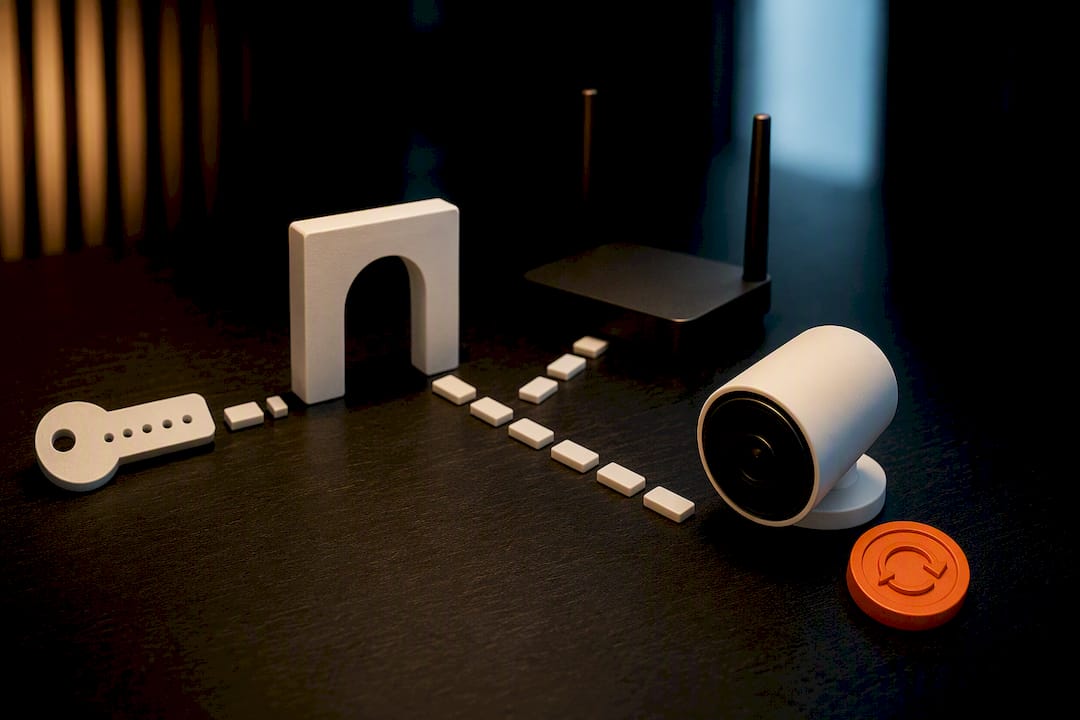
Credential theft is the leading cause. When a data breach hits an unrelated website, attackers test those same email and password combinations against camera platforms, security systems, and cloud accounts. If you reused your Netflix password for your doorbell app, you've handed over the keys. This is precisely why industry guidance treats 2FA, encryption, and prompt patching as the three highest-leverage defences available to a homeowner.
Beyond stolen passwords, a few other routes matter:
- Exposed ports and UPnP misconfigurations. Some routers automatically open ports to make camera apps easier to use remotely, which also makes them easier to find and probe from outside.
- Outdated firmware. Manufacturers patch remote code execution flaws regularly, but a camera that hasn't updated in a year is running with known holes.
- Manufacturer and cloud-side access. Many platforms process footage for AI features like package detection or facial recognition, meaning employees or automated systems can access clips as part of normal operation.
- Legal and court-ordered access. Cloud providers can be compelled to hand over stored footage, and reporting on major surveillance providers has drawn attention to how often law enforcement partnerships shape what gets shared.
- Residual data after deletion. Even footage you thought you deleted can sometimes linger on provider servers.
One case that illustrates the last point involved a woman whose supposedly deleted Nest footage turned out to still exist on Google's backend, recoverable months later during a legal dispute. Deletion on your screen doesn't always mean deletion on the server.
Cloud, local, or hybrid: where should your footage live?
This is the single biggest privacy decision you'll make, and most people never think about it until something goes wrong.
Cloud-first systems send everything to a manufacturer's servers. They're convenient (footage survives if the camera is stolen or destroyed), but they mean a third party has technical access to your video unless it's encrypted end to end.
Local-first systems store footage on a network video recorder or hard drive in your home. Nobody outside your network touches the video by default, but you lose that footage if the device is stolen along with the camera, and remote viewing takes more setup.
Hybrid systems try to split the difference. Apple's HomeKit Secure Video, for example, processes activity detection locally on a home hub and only stores encrypted clips in the cloud, limiting what the provider itself can see. Some providers offer optional end-to-end encryption but disable convenience features like rich push notifications or AI search when you turn it on. That trade-off is worth knowing before you buy.
End-to-end encryption means the footage is scrambled in a way that only your account can decrypt. The company storing it technically cannot view it, which removes an entire category of exposure, from internal misuse to law enforcement requests aimed at the provider rather than you.
A few practical moves apply regardless of which model you choose:
- Turn on E2EE in account settings if your camera brand supports it, even if it costs you a feature or two.
- If you go local, a proper NVR setup beats a cheap SD card that a burglar can simply pocket.
- If you keep any footage in the cloud, treat "deleted" as "hopefully deleted" and don't rely on it disappearing instantly.
- Consider an NVR versus DVR comparison before committing to local storage, since the two systems handle retention very differently.
What does the law actually say about recording your neighbours?
Courts in most common-law jurisdictions apply a "reasonable expectation of privacy" test. You can generally record your own property, including areas visible from a public street. What you cannot do is deliberately point a lens into a neighbour's bathroom window, backyard, or bedroom, because that crosses from incidental capture into intrusive surveillance, and privacy commission guidance is explicit that doing so can create civil or criminal liability.
Audio raises the stakes further. Recording video of someone walking past your house is one thing; capturing a private conversation is another, and many jurisdictions treat audio interception under separate, stricter wiretapping-style rules. That's a major reason WIRED's guidance on doorbell cameras recommends disabling audio outright unless you have a specific reason to keep it on.
A few patterns tend to separate lawful home security from something a court would call "highly offensive":
- Cameras aimed only at your own entryway, driveway, or yard are low risk.
- Cameras angled to catch a neighbour's window, patio, or side yard on a permanent basis are high risk.
- Continuous audio recording of shared spaces (a duplex hallway, a shared fence line) is higher risk than video alone.
- If police request footage relevant to a nearby incident, they typically need either your voluntary cooperation or a warrant for cloud-stored data. You are not obligated to hand over footage on request alone.
If a neighbour raises a concern, the cheapest fix is usually a five-minute conversation and a masked zone, not a lawyer. Posting a small sign noting camera use, keeping retention windows short, and being willing to adjust an angle when asked will resolve most disputes before they start.
Where to mount cameras so you protect your family, not your neighbours
Placement is where privacy and effectiveness either reinforce each other or collide. Get the angle right and you cover your entry points without ever pointing a lens where it doesn't belong.
- Mount entry-facing cameras at door height or slightly above, angled down toward your own walkway rather than across the property line.
- Avoid aiming any camera directly at a neighbour's window, patio door, or yard, even if it means losing a few degrees of coverage on your own side.
- Use activity zones inside the app to blank out anything beyond your fence line. Most platforms let you draw a polygon that the camera simply won't record inside.
- Set privacy masks on interior-facing windows so a camera pointed toward your own living room doesn't also capture the house across the street through a gap in the blinds.
- Decide on audio deliberately. Two-way audio on a doorbell (so you can talk to a delivery driver) is genuinely useful. Continuous ambient audio recording rarely is.
- Check for physical tamper protection. A camera with a tamper alert or a physical shutter tells you immediately if someone has covered or repositioned it.
- In condos, townhomes, and shared driveways, talk to your building management or HOA before installing anything facing a common area. Rules vary, and a camera aimed at a shared hallway can trigger a dispute even when the law would technically permit it.
Pro Tip: Walk your property line at the same time of day you'll actually be using footage. A camera that looks fine at noon can catch a very different, much more private view once evening lights come on in a neighbouring window. For a deeper walkthrough of angles and mounting heights, JupiterAV's guide to security camera placement covers the specifics room by room.
Staying secure after installation
Setup is the easy part. Staying private over the following two years is where most homeowners quietly slip.
- Check firmware versions and your list of authorized devices monthly, not just when you remember.
- Rotate passwords periodically and remove any shared logins you no longer recognize.
- If you suspect a breach, disconnect the camera from the network first, then change credentials and screenshot anything unusual before it disappears.
- Document dates, times, and what you observed. That record matters if you ever need to involve police or a lawyer.
- Set an automatic deletion window (30 days is common) so old footage doesn't sit around as a growing liability.
- If a neighbour's privacy was affected, tell them directly rather than waiting for a complaint.
What years of installs have taught us about privacy trade-offs
Every install comes down to the same conversation: cloud convenience versus local control. A local NVR gives homeowners full ownership of their footage and zero third-party access, but it means someone has to manage storage and remote viewing themselves. A secure cloud plan with end-to-end encryption gets close to that same privacy level while keeping the convenience of an app, though you sometimes lose a feature or two along the way, exactly the trade-off described earlier with HomeKit Secure Video.
On the network side, professional installs typically put cameras on their own segmented network rather than the same Wi-Fi as laptops and phones, so a compromised camera can't be used as a stepping stone into the rest of the house. Homeowners who go this route get something DIY setups rarely produce: a documented placement plan, a hardened network, and a plain-language privacy policy they actually understand.
— JupiterAV
Get a privacy-first camera install done right
There's a real difference between a camera system that just works and one that's actually configured to protect you, and most self-installed systems skip that second part entirely. Professional installs build privacy into the setup itself: cameras placed and masked to avoid neighbouring properties, networks segmented so a camera breach can't reach your laptop, and storage set up as local, encrypted cloud, or hybrid depending on what the user wants a stranger to never see.

A consultation typically covers a walkthrough of your property to map angles and privacy zones, a network assessment to identify exposed ports or weak segmentation, and a storage recommendation matched to risk tolerance rather than manufacturer defaults. If you're weighing options before committing, our CCTV installation cost guide breaks down what a professional setup typically involves. When you're ready, reach out to JupiterAV to book a privacy-focused consultation and get a system that's actually configured, not just installed.
Where to verify these details yourself
- Office of the Privacy Commissioner: CCTV at home — legal grounding on reasonable expectation of privacy.
- The Verge: the Guthrie case and deleted doorbell footage — residual data explained.
- WIRED: video doorbell privacy settings — audio and settings guidance.
- Preventing package theft in apartments — placement tips for shared entryways.
This article is general information, not a substitute for advice from a qualified lawyer. Consult a qualified legal professional about your own circumstances before acting on anything here.
Sources
- Office of the Privacy Commissioner | CCTV at home
- What the Guthrie case reveals about your 'deleted' doorbell footage | The Verge
- How to ditch Ring’s surveillance network | The Verge
- Video doorbell advice and settings for opting out of the surveillance state | WIRED
- Safety and privacy for home security cameras like Ring and Nest: What homeowners should know - ABC News