
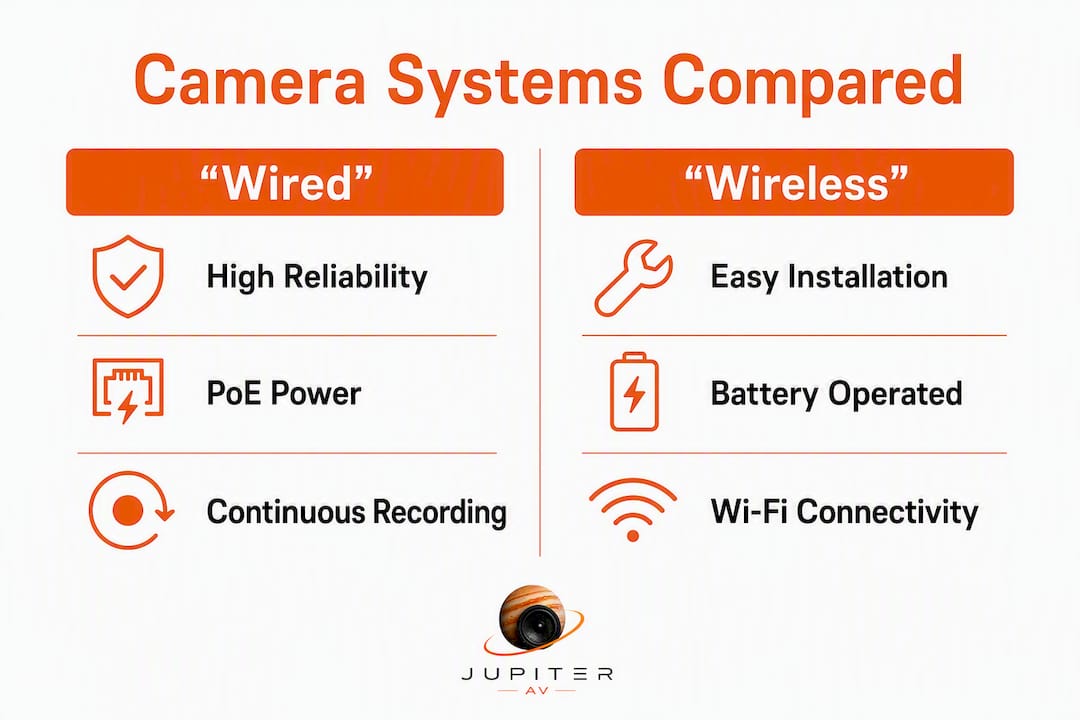
Wired cameras are the right choice for permanent, evidence-grade coverage where reliability cannot be compromised. Wireless cameras make sense for renters, fast installs, and spots where running cable is genuinely impractical. For most Canadian homeowners and small businesses, the smartest move is a hybrid: PoE wired cameras at every critical entrance, wireless cameras filling the gaps.
Before you buy anything, get an on-site assessment. Camera placement, cable feasibility, and your existing network all determine which system actually works for your property.
- Own your home and need 24/7 recording? Wired PoE is almost always the better long-term investment.
- Renting, or need a camera up this weekend? Wireless gets you covered without drilling.
- Multi-building property or detached garage? A hybrid setup gives you evidence-grade coverage where it counts and flexibility everywhere else.
- Not sure? Contact JupiterAV for an on-site quote and network check before committing to hardware.
Table of Contents
- How wired and wireless security cameras compare
- What a wired camera system actually is
- What a wireless camera system actually is
- Pros and cons worth knowing before you buy
- Reliability and security: where each system can fail you
- Installation complexity and what it costs in Canada
- Battery life, cold weather, bandwidth, and storage
- When a hybrid system is the right answer
- How to choose: a decision checklist for homeowners and small businesses
- What installers actually see in the field
- Key takeaways
- The case for getting the install right the first time
- JupiterAV designs and installs security camera systems in Calgary
- Useful sources and further reading
How wired and wireless security cameras compare
The table below maps the dimensions that actually drive the decision. One approach does not win across every row, which is exactly why so many professional installs end up as hybrids.
| Dimension | Wired (PoE / coaxial) | Wireless (Wi-Fi / battery) |
|---|---|---|
| Reliability / uptime | Continuous; unaffected by Wi-Fi congestion or router reboots | Dependent on network health; dropped clips common on busy networks |
| Installation difficulty | Moderate to high; cable runs, drilling, conduit | Low to moderate; mount and connect to Wi-Fi |
| Power source | PoE (single Ethernet cable) or mains via coax | Battery (recurring charge or swap cycle) is required on some models or mains outlet |
| Video quality & latency | Full bitrate per camera; no shared-band contention | Quality degrades under network congestion |
| Upfront cost | Higher (hardware + labour) | Lower per camera; packs widely available |
| Ongoing cost | Low; minimal maintenance, no mandatory subscription | Cloud subscriptions add up; battery replacements recurring |
| Security / vulnerability | Isolated wired connection; far less exposed to wireless interception | Wi-Fi encryption required; vulnerable to jamming or network breach |
| Scalability & placement | Limited by cable run feasibility; up to ~100 m per run | Place almost anywhere within Wi-Fi range |
| Outdoor / weatherproofing | Excellent; IP66 rated PoE cameras widely available | Good; battery performance drops sharply in cold Canadian winters |
| Storage options | Local NVR (continuous recording, no internet required) | Cloud-first; local microSD as fallback on some models |
| Best use cases | Permanent homes, commercial properties, evidence-grade coverage | Rentals, temporary installs, hard-to-wire locations |
Pro Tip: For any property with a mix of permanent and temporary coverage needs, plan your PoE runs first for entrances and perimeter walls, then layer wireless cameras into detached structures or interior spots where drilling is not feasible. This order of operations saves you from pulling cable twice.
What a wired camera system actually is
"Wired" covers two distinct technologies, and confusing them leads to buying the wrong recorder.
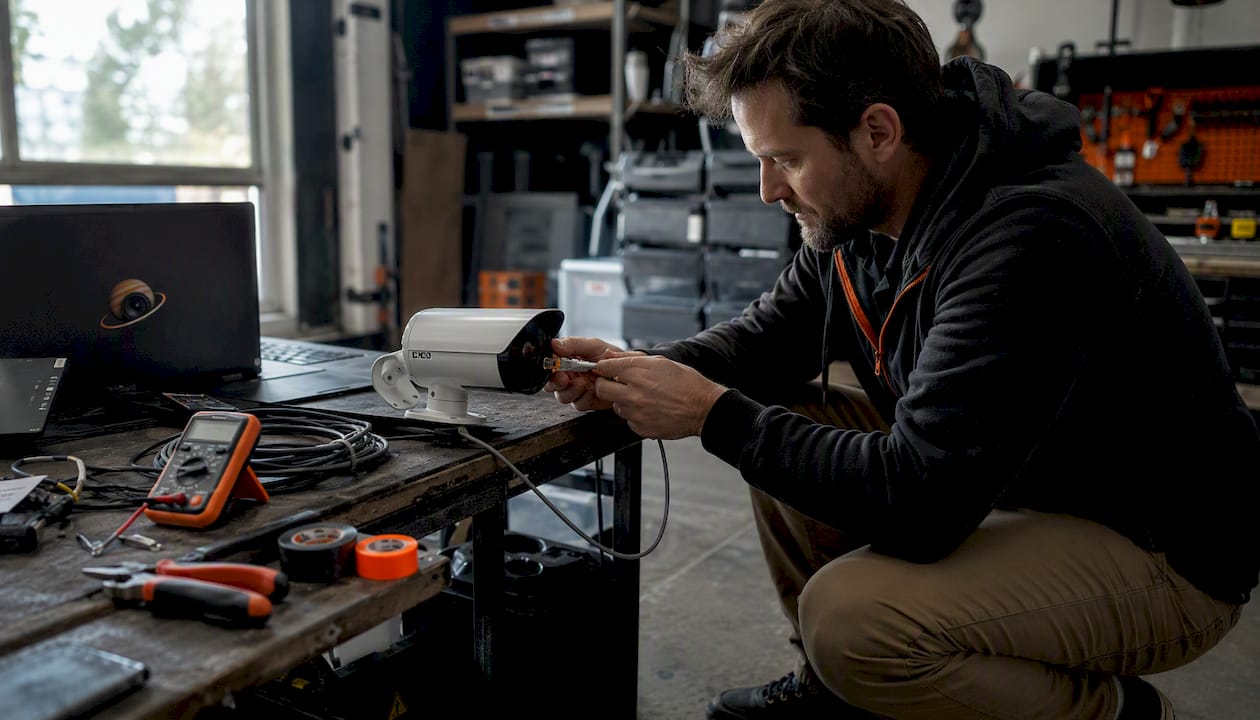
PoE (Power over Ethernet) is the current standard for professional installs. A single Cat5e or Cat6 cable carries both power and video data from the camera back to a PoE switch or NVR. Each run supports up to about 328 ft (100 m) without signal loss, which covers most residential and small-commercial properties without a repeater. PoE standards matter: 802.3af delivers up to 15.4 W per port, 802.3at (PoE+) up to 30 W, and 802.3bt (PoE++) up to 90 W. Higher-resolution cameras with pan-tilt-zoom motors typically need at least 802.3at.
Analog / coaxial + DVR is the older approach. Coaxial cable carries video signal to a DVR (Digital Video Recorder), while power runs on a separate cable. DVRs record locally and work without internet, but they lack the remote management and image quality ceiling of modern IP PoE systems. If you are upgrading an older system, check whether your existing coax can be repurposed before budgeting for a full rewire. For a detailed breakdown of how NVR and DVR systems differ in practice, the NVR vs DVR comparison covers the key trade-offs.
A typical PoE install path looks like this: camera → Cat5e/Cat6 cable → PoE switch or NVR with built-in PoE → local storage (NVR hard drive). An installer will typically need:
- Cat5e or Cat6 cable (plenum-rated for in-wall runs)
- A PoE switch sized to the camera count, or an NVR with integrated PoE ports
- An NVR with adequate hard drive capacity for your retention window
- A UPS (uninterruptible power supply) on the NVR and switch to maintain recording during power cuts
- Conduit or cable management for exposed exterior runs
What a wireless camera system actually is
"Wireless" is one of the most misused words in security marketing. It almost never means what buyers assume.
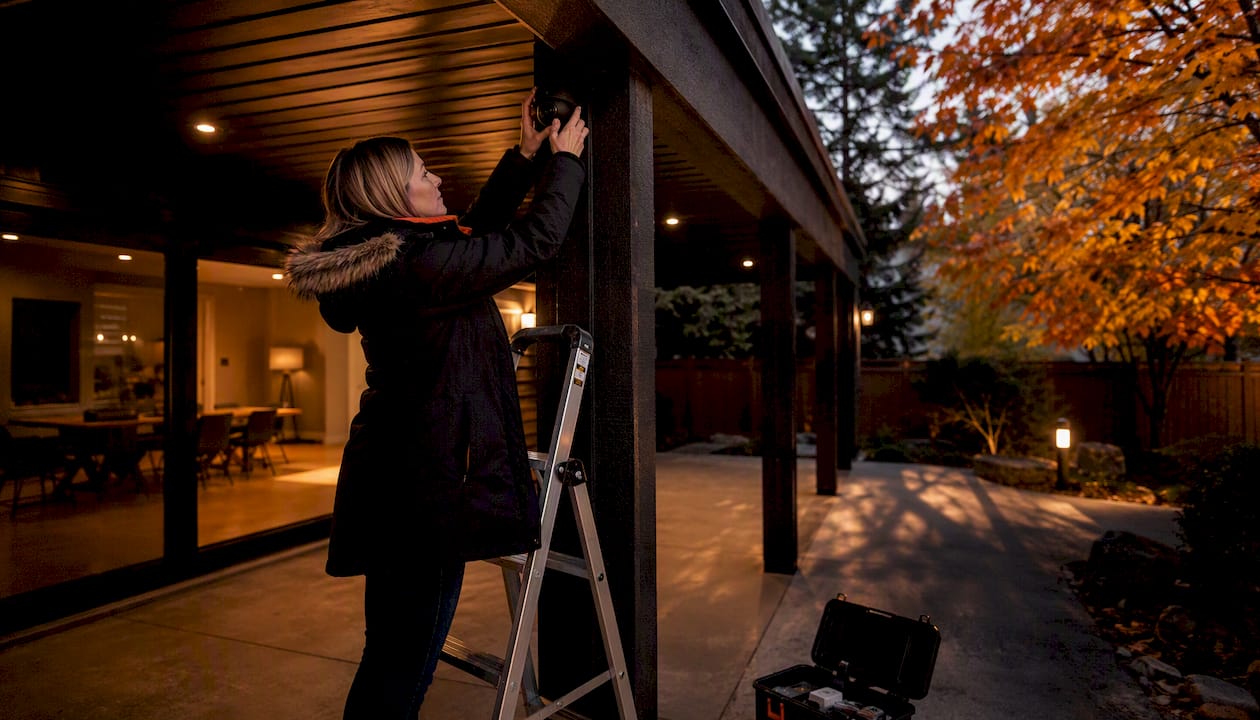
Wi-Fi cameras with mains power are the most common type. They transmit video over your home or business Wi-Fi network but still need a power outlet nearby. You traded one cable (Ethernet) for another (power). The flexibility gain is real but narrower than the marketing implies.
True wire-free battery cameras run entirely on an internal battery or a small solar panel. These are the only cameras that genuinely require no cable at all. The trade-off is battery maintenance every 2–6 months, and that interval shrinks fast in a Calgary winter. Cold temperatures reduce lithium battery capacity significantly, so a camera rated for six months in mild conditions may need attention every six to eight weeks in January.
Most wireless cameras default to cloud storage, uploading motion-triggered clips to a subscription service. Some offer a local microSD card as a fallback, but continuous recording on battery is rarely practical because it drains the cell too quickly.
Deployment constraints to plan for:
- Router distance affects Wi-Fi camera performance; proximity to the access point is important, and walls and floors reduce effective range.
- Network congestion: every additional device on your Wi-Fi competes for bandwidth; a busy home network is the most common cause of dropped clips
- Cold weather: battery models need more frequent checks from October through March in most of Canada
- Cloud dependency: if your internet goes down, many Wi-Fi cameras stop recording entirely unless local storage is enabled
Pros and cons worth knowing before you buy
Wired cameras
Pros:
- Continuous, uninterrupted recording to a local NVR regardless of internet status; wired systems retain footage through outages that would blank a cloud-dependent camera
- Dedicated Ethernet per camera means no shared-band contention; every camera streams at full bitrate simultaneously
- Centralised power backup via UPS keeps the entire system running through short power cuts
- Lower total cost of ownership over five years when cloud subscriptions and battery replacements are factored in
Cons:
- Higher upfront cost for hardware and professional installation
- Cable runs require drilling, conduit work, and planning around finished walls or soffits
- Fixed camera positions; relocating a camera means re-running cable
Wireless cameras
Pros:
- Fast to deploy; a single camera can be mounted and live in under an hour
- Lower per-camera hardware cost, especially for entry-level packs
- Placement flexibility for spots where cable runs are genuinely impractical (detached garages, rental suites, temporary installs)
Cons:
- Battery models demand regular manual charging or replacement, and cold weather accelerates the cycle
- Performance degrades as your home network fills up with smart TVs, phones, and other IoT devices
- Cloud subscriptions add a recurring monthly cost that compounds over years
- Many models stop recording during internet outages if no local storage is configured
Pro Tip: Before assuming a wireless camera is truly cable-free, check the power spec. If it needs a wall outlet, you are still running a cable to every camera location. The only genuine cable-free option is a battery or solar-powered model.
The five-year cost picture is where wired systems often surprise buyers. A wired 4-camera PoE system frequently costs less over five years than an equivalent wireless setup once cloud storage fees and battery replacements accumulate. The upfront gap is real; the long-term gap often reverses.
Reliability and security: where each system can fail you
Every security system has a failure mode. Knowing yours lets you plan around it.
Wireless failure modes centre on the network. Network congestion and shared Wi-Fi bandwidth are the most common root causes of poor wireless camera reliability in busy homes and small businesses. A router reboot, a firmware update, or a neighbour's network on the same channel can drop your cameras offline. Wireless cameras are also more exposed to signal jamming and, if poorly configured, to network intrusion.
Wired failure modes are physical. A cut cable, a flooded conduit, or a power outage without UPS backup will take a camera offline. The good news is that PoE systems are far less vulnerable to wireless interception because each camera has an isolated wired connection with no shared radio frequency to exploit.
Risk mitigation checklist:
- Wireless: place cameras on a dedicated SSID or VLAN, separate from your main home network; use WPA3 encryption; change default credentials immediately after install
- Wired: run cables through conduit on exterior walls to prevent physical tampering; put the NVR and PoE switch on a UPS rated for at least 30 minutes of runtime
- Both: enable local storage (NVR for wired, microSD for wireless where available) so footage survives an internet outage
- Both: keep firmware updated on cameras, switches, and NVR; schedule a quarterly check
Professional installers favour PoE precisely because a local NVR on a UPS keeps recording through both internet outages and short power cuts. A Wi-Fi camera that loses its cloud connection goes dark. An NVR-backed PoE camera keeps writing to its hard drive.
Pro Tip: For wireless cameras, a dedicated IoT network segment is not optional on a busy property. Separating camera traffic from your main devices cuts dropout rates and makes it far harder for an attacker to pivot from a compromised camera to your computers or NAS.
Installation complexity and what it costs in Canada
Installation cost is where the wired vs wireless decision gets concrete fast.
Sample cost ranges (Canadian dollars, 2026)
| Item | Wired PoE system | Wireless system |
|---|---|---|
| Camera hardware (per unit) | $100–$200 CAD | $100–$200 CAD |
| PoE switch or NVR, costing a variable amount depending on the system | Not required (cloud or microSD) | |
| Cabling and labour per camera vary with installation complexity | $30–$60 CAD (mount only) | |
| Cloud subscription (monthly) | $0 (local NVR) | $5–$30 CAD per month |
| Installed 4-camera system costs depend on configuration and installation | $1,000 CAD upfront |
For a detailed breakdown of what CCTV installation actually costs in Alberta, the CCTV installation cost guide for Alberta covers current labour rates and hardware tiers.
Timeline: DIY vs professional install
- Wireless DIY (1 camera): 30–60 minutes including app setup
- Wireless DIY (4 cameras): 2–4 hours
- Wired professional install (4 cameras): 6–10 hours depending on cable routing complexity
- Wired professional install (8+ cameras, commercial): 1–2 days
The five-year total cost of ownership is where the comparison shifts. A 4-camera wired PoE system with no cloud subscription typically costs less over five years than an equivalent wireless setup carrying a monthly cloud fee plus periodic battery replacements. The upfront gap closes faster than most buyers expect.
When to hire a professional:
- Cable runs through finished walls, attics, or soffits
- Exterior soffit drilling or conduit work on masonry
- Any system requiring ingress protection (IP66 or higher) in exposed Alberta weather
- Commercial installs where warranty and liability matter
- Anywhere you need the footage to hold up as evidence
DIY is reasonable for a single wireless camera in a straightforward location. Once you are planning multiple cameras, mixed indoor/outdoor coverage, or any wired component, a professional install pays for itself in avoided mistakes and warranty protection.
Battery life, cold weather, bandwidth, and storage
These are the specifics that determine whether your system actually works on a January morning in Calgary.
Battery life in Canadian conditions: Most manufacturers rate battery cameras at 2–6 months per charge under moderate conditions. In sustained cold, that window shrinks. Lithium cells lose capacity below 0°C, and a camera in a north-facing exterior mount in Alberta can need attention every 6–8 weeks through winter. Factor that into your maintenance plan before choosing battery-powered cameras for outdoor use.
Bandwidth planning: A 1080p camera streaming continuously uses roughly 1–4 Mbps; a 4K camera can use 8–20 Mbps. Most home routers handle 4–6 cameras without issue if the network is not already congested. Beyond that, performance degrades. A dual-band or tri-band router with cameras assigned to the 5 GHz band reduces contention. For 8 or more wireless cameras, a dedicated access point or a separate camera VLAN is worth the investment.
Storage trade-offs:
- Motion-triggered clips use far less storage than continuous recording, but gaps between clips can miss critical events
- A 4-camera NVR with a 2 TB drive typically holds 30 days of continuous 1080p footage
- Cloud storage at 1080p continuous would cost significantly more per month than local NVR storage over the same period
- For wireless cameras without local storage, an internet outage means a recording gap with no recovery option
Simple maintenance schedule:
- Monthly: check battery levels on wireless cameras; review footage retention on NVR
- Quarterly: test UPS runtime; check camera lens cleanliness; verify firmware is current
- Annually: review camera placement for coverage gaps; check cable conduit for moisture ingress
When a hybrid system is the right answer
Most properties do not fit cleanly into "all wired" or "all wireless." A hybrid setup, PoE cameras at critical points and wireless cameras filling the gaps, is often the most practical and cost-effective solution.
Hybrid deployments are a commonly recommended approach for exactly this reason: they let you put evidence-grade, always-on coverage where it matters most while keeping flexibility for locations where cable runs are genuinely impractical.
Where to prioritise wired PoE:
- Front and rear entry doors
- Garage and driveway approaches
- Main floor windows on the perimeter
- Server rooms, cash handling areas, or any space where footage must be retained locally
Where wireless cameras make sense in a hybrid:
- Detached garages or outbuildings without existing conduit
- Rental suites where the tenant controls access and drilling is not permitted
- Temporary construction site monitoring
- Interior spaces where a single outlet is available but wall fishing is not practical
Integration note: Some NVRs support both PoE cameras and Wi-Fi cameras under a single management interface. Confirm hybrid compatibility before purchasing your recorder. A unified system means one app, one storage pool, and one firmware update cycle rather than two parallel platforms.
Pro Tip: Start with wired PoE for your three or four most critical angles. Add wireless cameras incrementally for secondary coverage. This approach keeps your evidence-grade footage on local storage while letting you expand coverage without a full rewire.
How to choose: a decision checklist for homeowners and small businesses
Work through these questions in order. Your answers will point clearly to wired, wireless, or hybrid.
- Do you own the property? If you rent, wired is rarely practical. Start with wireless and revisit if you buy.
- Is continuous, uninterrupted recording required? If yes (commercial property, insurance requirement, evidence-grade coverage), wired PoE with a local NVR is the right foundation.
- Can you run cable to the camera locations? Walk the cable path. Finished ceilings, masonry walls, and long exterior runs all add cost and complexity. If cable is genuinely not feasible, wireless fills that gap.
- What is your five-year budget? Higher upfront for wired, lower ongoing. Lower upfront for wireless, higher ongoing (subscriptions, batteries). Run the numbers for your camera count.
- Do you want local storage? If losing footage during an internet outage is unacceptable, wired NVR is the answer. Some wireless cameras offer microSD fallback, but it is not universal.
- How much maintenance are you willing to do? Battery cameras need regular attention, especially in winter. Wired systems, once installed correctly, run for years without intervention.
Questions to ask a professional installer before signing anything:
- What PoE standard does the switch support, and is it matched to the cameras specified?
- Where does the NVR sit, and is it on a UPS?
- What is the cable routing plan, and will runs be in conduit on exterior walls?
- What warranty covers the hardware, and who handles service calls?
- Is cloud storage optional or mandatory for this system?
Red flags to watch for:
- Cloud-only cameras with no local storage option
- Vendor lock-in subscriptions required to access your own footage
- No UPS plan for the NVR
- Installer cannot specify the PoE standard being used
- Warranty shorter than three years on installed hardware
What installers actually see in the field
The gap between what a spec sheet says and what happens on a Calgary property in February is where professional experience earns its keep.
Common mistakes installers encounter:
- Cameras mounted too high for facial recognition (above 3 m, faces become unidentifiable)
- NVR hard drives undersized for the retention window the client actually needs
- No UPS on the NVR, so a 30-second power blip creates a gap in footage
- Wi-Fi cameras placed at the edge of router range, where signal is technically present but too weak for reliable streaming
- Ignoring PoE standard mismatches between switch and camera, which causes intermittent power cycling
Best practices from the field:
- Mount cameras at 2.4–3 m for optimal facial capture at entry points
- Use Cat6 over Cat5e for any run longer than 50 m or in a high-interference environment
- Specify 802.3at (PoE+) switches as a minimum; the marginal cost over 802.3af is small and future-proofs the install
- Ground and surge-protect all exterior cable runs; Alberta's storm season is hard on unprotected electronics
- For wireless cameras, plan a dedicated SSID at install time rather than adding cameras to an already-loaded home network
Alberta and Canadian specifics:
- Labour rates for low-voltage installation in Calgary typically run $75–$120 CAD per hour; a 4-camera wired install averages 6–8 labour hours
- Permits are not universally required for residential CCTV in Alberta, but commercial installs in occupied buildings may require a low-voltage permit; confirm with your municipality before work begins
- Exterior conduit is strongly recommended in Alberta given freeze-thaw cycles that can crack cable jackets over time
- Battery camera warranties often exclude cold-weather degradation; read the fine print before deploying outdoors in a Canadian climate
Pro Tip: Ask your installer for the NVR's IP address and login credentials at handoff, and confirm you can access live and recorded footage independently of any vendor app. Vendor apps change, get discontinued, or require subscriptions. Direct NVR access is yours permanently.
Key takeaways
Wired PoE cameras with a local NVR deliver the most reliable, evidence-grade security for permanent Canadian properties; wireless cameras suit renters and hard-to-wire spots, and a hybrid of both often gives the best overall coverage.
| Point | Details |
|---|---|
| Wired for permanent coverage | PoE cameras on a local NVR record continuously, survive internet outages, and cost less over five years than cloud-dependent wireless. |
| Wireless for flexibility | Battery and Wi-Fi cameras install fast and work where cable runs are impractical, but need regular maintenance and a solid network. |
| Cold weather shortens battery life | Canadian winters reduce battery camera intervals significantly; plan for more frequent checks from October through March. |
| Hybrid is often the smartest path | Prioritise wired PoE at entrances and perimeter; use wireless cameras for detached structures or temporary coverage needs. |
| JupiterAV installs both | JupiterAV designs and installs wired PoE, wireless, and hybrid camera systems for Calgary homeowners and businesses, including on-site assessments. |
The case for getting the install right the first time
Most of the regret stories around security cameras come down to one of two things: buying wireless cameras because they seemed simpler, then discovering the network cannot support them reliably, or buying wired cameras and having them installed by someone who did not plan the cable runs properly.
The marketing around wireless cameras has gotten very good at making battery-powered, cloud-connected cameras sound like a complete security solution. For some properties, they are. For a detached garage, a rental suite, or a temporary install, a wireless camera is exactly the right tool. But for a front door, a commercial entrance, or anywhere you genuinely need footage to exist when something goes wrong, a camera that stops recording when your internet goes down is not a security system. It is a notification device.
Wired PoE systems are not complicated. They are just less forgiving of poor planning. A camera mounted at the wrong height, a cable run without conduit, an NVR without a UPS: each of these is a small decision that creates a large problem later. The technology itself is mature and reliable. The variable is the installation.
The hybrid approach is not a compromise. It is an acknowledgement that different parts of a property have different requirements, and that a good security system is designed around those requirements rather than around a single product category.
JupiterAV designs and installs security camera systems in Calgary
Security camera decisions get complicated fast once you move past a single camera. Cable routing, PoE switch sizing, NVR capacity, network segmentation, and cold-weather mounting all interact in ways that are hard to assess without seeing the property.

JupiterAV handles the full scope: on-site assessment, system design, PoE NVR installation, Wi-Fi camera integration, hybrid system builds, and ongoing service for homes and businesses across Calgary and Alberta. Every install includes a network check to confirm your existing infrastructure can support the system before any hardware is purchased.
Services include site surveys, PoE and NVR installs, Wi-Fi coverage assessments, hybrid system design, and maintenance contracts. Whether you are starting from scratch or upgrading an existing system, the process starts with a conversation about what you actually need to cover and what your property allows.
Book an on-site evaluation with JupiterAV to get a clear scope and accurate quote before you commit to any hardware.
Useful sources and further reading
The technical claims in this article draw on the following sources. For Canadian cost specifics, an on-site quote from a local installer will always be more accurate than any published range.
- PoE vs Wi-Fi security cameras: security and reliability comparison
- PoE vs Wi-Fi security cameras: why professional installs almost always pick one
- Wireless vs wired security cameras 2026: which is better?
- Hybrid security camera systems: wired and wireless combined
- Wireless vs wired security cameras: installer perspective
- Wired security cameras: complete guide and key features
- JupiterAV: CCTV installation cost in Alberta, 2026 guide
- JupiterAV: NVR vs DVR, which system is right for your home?
When comparing quotes, ask each installer to specify the PoE standard, NVR brand and model, cable type, and whether the quote includes conduit on exterior runs. Those four items account for most of the variance between a $1,200 quote and a $2,800 quote for the same camera count. Local installers also carry warranty obligations that online retailers cannot match; for a system you are relying on for security, that matters.