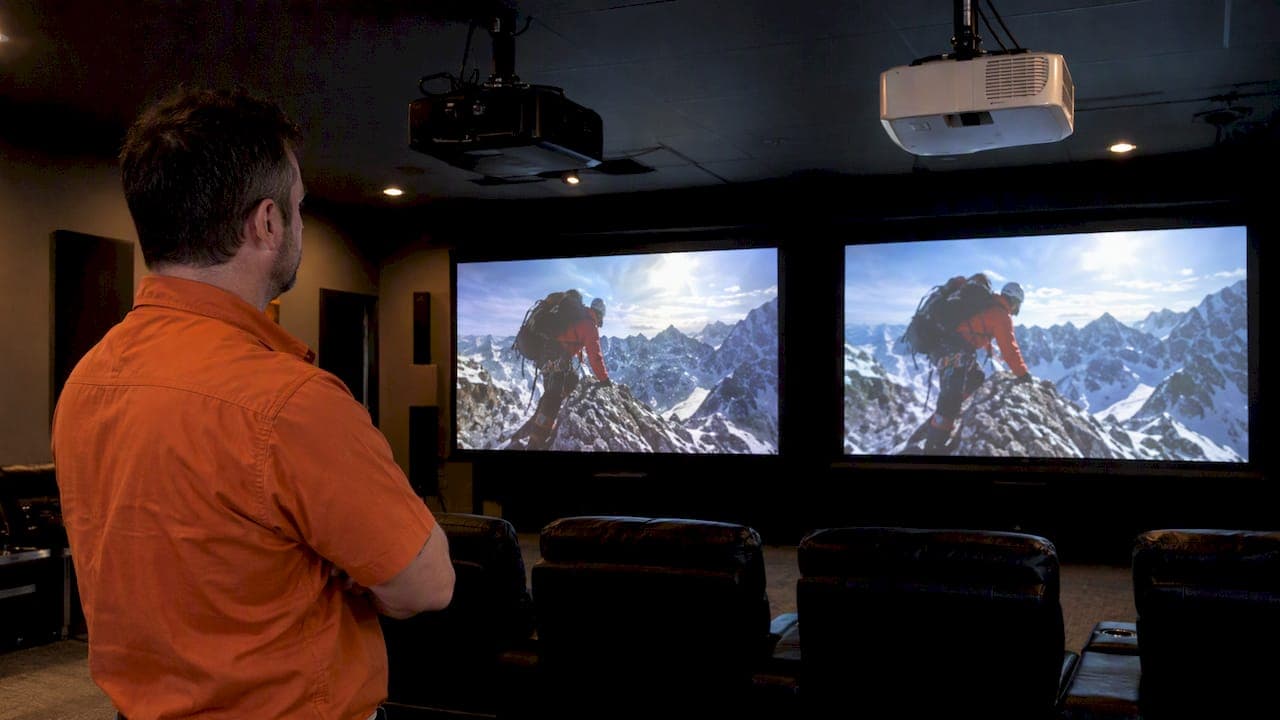
Neither DLP nor LCD is always better, so choose by use case. DLP often wins for compact, motion-sensitive setups and gaming, while 3LCD often wins in bright rooms and where vivid, consistent colour and installation flexibility matter most. The light source and the specific model's engineering frequently matter more than the imaging label itself, which is why testing a unit in person beats shopping by spec sheet alone.
TL;DR:
- For bright rooms, compare color light output with white lumens; a large gap can wash out colors, while solid state sources suit daily use.
- Single chip DLP can render fast motion crisply, but check input lag separately and test high contrast footage for rainbow flashes before buying.
- For portable or room to room use, sealed single chip DLP resists dust; LCD filters need regular cleaning, and lamps in either require replacement.
- Before choosing a model, verify its throw ratio, zoom range, and lens shift against the room; digital keystone correction can soften an off center image.
- One manufacturer rates laser engines for up to 20,000 hours in normal mode and 30,000 in eco mode; frequent use favors solid state over lamps.
Table of Contents
- How DLP and 3LCD imaging actually work
- Image-quality comparison: colour brightness, contrast and motion
- Artifacts, reliability and maintenance over time
- Which technology to pick for specific use cases
- How to compare projector models and a short in-store test checklist
- Installer perspective: placement, screen choice and when to hire a pro
- How we approach projector recommendations and installs
- If you prefer a pro: book a site assessment or demo with JupiterAV
- FAQ
- Sources
How DLP and 3LCD imaging actually work
DLP projectors form an image using a Digital Micromirror Device, a chip covered in millions of microscopic mirrors that tilt to steer light toward or away from the lens. Texas Instruments documents that these DMD chips are compatible with a wide range of light sources, including HID lamps, RGB LEDs, direct lasers, laser and LED hybrids, and laser phosphor systems. Most consumer and business DLP units use a single chip paired with a spinning colour wheel or sequential coloured LEDs, flashing red, green and blue in rapid succession so your eye blends them into a full-colour image. Higher-end cinema and commercial projectors sometimes use three DMD chips, one per colour, which avoids the sequential colour process entirely.
3LCD works differently. Light passes through a prism that splits it into red, green and blue beams, and each beam travels through its own dedicated LCD panel before the three images recombine and head for the lens. Because all three colours are produced at the same instant rather than in a fast sequence, 3LCD designs generate colour and white brightness simultaneously, a structural difference that shapes a lot of what follows in this comparison.

That sequential-versus-simultaneous split also affects alignment and perceived resolution. A three-chip DLP or a 3LCD unit needs its panels or mirrors precisely converged at the factory, since any drift shows up as colour fringing. Single-chip DLP sidesteps convergence entirely, since one chip handles every colour, which is part of why compact DLP projectors stay reliable in portable use. As What Hi-Fi? notes in its technology comparison, none of these architectural choices make one chip type universally sharper. They just create different trade-offs.
Image-quality comparison: colour brightness, contrast and motion
The spec that trips up most buyers is brightness. A projector's lumens rating usually describes white brightness only, and Epson's documentation alongside ISO/IEC measurement guidance both point out that colour light output deserves equal attention, especially for anyone shopping for a bright room. A projector with high white lumens but weak colour light output can look washed out under ambient light even though its spec sheet looks strong.
Colour light output close to white brightness is the pattern worth checking before buying, since a bigger gap between the two numbers tends to show up as pale, desaturated colour on screen.
Contrast and black level behave differently across the two technologies, though neither owns an automatic advantage. ProjectorCentral's imaging technology comparison notes that LCoS typically delivers the deepest native black levels among projection types, with LCD and DLP often needing dynamic iris systems or laser dimming to close the gap. Motion handling tends to favour single-chip DLP, since its mirror-based pixel switching responds quickly and can look crisper during fast camera pans or sports footage, according to CNET's technology breakdown. 3LCD tends to hold colour steadier during motion since all three colour channels run continuously rather than cycling.
Pixel structure creates its own trade-off:
- Lower-resolution DLP and LCD units can both show a visible screen-door effect, a faint grid between pixels, though higher native resolutions largely resolve this.
- Single-chip DLP sometimes shows dithering artifacts in subtle colour gradients, a side effect of how it approximates colour depth.
- 3LCD panels can show slightly reduced sharpness at pixel edges compared with DLP's mirror-based switching, though this is usually only noticeable up close.
No technology wins across every one of these categories, which is exactly why CNET's reviewers frame the comparison as trade-offs rather than a verdict.
Artifacts, reliability and maintenance over time
Single-chip DLP's best-known quirk is the rainbow artifact, a brief flash of separated red, green and blue that some viewers notice during high-contrast motion, like white text moving across a dark background. CNET's comparison confirms sensitivity varies enormously from one viewer to the next: some people never notice it, others find it distracting enough to rule out single-chip DLP entirely. Because this is so personal, an in-store test with real motion footage matters more than any spec comparison.
Pro Tip: Watch a fast-moving white object against a black background before buying any single-chip DLP projector, since rainbow sensitivity rarely shows up in a quick glance.
DLP's other characteristic artifact is dithering, visible as subtle banding in smooth gradients like sunset skies or shadow detail, a byproduct of how the chip approximates colour depth through rapid mirror switching.
LCD ownership carries a different set of concerns. The panels and polarizers can degrade gradually over years of heavy use, and the fans that keep LCD panels cool pull air through filters that need periodic cleaning to prevent dust from settling on the optical path. Maintenance differences worth weighing before you buy:
- DLP's sealed chip design means less exposure to dust, since the mirrors sit behind a sealed window.
- LCD projectors typically need filter cleaning on a regular schedule to prevent image degradation from accumulated dust.
- Lamp-based units of either type need periodic bulb replacement, a recurring cost that solid-state light sources largely eliminate.
Both technologies are mature enough that a well-maintained unit from either camp lasts for years. The bigger maintenance factor often comes down to the light source rather than the chip type.
Which technology to pick for specific use cases
- Dedicated home theatre in a dark room: prioritize deep native black levels and contrast. ProjectorCentral's technology guide points toward LCoS for the deepest blacks, with high-contrast 3LCD or DLP units with dynamic iris or laser dimming as strong alternatives.
- Gaming and fast-action video: single-chip DLP's quick mirror response tends to look crisper during rapid motion, and many compact, portable DLP units suit a gaming setup without needing a dedicated room. Check input lag specs separately, since that's a processing factor independent of chip type.
- Bright rooms, classrooms and worship spaces: look for high colour light output alongside high white lumens, and favour solid-state light sources for consistent brightness over years of daily use. IEC measurement standards exist precisely because this combination is easy to misjudge from marketing lumens alone.
- Portable and meeting-room use: sealed single-chip DLP units resist dust better and need less maintenance, which suits equipment that moves between rooms or gets stored between uses.
How to compare projector models and a short in-store test checklist
Match the spec you weigh most heavily to your room. Bright rooms call for comparing colour light output alongside white lumens, since the two numbers can diverge significantly. Dark home theatre rooms call for prioritizing contrast ratio and native black level over raw brightness.
Installation specs matter just as much as image quality:
- Confirm the zoom range covers your intended throw distance without forcing an awkward mount position.
- Check lens shift range, since vertical and horizontal shift lets you mount off-centre without warping the image through digital keystone correction.
- Verify the throw ratio matches your room's depth before you commit to a screen size.
A short in-store test settles most remaining questions:
- Play a high-contrast movie clip and watch for crushed shadow detail or washed-out highlights.
- Watch a fast-motion scene specifically to check for rainbow artifacts and motion blur.
- Open the menu system and cycle through calibration presets to see how much the image improves with minimal adjustment.
Pro Tip: Ask to see the exact model under lighting conditions similar to your room, since a dim showroom can make a weak colour light output look better than it will at home.
Factor ongoing cost into the decision too: lamp replacements, filter access for servicing, and the expected lifespan of an LED or laser engine all shape the real cost of ownership well beyond the purchase price.
Installer perspective: placement, screen choice and when to hire a pro
The chip inside a projector is only one part of what you'll actually see on screen. Lens quality, processing, the light source, the screen material and the room's ambient light all shape the final image as much as the DLP-versus-LCD decision, a point ProjectorCentral's own technology analysis backs up repeatedly.
Lens shift range often determines whether a projector screen's ambient light rejection properties get used to their full potential, since a unit mounted off-axis without enough shift forces digital correction that softens the image. Concealing wiring inside walls or ceilings, a job that touches low-voltage cabling throughout a room, keeps the whole setup looking finished rather than cobbled together.
A professional install earns its cost on complex ceiling mounts, long-throw lens configurations, motorized screens, and any project that needs to talk to whole-home audio or smart lighting control.
How we approach projector recommendations and installs
We start every projector recommendation with a site survey, since ambient light, wall colour, and throw distance all shape which chip type and light source actually make sense for a specific room. From there, we walk clients through equipment selection, handle discreet installation that keeps wiring and mounts out of sight, and calibrate the final image against real content rather than factory defaults.
Hands-on demos matter because a spec sheet can't show you how a room's lighting interacts with a specific model's colour light output. We provide ongoing service, so a question that comes up later gets a straight answer.
— JupiterAV
If you prefer a pro: book a site assessment or demo with JupiterAV

Choosing between DLP and 3LCD gets a lot easier once someone has actually measured your room and tested equipment against your walls and lighting. We handle that process from selection through to a finished install that disappears into your space rather than sitting on a cart in the corner.
- Equipment selection matched to your room's brightness, colour needs, and screen size.
- Integration with whole-home audio so the picture and sound work as one system.
- Motorized screens and discreet concealment for a finished, uncluttered look.
Book a site assessment or demo through our Immersive Sound & Cinema services page, and we'll help you land on the setup that actually fits your room.
FAQ
What are the key differences between DLP and LCD projectors?
DLP projectors use a mirror-based chip and often single-chip designs with a colour wheel, which tends to produce crisper motion but can introduce rainbow artifacts for sensitive viewers. 3LCD projectors pass light through three separate panels simultaneously, which commonly delivers more vivid, consistent colour and equal colour and white brightness, though panels can show more sensitivity to dust over time, according to CNET's technology comparison.
Are DLP projectors still used?
Yes, DLP remains an actively developed architecture, with Texas Instruments continuing to release new DMD chipsets including 1080p devices. DLP shows up widely in home theatre, gaming, portable and commercial projectors.
Are laser projectors better than LCD projectors?
Laser is a light source, not a competing imaging technology, so it can pair with either DLP or 3LCD chips. Laser light sources commonly offer far longer rated life and more stable brightness than traditional lamps, with one manufacturer comparison listing up to 20,000 hours in normal mode and 30,000 in eco mode, against a few thousand hours for lamp-based units.
What are the differences between digital projection and laser projection?
Digital projection describes how an image is formed, through chips like DLP, LCD or LCoS, while laser describes the light source that illuminates that chip. A laser-powered projector can use any of those imaging chips, and the laser mainly changes brightness stability, service life and, in single-chip DLP designs, rainbow artifact frequency, according to ProjectorCentral's light source guide.
Should I choose a lamp or a solid-state light source?
Lamp-based projectors still make sense for occasional use or tighter budgets, since the lower purchase price can offset the eventual cost of bulb replacements. Solid-state engines, whether LED or laser, tend to pay off for frequent use or hard-to-reach installations, since ProjectorCentral's comparison notes they need far less ongoing maintenance over their longer rated life.
Sources
Lamp, LED and laser are light sources, not imaging technologies, and any of them can pair with either DLP or 3LCD. A "laser DLP" projector is still DLP, just with a different bulb behind the chip, and the same logic applies to laser-powered 3LCD units. This distinction matters because a lot of buying confusion comes from treating light source and imaging chip as one decision when they're actually two.
Laser light sources tend to offer the longest service life and the most stable brightness over time. Laser engines are rated up to 20,000 hours in normal mode and 30,000 hours in eco mode in at least one manufacturer comparison, against typically a few thousand hours for traditional lamps, though these are stated product-category figures rather than a guarantee across every model.
Light source choice also affects rainbow likelihood in single-chip DLP units. ProjectorCentral reports that laser and LED single-chip projectors tend to show fewer rainbow artifacts than lamp-based equivalents, since solid-state sources can cycle colour faster and more consistently than a spinning colour wheel driven by a traditional bulb. That said, sensitivity still varies by viewer, so the in-person test from the previous section still applies regardless of light source.
Lamp-based projectors still make sense for occasional use or tighter budgets, since the lower upfront cost can outweigh the eventual expense of a bulb replacement or two. Solid-state engines pay off for frequent use, hard-to-reach installations, or any setup where you'd rather not think about maintenance for a decade.