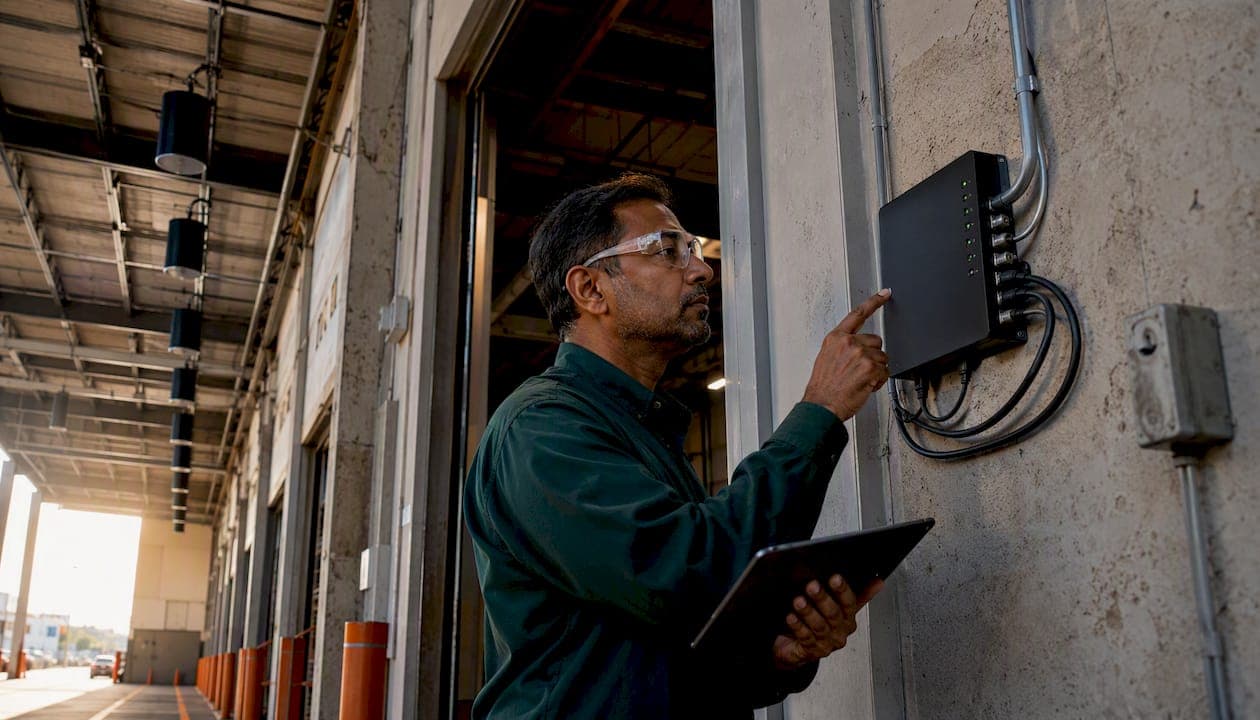
For most Canadian warehouses, the right choice is an IP-enabled paging controller driving a 70V (high-impedance) speaker distribution network with industrial horn or column speakers. That combination gives you zone-by-zone control, long cable runs without signal loss, and clean integration with fire alarms and security platforms. Your immediate next step: arrange an on-site acoustic survey before you request a single quote. Without measured ambient noise levels by zone, any system design is a guess.
Professional integrators consistently recommend IP-based paging over traditional analogue setups precisely because of that zone granularity and safety integration. The rest of this guide gives you the specs, cost bands, and installer checklist to act on that recommendation.
Table of Contents
- What does a warehouse paging system actually include?
- Wired vs wireless vs IP paging: which suits your warehouse?
- Why 70V speaker distribution is the industry standard for warehouse coverage
- Which speaker type is right for your warehouse environment?
- Sample system configurations for small, medium, and large warehouses
- Installation and wiring: what a proper site survey and commissioning look like
- Typical cost ranges for Canadian warehouses
- How to keep a warehouse paging system reliable long-term
- How to choose the right installer: checklist, questions, and red flags
- Why IP-enabled paging with 70V distribution is the integrator consensus
- Key takeaways
- The case for getting the survey done before anything else
- JupiterAV can spec, install, and support your warehouse audio system
- Useful sources and specs to request in quotes
What does a warehouse paging system actually include?
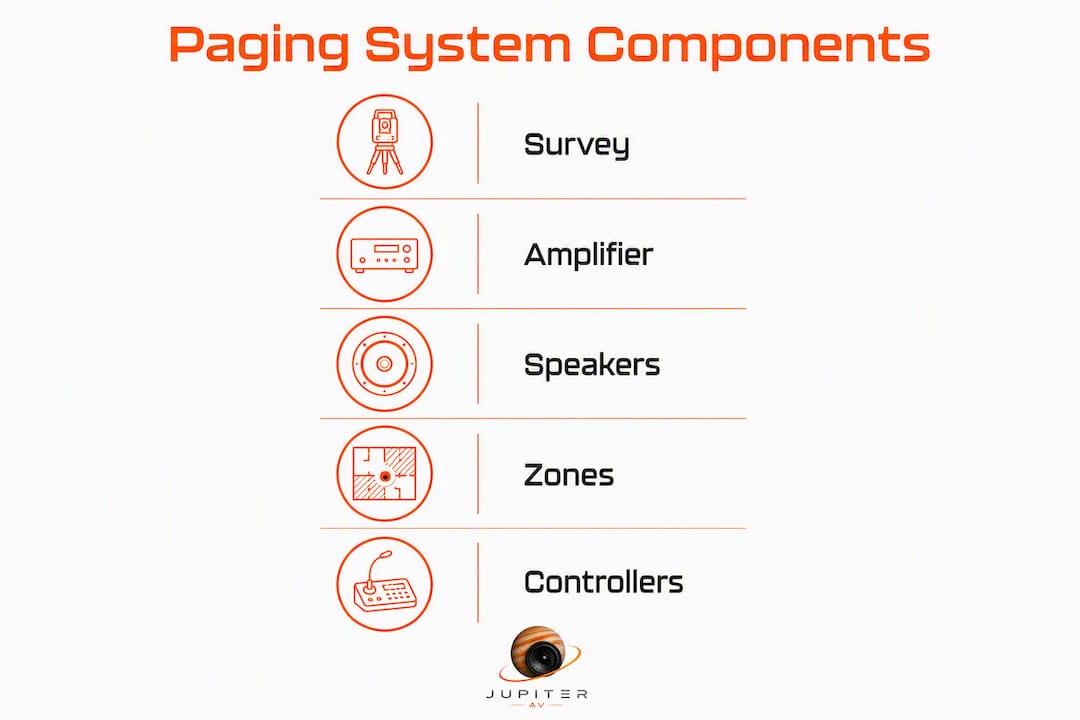
A complete warehouse paging system has more line items than most managers expect when they first request a quote. Knowing what belongs on that list protects you from stripped-down bids.
Core components every quote must include:
- IP paging controller or multi-zone amplifier (the brain of the system)
- 70V line transformers, either built into the amplifier or mounted at each speaker
- Industrial horn, column, or high-output ceiling speakers rated for the environment
- Paging microphone, push-to-talk (PTT) or live, at the dispatch or supervisor station
- Cabling: shielded twisted pair for audio, Cat6 for IP zones, conduit where required
- Power supplies and battery backup for emergency continuity
- Rack enclosure and ventilation for amplifier equipment
Optional components worth considering:
- Wireless staff pagers or wrist pagers for task-specific alerts (dock, pick, yard)
- Bluetooth or streaming input for background music between announcements
- Visual strobes or LED beacons for high-noise areas where audio alone is insufficient
- Remote zone controllers or touchscreen panels at secondary supervisor stations
- Background music source (streaming receiver or digital audio player)
A typical single-zone kit quote should list: one amplifier channel (with wattage), the number and model of speakers, transformer tap values, paging mic, cable specification and estimated metres, and mounting hardware. If any of those are missing, ask before signing.
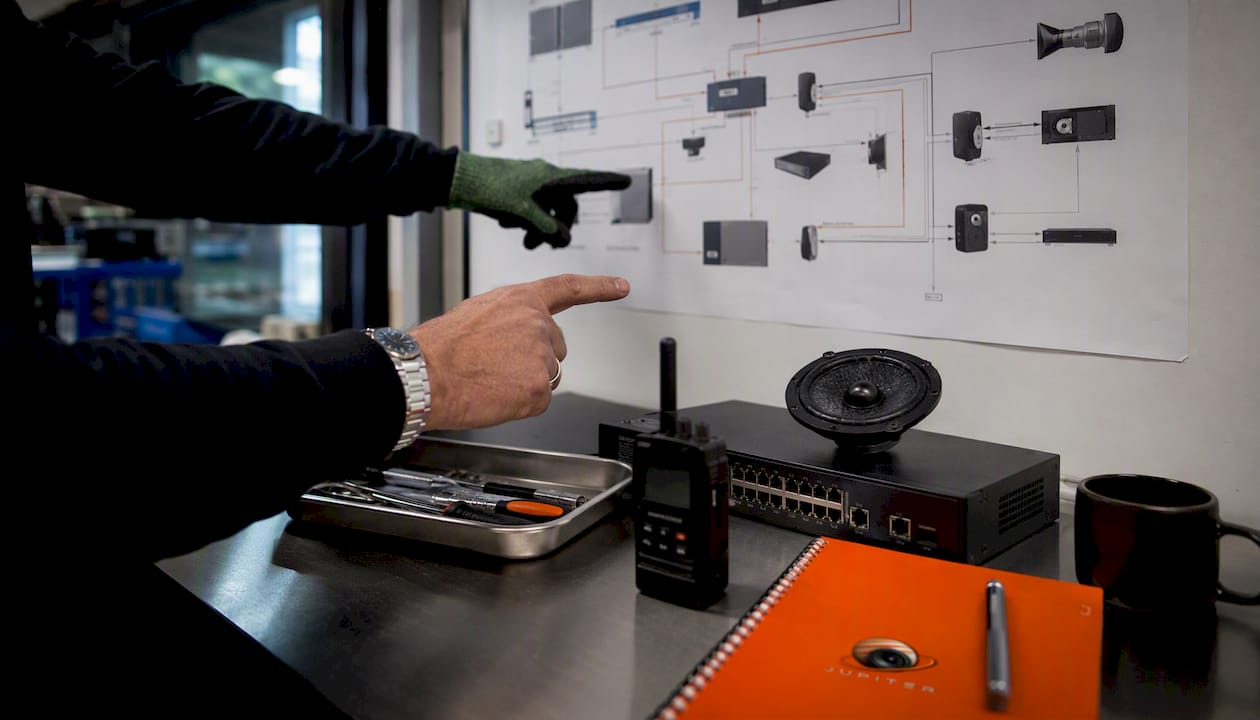
Wired vs wireless vs IP paging: which suits your warehouse?
The three approaches are not mutually exclusive. Most well-designed systems combine at least two.
| Dimension | Wired 70V analogue | Wireless industrial | IP-based paging |
|---|---|---|---|
| Coverage area | Unlimited with correct amp sizing | Up to 2–3 km open range per pager | Network-dependent; scales with switches |
| Speaker type | Horn, column, ceiling on 70V tap | Self-powered wireless speakers or pagers | IP speakers or 70V via IP amplifier |
| Amplifier / zones | Multi-zone analogue amp | Transmitter base station per frequency | IP controller; software-defined zones |
| Wiring model | 70V two-wire loop | RF; no audio cable runs | Cat6 / PoE or hybrid 70V output |
| Scalability | Add zones by adding amp channels | Add transmitters and receivers | Add IP endpoints; rezone in software |
| Install complexity | Moderate; long cable runs manageable | Low for pagers; medium for speakers | Medium to high; requires network planning |
| Typical cost | Lower upfront | Low for pager-only add-ons | Higher upfront; lower long-term change cost |
Wired 70V analogue suits facilities where the network infrastructure is minimal and the layout is stable. It is proven, straightforward to service, and every electrician understands it.
Wireless pagers are not a replacement for a PA system. Long-range wireless pagers can reach significant distances in open environments, which makes them a practical add-on for dock supervisors or yard staff who need task-specific alerts without hearing every general announcement.
IP-based paging is the right default for any facility that expects to grow, reconfigure zones, or needs fire alarm integration. Zone changes happen in software rather than by rewiring. Remote diagnostics mean a technician can check system health without a site visit.
For many Canadian warehouses of considerable size, a hybrid approach works best: an IP controller managing multiple 70V amplifier zones, with wireless pagers as a supplementary layer for mobile staff. In facilities with heavy metal racking and concrete construction, a layered model combining PA, push-to-talk, and dedicated pagers also provides the RF resiliency that a single-technology system cannot.
Why 70V speaker distribution is the industry standard for warehouse coverage
A 70V high-impedance audio distribution system is the standard industrial configuration for large-scale warehouse coverage because it solves a problem that low-impedance (low-Z) wiring cannot: running audio over long cable distances without meaningful power loss.
In a low-Z system, speaker impedance drops as you add speakers in parallel, which forces you to keep cable runs short and speaker counts per circuit low. A 70V system works differently. Each speaker connects to the 70V line through a small transformer with selectable power taps (typically 1W, 2W, 4W, 8W). The amplifier sees a consistent load regardless of how many speakers are on the line, and cable runs of 300 metres or more are routine.
Key points for your spec sheet:
- Confirm transformer tap values per speaker (e.g., 2W tap for background areas, 4W or 8W for high-noise zones)
- Verify total tap load does not exceed 80% of amplifier rated wattage (headroom for peaks)
- Specify IP-enabled amplifiers with 70V outputs when you need software zone control alongside long-run distribution
- Request grounding and surge protection details, especially for outdoor yard speaker circuits
Pro Tip: When comparing IP-enabled 70V amplifiers against pure analogue multi-zone amps, ask the vendor to show you how zone reassignment works after installation. On an IP unit, it is a software change. On a traditional analogue amp, it usually means rewiring the terminal block. That difference matters the moment you reconfigure a warehouse floor.
Pure analogue 70V multi-zone amps are still a solid choice for stable, single-floor facilities where the zone layout will not change. The moment you add a mezzanine, a new dock bay, or a second building, the IP-enabled path pays for itself quickly.
Which speaker type is right for your warehouse environment?
Speaker selection is where a lot of warehouse PA systems fail. The wrong enclosure in the wrong location produces dead spots, echoes, or announcements that nobody can understand.

Industrial speakers rated with high sound pressure levels are typically required to cut through the ambient noise of active warehouse operations. This SPL rating is your baseline spec request, not a nice-to-have.
Horn speakers are the right choice for outdoor yards, loading docks, and any high-ceiling area with significant ambient noise. They project sound over long distances with a narrow dispersion pattern, which means less reverberation off concrete walls. Mount them at height, angled downward toward the work area.
Column speakers work well on structural columns in mid-height facilities (roughly 6–10 metres). Their vertical array design controls vertical dispersion, which reduces floor-bounce echo and keeps sound focused at ear level. They are a better choice than ceiling speakers in most warehouse interiors.
In high-ceiling facilities, downward-firing ceiling speakers often fail to maintain required SPL at floor level. If your racking tops out at 9 metres and your ceiling is at 12, a ceiling-mounted speaker is fighting physics. Column speakers on structural supports or angled horn speakers win that fight.
Coverage checklist for installers:
- Target a signal-to-noise ratio at least 10–15 dB above measured ambient noise at every listening position, sufficient for clear announcements.
- Confirm IP or NEMA enclosure rating for outdoor, cold-storage, or dusty environments
- Space horn clusters so coverage patterns overlap sufficiently to eliminate dead zones.
- Aim horn speakers at a downward angle of 15–30 degrees from horizontal for best floor-level SPL
- Document mounting height and aiming angle on the as-built drawing for future service reference
For warehouses where running cable is impractical, wireless industrial speakers mounted on columns or poles fill coverage gaps without major structural work. Use them as a targeted supplement, not a primary distribution method.
Sample system configurations for small, medium, and large warehouses
These specs are starting points for an RFP or a sanity check against a vendor quote. Actual requirements depend on ceiling height, ambient noise, and layout, which is why the acoustic survey comes first.
| Facility size | Approx. area | Speaker type / count | Amplifier power / zones | Key components | Labour scope |
|---|---|---|---|---|---|
| Small | Moderate facility size | Several horn or column speakers | Single amplifier with multiple zones | IP paging controller, PTT mic, 70V amp, battery backup | Installation over multiple days |
| Medium | Medium facility size | Multiple horn/column speakers | Multiple amplifiers with numerous zones | IP controller, multi-zone amp, multiple PTT mics, wireless pager base | Installation requiring a few days |
| Large | Large facility size | Numerous horn/column/yard speakers | Multiple amplifiers, extensive zone coverage | IP zone controllers, outdoor yard horns, wireless pager integration, fire alarm tie-in | Installation over several days |
Large warehouses require multiple amplifier zones and dedicated zone controllers to maintain consistent coverage across expansive floor plans. For a facility over 5,000 m², plan for at least one dedicated zone per operational area: receiving, pick/pack, shipping, mezzanine, and outdoor yard.
Modern warehouse deployments increasingly combine overhead PA for broad announcements with dedicated staff paging to reduce announcement fatigue. On a large site, broadcasting every message facility-wide creates noise that workers tune out. Zone-targeted announcements keep the signal meaningful.
Installation and wiring: what a proper site survey and commissioning look like
A well-installed system and a poorly installed one can use identical equipment. The difference is in the process.
-
Conduct an acoustic site survey first. Measuring ambient noise across zones and mapping structural obstacles is mandatory. Assumptions about speaker placement produce blind spots. The survey report should document ambient dB by zone, reverberation time, ceiling height, and any structural barriers.
-
Design zones based on survey data. Each operational area (dock, pick/pack, mezzanine, yard) should be a discrete zone with its own amplifier channel or IP endpoint.
-
Route cable in conduit. For long runs in a warehouse environment, conduit protects against mechanical damage from forklifts and racking. Specify shielded cable for audio runs near variable-frequency drives or other electrical noise sources.
-
Use balanced inputs on amplifiers. Balanced XLR or terminal-block inputs reject common-mode noise over long cable runs. Unbalanced connections in an industrial environment invite hum and interference.
-
Install surge protection on all outdoor speaker circuits. Yard horns are exposed to lightning-induced surges. A single unprotected strike can damage an entire amplifier zone.
-
Verify grounding. Audio ground loops are the most common cause of hum complaints after installation. Confirm a single-point ground for the audio system tied to the building electrical ground.
-
Allow rack space and ventilation. Amplifiers generate heat. A rack without adequate airflow will shorten equipment life significantly.
-
Commission with acceptance tests. Walk every zone with a calibrated SPL meter. Confirm SNR meets the 10–15 dB target above measured ambient. Test zone isolation (a page to Zone 1 must not bleed into Zone 3). Test emergency override: trigger the fire alarm input and confirm it overrides all background audio and general pages.
-
Document everything. As-built wiring diagrams, speaker placement drawings, amplifier settings, and test results belong in a commissioning package handed to the facility manager on completion.
Typical cost ranges for Canadian warehouses
Warehouse paging system costs in Canada vary widely depending on zone count, speaker count, mounting complexity, and whether the system integrates with fire alarms or access control. The figures below are realistic equipment-plus-installation estimates for straightforward installations; complex sites with high ceilings, outdoor coverage, or fire integration will sit at the higher end or above.
Ballpark ranges (CAD, equipment and installation combined):
Warehouse paging system costs in Canada vary widely depending on zone count, speaker count, mounting complexity, and whether the system integrates with fire alarms or access control. Equipment-plus-installation estimates vary accordingly.
What drives cost up:
- High ceilings requiring elevated lifts for speaker installation
- Outdoor yard coverage with weatherproof horn clusters
- Fire alarm or access control integration (additional programming and certification)
- Network infrastructure upgrades needed to support IP paging endpoints
- Conduit requirements in facilities with strict cable management standards
Budgeting tips:
- Include the acoustic survey as a line item, not an afterthought. It typically runs $500–$1,500 and prevents far more expensive rework.
- Budget 10–15% contingency for unforeseen structural work (blocked cable paths, unexpected concrete cores).
- Request a spare-parts package: at minimum, one spare amplifier channel card, two spare horn speakers, and a set of replacement transformers.
- Ask for a maintenance contract price at the time of quote. Bundling it at project close is almost always cheaper than negotiating it after installation.
Normalising competing quotes:
Compare per-zone cost (total quote divided by zone count), not just the bottom line. A lower total bid with fewer zones or unspecified speaker models is not a better deal. Require an itemised equipment list with exact model numbers on every quote you compare.
How to keep a warehouse paging system reliable long-term
A paging system is safety infrastructure. Treat its maintenance accordingly.
Recommended schedule:
- Monthly: Quick functional test of each zone from the paging mic. Confirm emergency override triggers correctly. Check indicator lights on amplifiers and IP controllers.
- Quarterly: Walk each zone with an SPL meter. Confirm levels have not drifted. Inspect speaker enclosures for physical damage, moisture ingress, or corrosion on outdoor units.
- Annually: Full acoustic re-test against the original commissioning report. Update firmware on IP controllers and amplifiers. Test battery backup under load.
Spare parts to keep on-site:
- Two spare horn speakers (matched to installed model)
- One spare amplifier channel or module
- A set of 70V line transformers in the tap values used on-site
- Spare PTT paging microphone
Warranty and support expectations:
When reviewing quotes, look for a minimum two-year parts and labour warranty on the installed system, a defined response time for service calls (next business day for non-emergency faults, same day or four-hour response for total system failure), and remote diagnostics capability on IP-based systems. An integrator who cannot offer remote diagnostics will always cost you more in truck rolls over the life of the system.
How to choose the right installer: checklist, questions, and red flags
The integrator matters as much as the equipment. A well-specified system installed badly performs worse than a modest system installed carefully.
Vendor checklist:
- Documented references from at least two commercial warehouse installs of similar size
- On-site acoustic survey capability with calibrated measurement equipment
- Certified technicians (low-voltage electrical licence where required by province)
- Valid commercial general liability insurance and WCB coverage
- Ability to provide as-built drawings and a commissioning report on project completion
Questions to ask during tender:
- How do you conduct the acoustic site survey, and what does the report include?
- What speaker and amplifier brands do you specify, and why?
- How is zone control architecture designed for future expansion?
- How does the system integrate with our fire alarm panel?
- What are your acceptance test criteria, and will you walk me through the results?
- What does your maintenance SLA include, and what are your on-site labour rates after warranty?
Red flags to walk away from:
- A quote with no zone diagram or speaker placement drawing
- No mention of an acoustic survey in the proposal
- Amplifier and speaker models listed as "TBD" or "equivalent"
- Warranty terms absent or limited to equipment only (no labour)
- A bid significantly below others with no explanation of what was removed
- No reference to emergency override or fire alarm integration
Paging systems must integrate with fire alarms and security platforms so emergency alerts override background audio and general pages. Any integrator who treats this as optional is not the right partner for a facility with life-safety obligations.
Why IP-enabled paging with 70V distribution is the integrator consensus
The industry has largely converged on IP-enabled paging controllers driving 70V speaker distribution networks, and the reasoning is practical rather than theoretical.
IP-based paging enables zone-by-zone control, remote monitoring, and smoother integration with safety and security platforms — making it the recommended architecture for warehouse environments where operational zones change and emergency override is non-negotiable.
Zone reconfiguration in a pure analogue system means a technician visits the site and rewires terminal blocks. In an IP system, it is a configuration change that can be made remotely. For a warehouse that adds a new dock bay or reconfigures its pick/pack floor, that difference is measured in hours versus days of downtime.
The 70V distribution side of the equation handles the physical reality of warehouse scale: long cable runs, multiple speakers per circuit, and the need to tap different power levels in different zones without running separate amplifier circuits to each speaker cluster. These are solved problems in 70V design, which is why the technology has been the industrial standard for decades.
Acoustic site surveys are mandatory in this architecture because IP zone boundaries are only as good as the speaker placement that feeds them. A zone controller cannot compensate for a speaker aimed at a concrete wall instead of the work floor.
Treating the paging system as integrated safety infrastructure means automating emergency overrides and connecting to fire alarms and access control from day one, not as a future upgrade. The cost of adding that integration at installation is a fraction of retrofitting it later.
For in-ceiling speaker behaviour and high-impedance system considerations, the same SPL and transformer tap principles that apply in commercial spaces apply in warehouse environments, scaled up for industrial ambient noise levels.
Key takeaways
An IP-enabled paging controller driving a 70V speaker distribution network with industrial horn or column speakers is the right baseline for most Canadian warehouses, and no system design is reliable without a measured acoustic site survey first.
| Point | Details |
|---|---|
| Start with an acoustic survey | Measure ambient dB by zone before designing anything; assumptions produce blind spots. |
| Specify 70V distribution | Long cable runs and multi-speaker zones require 70V high-impedance wiring, not low-Z circuits. |
| Target 10–15 dB SNR | Industrial speakers rated 100–115 dB SPL are required to meet this threshold in active warehouses. |
| Demand zone-based quotes | Compare per-zone cost and require itemised equipment lists with exact model numbers on every bid. |
| JupiterAV for Calgary installs | JupiterAV provides sales, installation, and commissioning of commercial paging and audio systems in the Calgary region. |
The case for getting the survey done before anything else
Most warehouse managers approach a paging system purchase the way they approach buying a forklift: pick a spec, get three quotes, choose the middle one. That works for equipment with predictable performance. Acoustics are not predictable.
Two warehouses with identical floor plans can have completely different ambient noise profiles depending on the machinery running, the racking density, and whether the loading doors are open half the day. A system designed for one will underperform in the other. The acoustic survey is not a formality an integrator adds to inflate the project cost. It is the only way to know what speaker SPL, placement, and zone layout will actually work in your specific building.
The second thing managers consistently underestimate is the value of emergency override integration. A paging system that cannot automatically silence background music and override general pages during a fire alarm is a liability, not an asset. OSHA's standards for emergency alarm systems require that employee alarm systems be capable of being perceived above ambient noise levels. Designing that capability in from the start costs less than retrofitting it after an incident.
The IP-plus-70V hybrid approach earns its recommendation not because it is the newest technology, but because it is the architecture that holds up when the facility changes, when a new dock gets added, or when the safety officer asks for zone-specific emergency broadcasts. That flexibility has real operational value.
JupiterAV can spec, install, and support your warehouse audio system

JupiterAV designs and installs commercial paging and audio systems for warehouses, distribution centres, and industrial facilities across the Calgary region. The process starts with an on-site acoustic survey, not a catalogue quote. From there, the team specifies the right amplifier power, speaker placement, and zone architecture for your actual building, then handles installation, commissioning, and acceptance testing.
Every project includes as-built documentation and a commissioning report. Maintenance contracts and warranty support packages are available at project close. Whether you are speccing a two-zone system for a small facility or a multi-building installation with outdoor yard coverage and fire alarm integration, get a quote from JupiterAV and start with a site survey that gives you real numbers to work with.
Useful sources and specs to request in quotes
When comparing vendor proposals, request these documents and specification items in writing before signing anything.
Specification items to demand on every quote:
- Per-speaker transformer tap table (wattage per tap, total load vs amplifier rating)
- Measured target SPL at 1 metre and at ear height (1.5 m) for each speaker model quoted
- Amplifier headroom specification (percentage of rated power reserved for peaks)
- Network QoS and PoE details for any IP speaker endpoints
- Zone map showing speaker placement, cable routing, and amplifier channel assignments
- Amplifier channel count and rated wattage per channel
- Wiring diagram with cable specification (gauge, shielding, conduit requirements)
- Warranty terms: parts, labour, and response time commitments
- Maintenance SLA: scheduled visit frequency, remote diagnostics capability, on-site labour rates
Documents to request as proof of capability:
- Acoustic survey report from a comparable previous install
- As-built wiring diagram from a completed project (redacted client info is fine)
- Case study or reference contact from a warehouse of similar size and complexity
- Parts list with exact manufacturer model numbers (no "or equivalent" substitutions)
- Commissioning test results showing SNR measurements by zone
Reference standards and regulations worth reviewing:
- OSHA 1910.165: Employee alarm systems — emergency override and audibility requirements
- OSHA 1910.95: Occupational noise exposure — ambient noise thresholds relevant to SNR targets
- Cablify: choosing a paging system for warehouses — Canadian-market overview of system types and selection criteria
- Networked paging architecture examples — IP zone control and large-facility integration reference