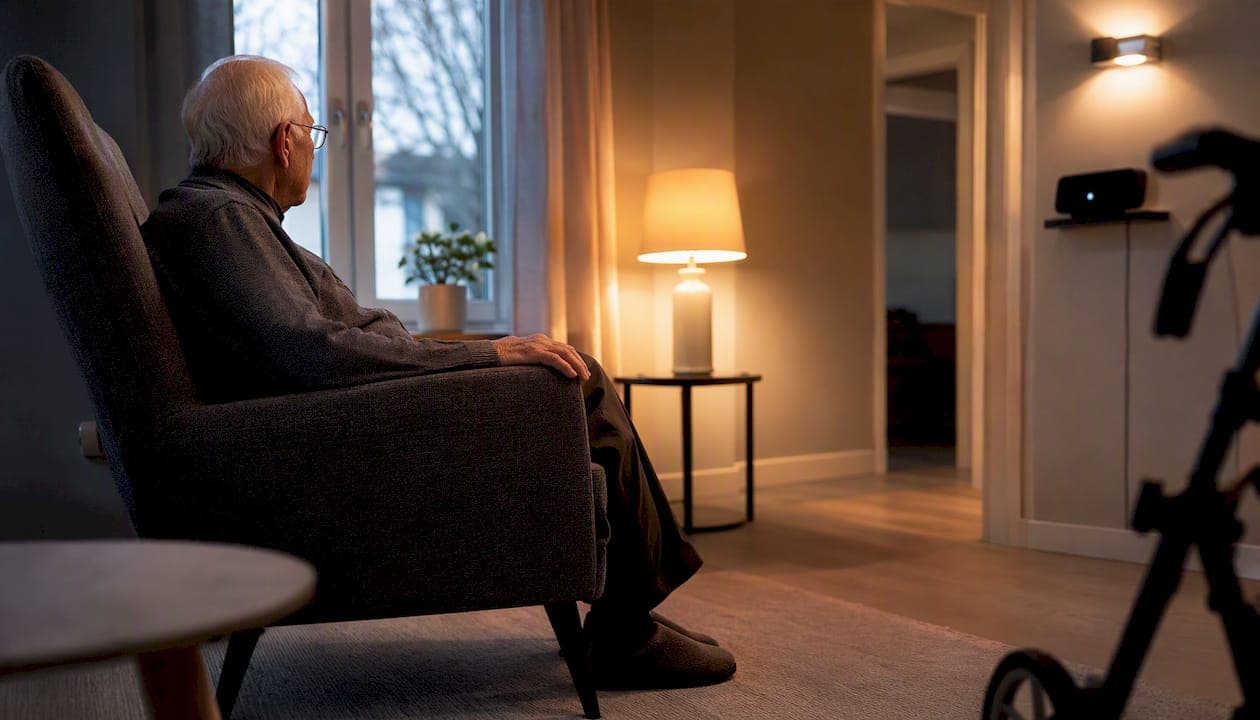
The three highest-impact upgrades to install first are automated lighting, passive motion or door sensors with caregiver alerts, and a voice assistant for hands-free control and reminders. Automated lighting prevents falls in low-light areas; passive sensors let a remote caregiver know if the morning routine looks unusual; and a voice assistant handles medication reminders and calls without requiring anyone to find a phone. Start today by walking through the home with a simple safety checklist (stairwells, bathroom, bedroom, kitchen), then call a local installer for an on-site assessment if the home has more than two or three rooms to cover.
Immediate actions to take today:
- Walk each room and note where lighting is dim, switches are hard to reach, or floors are uneven.
- Order or borrow a voice assistant (Amazon Echo or Google Nest Hub) and set up one medication or appointment reminder.
- Contact a local smart-home installer for a free or low-cost site assessment before committing to a larger system.
Key takeaways
Automated lighting, passive sensors with caregiver alerts, and a voice assistant are the three upgrades that deliver the most safety and independence for Canadian seniors with the least daily friction.
| Point | Details |
|---|---|
| Start with safety essentials | Automated lighting, smoke alarms, and a fall-detection pendant should be in place before any other upgrade. |
| Use a tiered approach | Progress from safety essentials to convenience, then monitoring, then full integration as needs and budget allow. |
| Prioritise ambient sensors over cameras | Motion and door sensors build a useful routine picture without the privacy concerns of continuous video. |
| Research supports the approach | A 12-week pilot (n = 60) found statistically significant quality-of-life gains, particularly in independence and future security. |
| JupiterAV for professional installation | JupiterAV provides in-home assessment, professional installation of Control4, Lutron Caseta, Sonos, and ongoing support in Calgary. |
Table of Contents
- Why does a smart home for seniors actually help?
- Which device categories should you buy first?
- How do you choose, prioritise, and budget for upgrades?
- What privacy and security risks should you watch for?
- When should you hire a professional installer?
- What does the research actually say about smart-home technology for older adults?
- How do you vet a professional smart-home installer in Canada?
- What installers actually see in Canadian homes
- JupiterAV provides professional smart-home installation in Calgary
- Sources
Why does a smart home for seniors actually help?
A large majority of older adults want to stay in their own homes as long as possible, and the right technology makes that genuinely more achievable. The core mechanisms are straightforward: passive monitoring catches unusual patterns before they become emergencies, environmental automation removes daily friction (lights that turn on automatically, thermostats that adjust themselves), remote communication keeps family connected without requiring a senior to navigate a smartphone, and scheduled reminders replace the cognitive load of tracking medications or appointments.
Falls are a leading cause of injury among older adults, and environmental changes like improved lighting and motion-activated switches directly reduce that risk. Smart devices that interconnect can also feed caregiver dashboards and trigger alerts when activity patterns shift, giving family members a higher-level picture of daily life without requiring continuous check-ins.
The limits are real, though. False positives from motion sensors cause caregiver anxiety. Devices need firmware updates and battery replacements. And no sensor replaces a phone call or a visit. AARP notes that interconnected devices sharing routine data can increase caregiver peace of mind while respecting resident dignity — the key word being respecting. Technology works best as a complement to human contact, not a substitute for it.
For Canadian seniors specifically, the picture is encouraging. The National Research Council Canada has documented domestic smart-home developments aimed at supporting older adults living safely and independently, and most major device ecosystems (Amazon, Google, Philips Hue, Lutron, Sonos) are fully available through Canadian retailers and professional installers.
Which device categories should you buy first?
The shortlist below covers the categories that reliably improve safety and independence for most households. Not every home needs all of them on day one — the tiered plan in the next section explains how to sequence them.
-
Automated and occupancy-sensing lighting. Lights that turn on when someone enters a room eliminate the need to find a switch in the dark. Best for: nighttime bathroom trips and stairwells. Compatibility tip: Philips Hue bulbs work over Zigbee or Matter and need no hub for basic use; Lutron Caseta switches replace wall switches and work reliably with most voice assistants.
-
Passive motion and door sensors. Placed at bedroom doors, the fridge, or the front entrance, these build a routine picture without video. Best for: remote caregivers who want a morning check-in alert. Compatibility tip: choose sensors that support Matter or connect to a hub like SmartThings or Control4 for multi-device coordination.
-
Fall-detection wearables and emergency pendants. Wearable devices with fall detection (Apple Watch, dedicated medical alert pendants) call for help automatically. Best for: anyone living alone. Compatibility tip: cellular-enabled pendants work even if the home Wi-Fi goes down.
-
Voice assistants: Amazon Alexa / Echo and Google Nest Hub. Hands-free control of lights, locks, reminders, and calls. Best for: seniors with limited hand mobility or who find touchscreens difficult. Compatibility tip: Amazon Echo integrates with the broadest range of Canadian smart-home devices; Google Nest Hub adds a screen for video calls and visual reminders.
-
Medication reminder dispensers. Automated dispensers with audible and visual alerts reduce missed doses. Best for: complex multi-medication schedules. Compatibility tip: look for models with caregiver app notifications.
-
Smart smoke and CO alarms. Alarms that send phone alerts to family when triggered. Best for: every home, full stop. Compatibility tip: Nest Protect integrates with Google Assistant; many models now support Matter.
-
Smart locks and video doorbells. Keypad or app-controlled locks remove the risk of lost keys; video doorbells let a senior see and speak to visitors without opening the door. Best for: seniors with mobility challenges. Compatibility tip: see the privacy section before installing cameras. For doorbell options, a video doorbell alternatives guide covers privacy trade-offs worth reviewing.
-
Smart thermostats. Remote temperature control and scheduling improve comfort and reduce energy costs. Best for: caregivers managing a parent's home remotely. A Canadian smart thermostat buyer's guide covers the top options available here.
-
Whole-home audio and intercom (Sonos). Sonos speakers placed throughout the home allow caregivers or family to broadcast voice messages, play medication reminders aloud, or simply keep a senior company with music. Best for: larger homes or anyone with hearing loss. Compatibility tip: Sonos works with both Alexa and Google Assistant and integrates cleanly into Control4 systems.
-
Motorised blinds and window sensors. Automated blinds support seniors with limited reach or grip strength and can be scheduled or voice-controlled. Best for: mobility-limited households.
Pro Tip: When choosing between a hub-based system (Control4, SmartThings) and direct Wi-Fi devices, ask whether the household has a reliable mesh Wi-Fi network first. A single router covering a two-storey home often creates dead zones that cause sensors to drop offline. Fix the network before adding devices.
How do you choose, prioritise, and budget for upgrades?
UCLA Health recommends starting with communication and basic safety tools, then scaling to monitoring and full integration as needs evolve. That tiered logic holds up in practice.
Tier 1 — Safety essentials covers the upgrades that reduce immediate physical risk: automated lighting, smoke and CO alarms, and a fall-detection pendant. These should be in place before anything else, regardless of budget.
Tier 2 — Convenience essentials adds voice assistants, a smart thermostat, and a video doorbell. These reduce daily friction and give caregivers a basic communication channel. Move here once Tier 1 is stable and the senior is comfortable with the first devices.
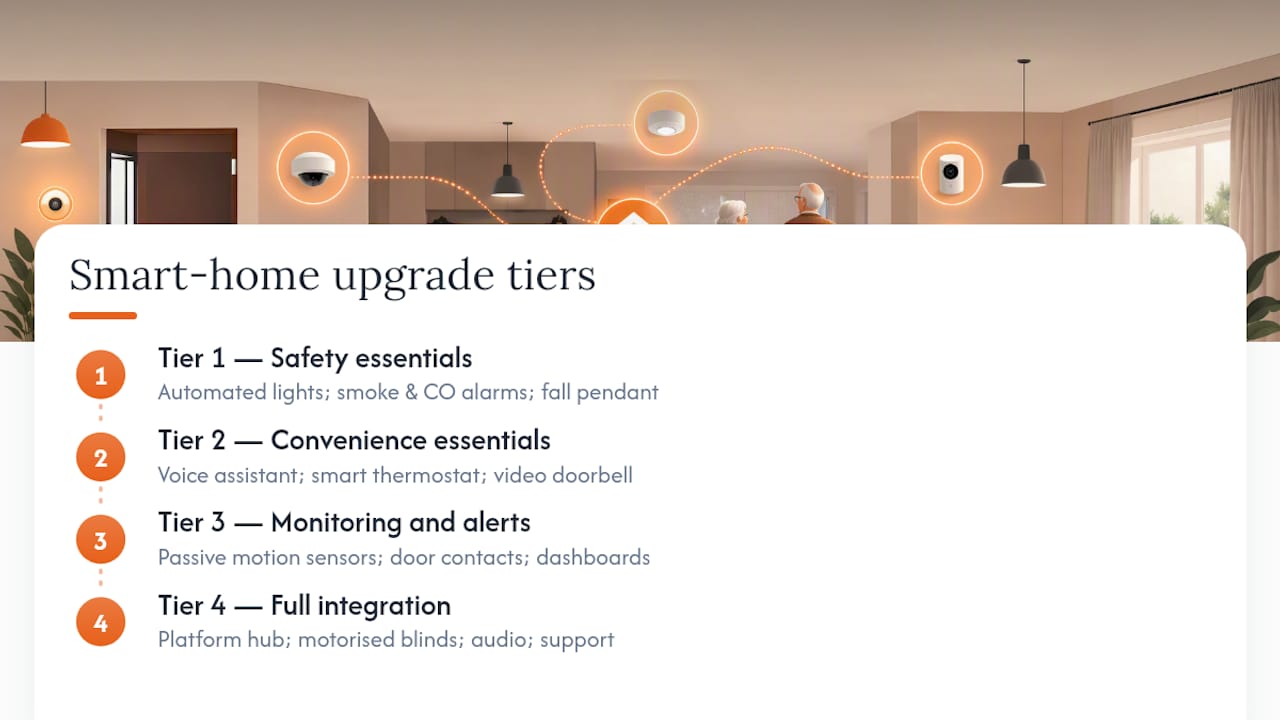
Tier 3 — Monitoring and alerts introduces passive motion sensors, door contacts, and caregiver dashboards. This tier is most valuable when a caregiver lives at a distance or when a health change has made independent living more precarious.
Tier 4 — Full integration connects everything through a platform like Control4 or a Matter-compatible hub, adds motorised blinds, whole-home audio, and a managed support plan. This tier suits households where long-term reliability and minimal daily maintenance are priorities. For readers weighing dealer-managed systems against DIY approaches, a Control4 alternatives guide covers the trade-offs clearly.
Sample cost ranges (CAD)
Prices are approximate ranges for Canadian markets and will vary by region, brand, and home size.
Compatibility checklist
- Hub vs. hubless: Matter-certified devices work across ecosystems without a dedicated hub. Older Zigbee or Z-Wave devices need a compatible hub.
- Wi-Fi and mesh networking: a mesh system (two or three nodes) is strongly recommended for homes over 1,500 sq ft.
- Power and battery: prefer hardwired or USB-C rechargeable sensors in high-traffic areas; battery-only sensors need a replacement schedule.
- App complexity: choose platforms with simple caregiver-facing apps; avoid systems that require a senior to manage settings themselves.
Canadian rebates and subsidies
Several provincial and municipal programmes offer financial assistance for home modifications that support aging in place, including some technology upgrades. Alberta Seniors and Housing, the Canada Mortgage and Housing Corporation (CMHC) home adaptation programs, and some regional health authorities offer grants or low-interest loans. Check directly with your provincial ministry responsible for seniors' services and your local health authority, as eligibility and amounts change regularly.
What privacy and security risks should you watch for?
Privacy and security risks are real but manageable with deliberate choices and basic settings. The biggest risks are not dramatic hacks — they are mundane: a camera pointed at a bedroom, a microphone that logs voice commands to a cloud server, or an account with a weak password that a family member set up in a hurry.
Main risks to know:
- Always-on microphones (voice assistants) and indoor cameras create continuous data streams stored on third-party servers.
- Cloud data sharing: most smart-home platforms share anonymised usage data with partners by default.
- Account takeover: a single shared password across multiple devices is a common vulnerability.
- Battery failures in sensors or pendants can create silent gaps in coverage with no alert to the caregiver.
- False alerts from motion sensors cause caregiver anxiety and, over time, lead caregivers to ignore notifications.
Practical mitigation steps:
- Favour ambient sensors (motion, door contacts, energy monitoring) over cameras in private spaces. They build a useful routine picture without video.
- Enable two-factor authentication on every smart-home account.
- Put smart devices on a separate guest Wi-Fi network, isolated from computers and phones with sensitive data.
- Choose professionally managed systems where firmware updates are handled by the installer, not the senior.
- Set alert thresholds carefully: a sensor that fires every time the cat walks past is worse than no sensor.
Pro Tip: Routine-pattern analytics — alerts that fire only when something is unusual (no movement by 10 AM when the norm is 7 AM) — are far more useful and far less intrusive than continuous video. Most modern caregiver platforms support this. Ask your installer to configure threshold-based alerts rather than motion-triggered ones.
When should you hire a professional installer?
Professional installation is the right call for integrated systems, for households where no one nearby can troubleshoot a dropped sensor, and whenever long-term reliability matters more than upfront savings. A single device like a smart bulb is a reasonable DIY project. A system covering lighting, sensors, locks, audio, and caregiver alerts across a full home is not.
The practical advantages of professional installation go beyond the install day itself. A qualified installer surveys the home's Wi-Fi coverage before placing a single device, positions sensors at the correct height and angle for reliable detection, and configures caregiver alerts with the right thresholds from the start. They also provide a training session for the senior and family members, which is often the difference between a system that gets used and one that gets ignored.
What a professional install typically looks like:
- Site survey: the installer walks the home, maps Wi-Fi signal strength, identifies fall-risk areas, and discusses the senior's daily routine with the family.
- Network assessment and upgrade: if the existing router has dead zones, a mesh Wi-Fi system is installed first. Everything else depends on reliable connectivity.
- Device placement: sensors, switches, and speakers are positioned based on the survey, not guesswork. Lighting sensors go in hallways and bathrooms; door contacts go on the main entrance and bedroom door.
- System configuration: devices are linked to a hub or platform, caregiver alerts are set up with agreed thresholds, and voice assistant routines are programmed.
- Family training: the installer walks through the caregiver app, demonstrates how to adjust alert settings, and explains what to do if a device goes offline.
- Support plan: a reputable installer provides a service agreement covering scheduled check-ins, battery replacement reminders, and remote troubleshooting.
Questions to ask any installer before signing:
- What warranty covers the devices and the labour separately?
- Do you offer remote support, and what is the response time?
- Who handles firmware updates, and how often?
- What is your data handling policy — where does sensor data go, and who can access it?
- What does the ongoing maintenance plan include, and what is the annual cost?
Pro Tip: A managed service agreement should include at minimum: annual on-site check-in, remote monitoring of device connectivity, battery replacement reminders, and a defined response time for support calls. If an installer cannot describe these in writing, keep looking.
What does the research actually say about smart-home technology for older adults?
The honest summary: small-scale trials and pilot programmes show genuine improvements in perceived safety and quality of life, but the evidence base is still building. There are no large randomised controlled trials yet, and most studies involve small, self-selected groups. That is not a reason to dismiss the technology — it is a reason to choose modular systems that can be adjusted as evidence and individual needs evolve.
A 12-week personalised smart-home pilot involving older adults found a statistically significant increase in overall quality-of-life scores, with particular gains in 'achieving in life' and 'future security'. Those are meaningful gains from a relatively short programme.
The ELDERDES model frames the home as a digital environmental hub, arguing that integrated sensors, wearables, and telehealth tools combine to support independent living in ways that isolated gadgets cannot. The model's practical implication is to prioritise cohesive systems that learn routines and scale as needs change.
Key evidence points:
- Pilot studies show measurable gains in quality-of-life domains, particularly around independence and perceived security.
- Caregiver peace of mind is a consistent secondary benefit across studies, even when the primary outcome is the senior's experience.
- Generalisability is limited: most studies involve motivated participants in controlled settings, not the full range of seniors with varying health and tech literacy.
- The strongest evidence supports environmental modifications (lighting, fall detection) rather than complex integrated systems.
When choosing technology based on research, look for real-world pilot results rather than lab studies, and favour modular systems that can be scaled back if a device causes more stress than it relieves.
How do you vet a professional smart-home installer in Canada?
Canada has no single national certification body specifically for smart-home installers, which means the quality of service varies considerably. The right installer for a senior's home is not necessarily the one with the lowest quote or the most devices on their product list.
Start with credentials and affiliations. Installers who are CEDIA-trained (Custom Electronic Design and Installation Association) have completed structured education in residential AV and automation systems. CEDIA membership is a reasonable baseline signal of professional commitment, though it is not a guarantee of quality on its own.
Ask for references from residential projects, specifically homes where the client was an older adult or a family managing care remotely. A good installer will have done this before and will be comfortable describing what worked and what needed adjustment.
Verify that the installer carries liability insurance and offers a written service agreement before any work begins. In Alberta, electrical work associated with smart-home installations (hardwired switches, panel connections) must be performed by or under the supervision of a licensed electrician. Confirm this before the installer touches a switch plate.
Evaluate the consultation process. A trustworthy installer asks about the senior's daily routine, mobility, and comfort with technology before recommending any device. An installer who arrives with a fixed package and no questions is selling product, not solving a problem.
Finally, assess the long-term support model. The install day is straightforward; the next two years of firmware updates, battery replacements, and sensor recalibrations are where most systems either hold up or fall apart. An installer who cannot describe their post-install support process in concrete terms is not the right choice for a senior's home.
What installers actually see in Canadian homes
The most common problems in senior smart-home installations are not device selection failures. They are network failures and sensor placement errors. A motion sensor placed too high misses a fall; a sensor placed near a heating vent fires false alerts all winter. These are not problems a product review can prevent.
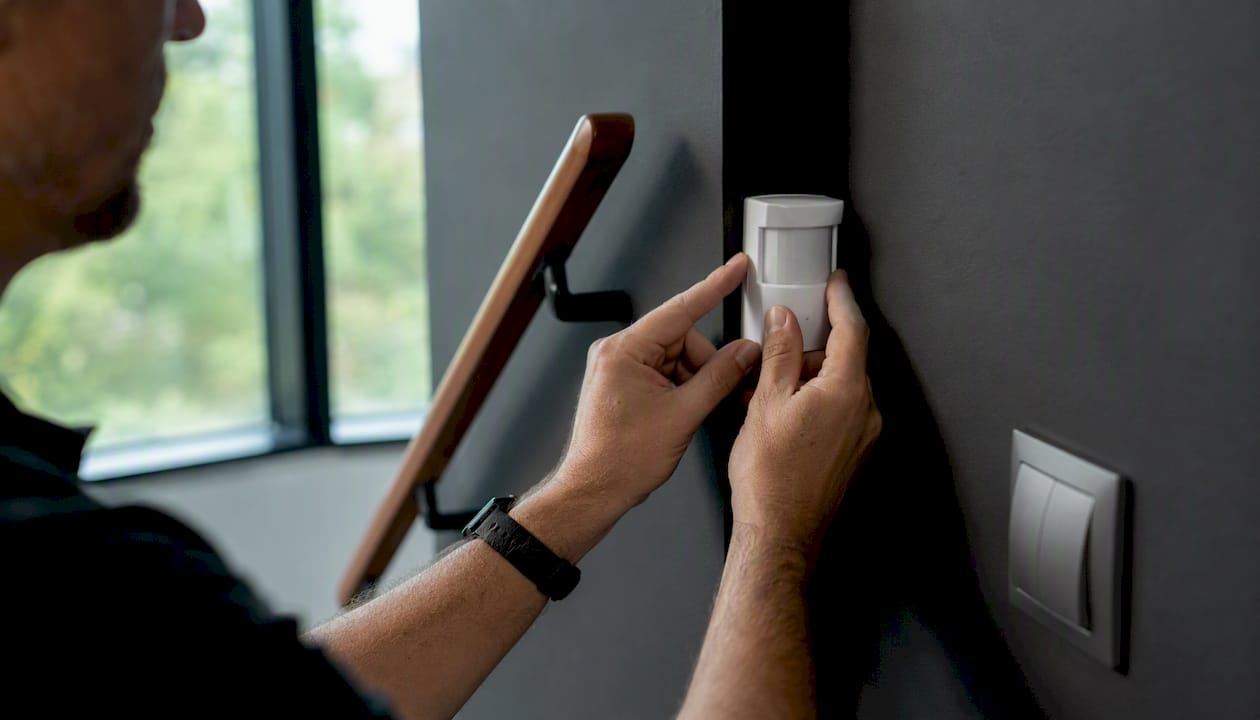
Seniors consistently prefer systems that require minimal daily interaction. The ideal setup is one they forget is there — lights that respond, reminders that speak, doors that lock. Caregivers, on the other hand, want routine-based alerts: a notification at 9 AM if the bedroom door has not opened, not a live video feed. Cameras meet resistance in almost every home we see; ambient sensors are accepted without complaint.
The three fixes that make the biggest difference in existing installations are almost always the same: add motion-activated lighting in the bathroom and hallway, install a reliable mesh Wi-Fi system to eliminate dead zones, and configure caregiver alerts based on routine patterns rather than raw motion events. Those three changes, done well, deliver more practical safety than a full device overhaul done poorly.
JupiterAV provides professional smart-home installation in Calgary
If the tiered plan above describes where your household needs to go, JupiterAV handles the full path: site assessment, professional installation, and ongoing support for the smart-home solutions covered in this guide.

The team installs and services Control4 integration, Lutron Caseta smart lighting, Sonos whole-home audio, motorised blinds, network infrastructure, and security systems for homes across Calgary. Every project starts with an in-home assessment that maps the senior's daily routine, the home's Wi-Fi coverage, and the caregiver's alerting needs before a single device is recommended. Post-install support plans include remote monitoring, scheduled check-ins, and battery replacement reminders so the system stays reliable without putting the maintenance burden on the senior or their family.
Book a site assessment with JupiterAV to get a clear picture of what your home needs and what it will cost before committing to anything.
Sources
The sources below were selected for research quality, Canadian relevance, and practical guidance for seniors, caregivers, and families making real purchasing decisions. For subsidy and rebate information specific to your province or municipality, contact your provincial ministry responsible for seniors' services or your local health authority directly, as programmes and eligibility change regularly.
- Smart home technology to support older people's quality of life
- The “ELDERDES” model: how older adults' adoption of digital environment solutions improves residential experiences, health outcomes, and enables independent living
- How a Smart Home Can Help You Age in Place
- Aging-in-place technology: Making it easier to stay at home | UCLA Health
- Smart homes helping older adults live safely and independently