
Cat6 and Cat6a are both Ethernet cables built for Gigabit and 10 Gigabit networks, but the right choice between them comes down to one critical factor: how far you need to run 10 Gbps. Cat6 supports 10 Gbps up to 55 metres, while Cat6a delivers the same speed reliably over the full 100-metre channel length defined by ANSI/TIA standards. For most Alberta homeowners running cables through walls or across a single floor, Cat6 is more than enough. If you are wiring a new build, planning runs over 55 metres, or future-proofing for Wi-Fi 7, Cat6a is the smarter long-term investment.
1. What are the technical differences between Cat6 and Cat6a?
The most important technical gap between Cat6 and Cat6a is bandwidth. Cat6a operates at 500 MHz, exactly double Cat6's 250 MHz ceiling. That extra bandwidth is what allows Cat6a to sustain 10 Gbps across a full 100-metre run without signal degradation.
Cat6a also includes alien crosstalk (AXT) protection, which Cat6 lacks entirely. Alien crosstalk is interference that bleeds between adjacent cables in a bundle. In a home with a handful of cables, this rarely matters. In a dense bundle of 20 or more cables, it can cause measurable performance drops on Cat6 runs.
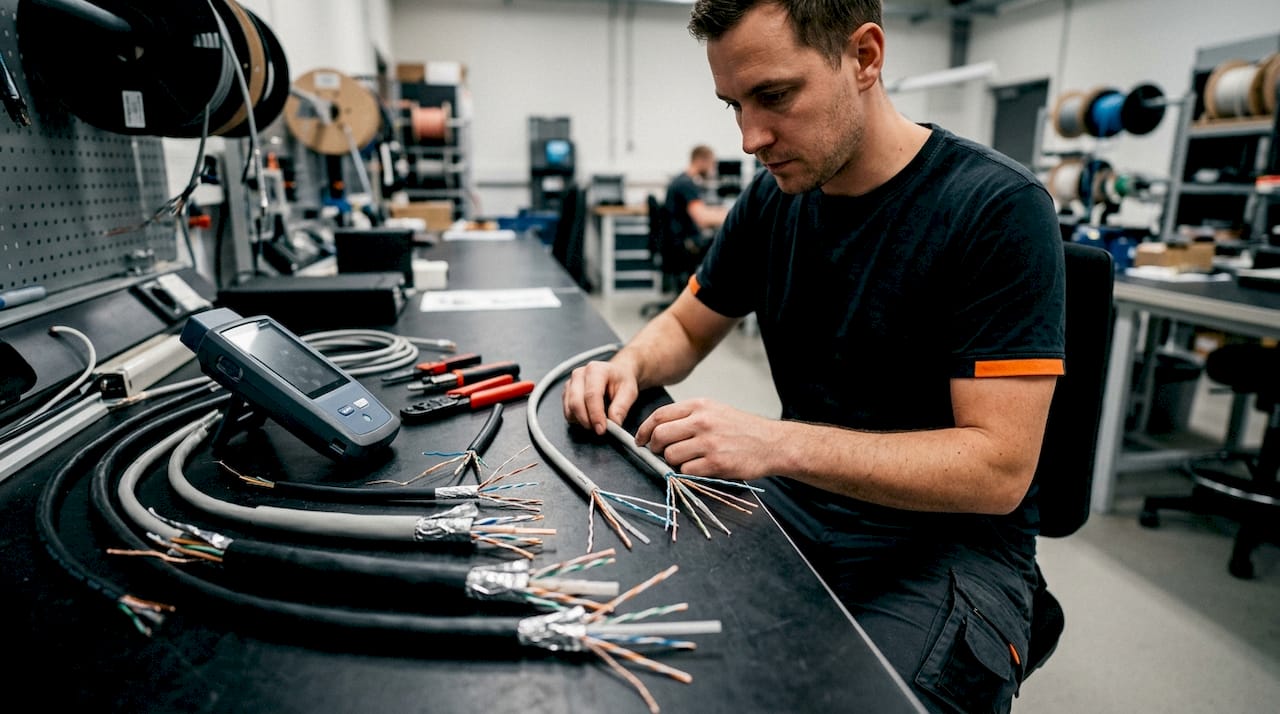
The physical construction reflects these performance differences. Cat6a cables use a thicker jacket and an internal separator to keep the twisted pairs isolated. This makes them noticeably stiffer and heavier. Cat6a weighs roughly 36 lbs per 1,000 feet, compared to about 28 lbs per 1,000 feet for Cat6. That extra weight and stiffness matters when you are pulling cable through tight conduit or around corners.
| Specification | Cat6 | Cat6a |
|---|---|---|
| Bandwidth | 250 MHz | 500 MHz |
| Max speed | 10 Gbps | 10 Gbps |
| Max distance at 10 Gbps | 55 metres | 100 metres |
| Max distance at 1 Gbps | 100 metres | 100 metres |
| Alien crosstalk protection | No | Yes |
| Typical diameter | ~6 mm | ~8 mm |
| Shielding options | UTP or STP | UTP (U/FTP) or STP (F/UTP, S/FTP) |
Pro Tip: If your switch and devices only support 1 Gbps today, both cables perform identically at that speed over 100 metres. The difference only shows up when you push to 10 Gbps.
2. How do cost and installation factors compare?
Material cost is the most obvious difference. Cat6a costs approximately 20–50% more per foot than Cat6, with Cat6 running roughly $0.12–$0.25 per foot and Cat6a at $0.25–$0.60 per foot. On a single 30-metre home run, that price gap is small. Across a full new-build wiring project with 20 or 30 drops, it adds up.
The bigger cost driver is often labour, not materials. Labour costs are similar for both cable types, but Cat6a's larger diameter increases conduit fill and makes pulling more physically demanding. A conduit sized for 10 Cat6 cables may only fit 7 or 8 Cat6a cables. That can mean upsizing conduit, which adds both material and installation cost.
| Factor | Cat6 | Cat6a |
|---|---|---|
| Material cost per foot | $0.12–$0.25 | $0.25–$0.60 |
| Cable diameter | ~6 mm | ~8 mm |
| Conduit fill impact | Standard | Reduced capacity |
| Bend radius | ~1 inch minimum | ~1.5–2 inches minimum |
| Installation difficulty | Moderate | Higher |
| Long-term re-cabling risk | Higher | Lower |
Pro Tip: When labour dominates your project budget, the incremental cost of upgrading to Cat6a is often less than 15% of the total job. Paying that premium once beats paying for a full re-cable in five years.
3. When is Cat6 the right choice?
Cat6 is the right cable for most residential networking projects in Alberta. The majority of home internet plans top out well below 1 Gbps, and Cat6 handles 1 Gbps flawlessly over 100 metres. Streaming 4K video, gaming, and video calls all run comfortably on Cat6.
Budget-conscious retrofits and short-run projects favour Cat6 because the smaller diameter pulls easily through existing conduit and around tight corners. If you are adding a single drop to a home office or replacing a patch cable, Cat6 is the practical choice.
Cat6 also makes sense in temporary setups, rental properties, or any situation where the wiring is unlikely to stay in place for more than five years. Spending more on Cat6a in a space you will renovate or vacate soon rarely pays off.
Best use cases for Cat6:
- Home runs under 55 metres where 10 Gbps is not required
- Patch cables and short desktop connections
- Budget retrofits in existing homes
- Rental properties or temporary installations
- Environments with low cable density and minimal crosstalk risk
- Home networks running standard internet speeds up to 1 Gbps
4. When does Cat6a become the better choice?
Cat6a becomes necessary the moment you need reliable 10 Gbps over runs longer than 55 metres. That scenario is rare in a small bungalow but common in a larger two-storey home, a detached garage, or a home with a basement server room.
Wi-Fi 7 access points can aggregate throughput above 5 Gbps, which means a Cat6 backhaul cable becomes the bottleneck before the wireless side does. If you are installing Wi-Fi 7 or planning to, Cat6a is the correct uplink cable. The same logic applies to high-power Power over Ethernet (PoE++) devices, which deliver up to 90W. Cat6a handles the associated heat load better than Cat6 in sustained PoE deployments.
Cat6a is the standard for new commercial installations, and that standard is increasingly applied to high-end residential builds as well. If your home is under construction or undergoing a major renovation, running Cat6a now avoids a costly re-cable later.
Best use cases for Cat6a:
- Runs over 55 metres requiring 10 Gbps
- New construction and major renovations
- Wi-Fi 7 or Wi-Fi 6E access point uplinks
- High-power PoE++ devices (cameras, access points, smart panels)
- High-density cable bundles where alien crosstalk is a concern
- Infrastructure expected to last 10 or more years
- Home theatres, dedicated media rooms, or whole-home AV systems
Choosing based on total cost of ownership rather than upfront cable price is the right framework here. Under-specifying today leads to expensive re-cabling tomorrow.
5. Key practical tips for installing Cat6 and Cat6a
Bend radius is the first thing to get right. Cat6 tolerates a minimum bend radius of about 1 inch. Cat6a requires 1.5–2 inches minimum. Forcing Cat6a around a tight corner compresses the internal separator and degrades signal performance, sometimes enough to fail certification testing.
Termination precision matters far more with Cat6a. At 500 MHz, untwisting more than half an inch of a twisted pair during termination causes certification failure. Cat6a also requires specific connectors. Standard Cat6 keystone jacks will not maintain the performance rating of a Cat6a cable. Connectors like the ezEX48 are designed specifically for the larger Cat6a conductor geometry.
Thermal management is worth considering in PoE++ runs. Cat6a's thicker jacket retains heat better than Cat6, which is an advantage in cold Alberta winters but can be a concern in tight conduit bundles carrying high-wattage PoE loads. Space cables where possible and avoid over-filling conduit.
Pro Tip: Always certify Cat6a installations with a qualified cable tester. A visual inspection tells you nothing about whether the cable meets 500 MHz performance. Certification gives you documented proof and catches termination errors before they cause intermittent network problems.
Key takeaways
Cat6 covers most home networking needs today, but Cat6a is the right choice for any run over 55 metres, any new construction, or any network built around Wi-Fi 7 or high-power PoE devices.
| Point | Details |
|---|---|
| Distance is the deciding factor | Cat6 handles 10 Gbps up to 55 metres; Cat6a extends that to 100 metres reliably. |
| Cat6a costs more upfront | Expect to pay 20–50% more per foot, but labour savings on future re-cabling often offset this. |
| Cat6 suits most homes today | Standard internet speeds and short runs make Cat6 the practical, cost-effective choice. |
| Cat6a is built for the future | Wi-Fi 7, PoE++, and new construction all point toward Cat6a as the long-term standard. |
| Installation precision matters | Cat6a requires larger bend radii, specific connectors, and certified testing to perform correctly. |
My honest take on Cat6 vs Cat6a for home networking
Most homeowners in Alberta do not need Cat6a, and I will say that plainly even though Cat6a is the more impressive cable on paper. If your internet plan is 1 Gbps or less, your runs are under 40 metres, and you are not installing Wi-Fi 7, Cat6 does everything you need at a lower cost and with less installation headache.
Where I see people go wrong is in both directions. Some homeowners over-specify, spending significantly more on Cat6a for a 10-metre patch run in a condo. Others under-specify, wiring a brand-new 3,000-square-foot home with Cat6 and then discovering two years later that their Wi-Fi 7 router is bottlenecked by the backhaul cable.
The question I always ask first is: how long will this wiring stay in place? If the answer is 10 years or more, and you are already opening walls, Cat6a is worth the upgrade. The cable cost difference on a typical home project is a few hundred dollars. A re-cable job costs thousands.
The other misconception I hear often is that Cat6a is automatically faster. It is not. Both cables top out at 10 Gbps. Cat6a just sustains that speed over longer distances and in denser environments. If neither of those conditions applies to your home, you are paying for capability you will never use.
— Aaron
Jupiterav can help you wire it right the first time
Choosing the right cable is only half the job. Proper installation, correct termination, and certified testing are what actually determine whether your network performs as expected.

Jupiterav installs low-voltage wiring, including Cat6 and Cat6a Ethernet, in homes, businesses, and new builds across Alberta. Whether you are setting up a home theatre, adding smart home devices, or wiring a new construction from the ground up, the team at Jupiterav brings the expertise to do it correctly. Get in touch to discuss your project and find out which cable solution fits your space and your budget.
FAQ
What is the main difference between Cat6 and Cat6a?
Cat6 supports 10 Gbps up to 55 metres, while Cat6a supports 10 Gbps over the full 100-metre channel length. Cat6a also operates at 500 MHz bandwidth versus Cat6's 250 MHz and includes alien crosstalk protection.
Is Cat6a worth it for a home network?
Cat6a is worth it for new construction, runs over 55 metres, or homes with Wi-Fi 7 access points. For most existing homes with short cable runs and standard internet speeds, Cat6 is sufficient and more cost-effective.
Can I mix Cat6 and Cat6a cables in the same network?
Yes, but the network will perform at the lower cable's rating. A Cat6a run connected to a Cat6 patch cable loses the Cat6a performance advantage at that link.
How much more does Cat6a cost than Cat6?
Cat6a costs approximately 20–50% more per foot than Cat6. Cat6 typically runs $0.12–$0.25 per foot, while Cat6a ranges from $0.25–$0.60 per foot, depending on shielding and brand.
Does Cat6a require special connectors?
Yes. Cat6a requires connectors rated for 500 MHz performance, such as the ezEX48 style. Using standard Cat6 keystone jacks on a Cat6a cable will degrade performance and cause the installation to fail certification testing.